Candlestick
OHLC price candles. What the candlestick is for, the data it needs and every option it has.
4 min read
On this page
OHLC price candles. It sits in the Financial group of the widget library.
When to use it#
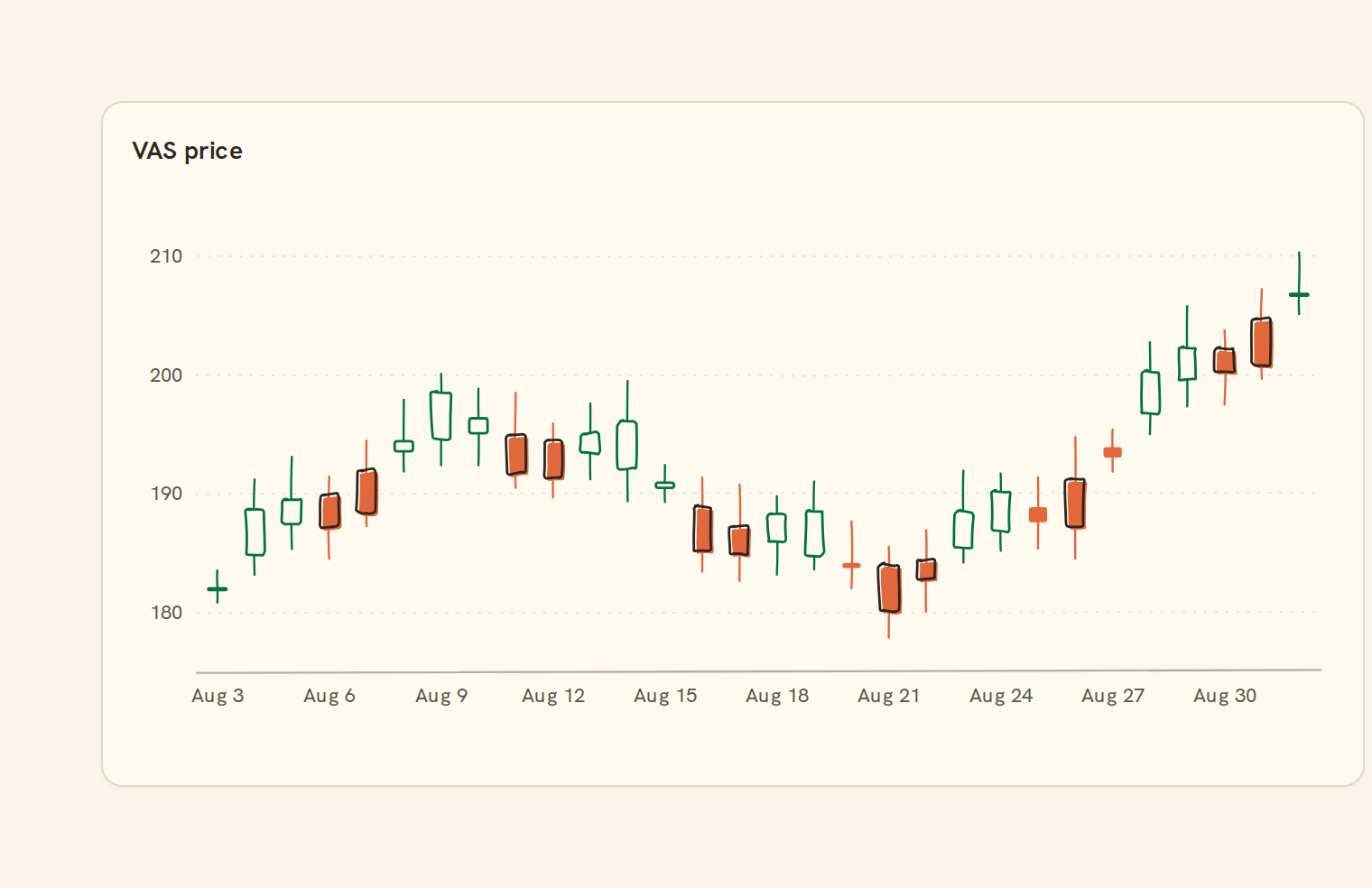
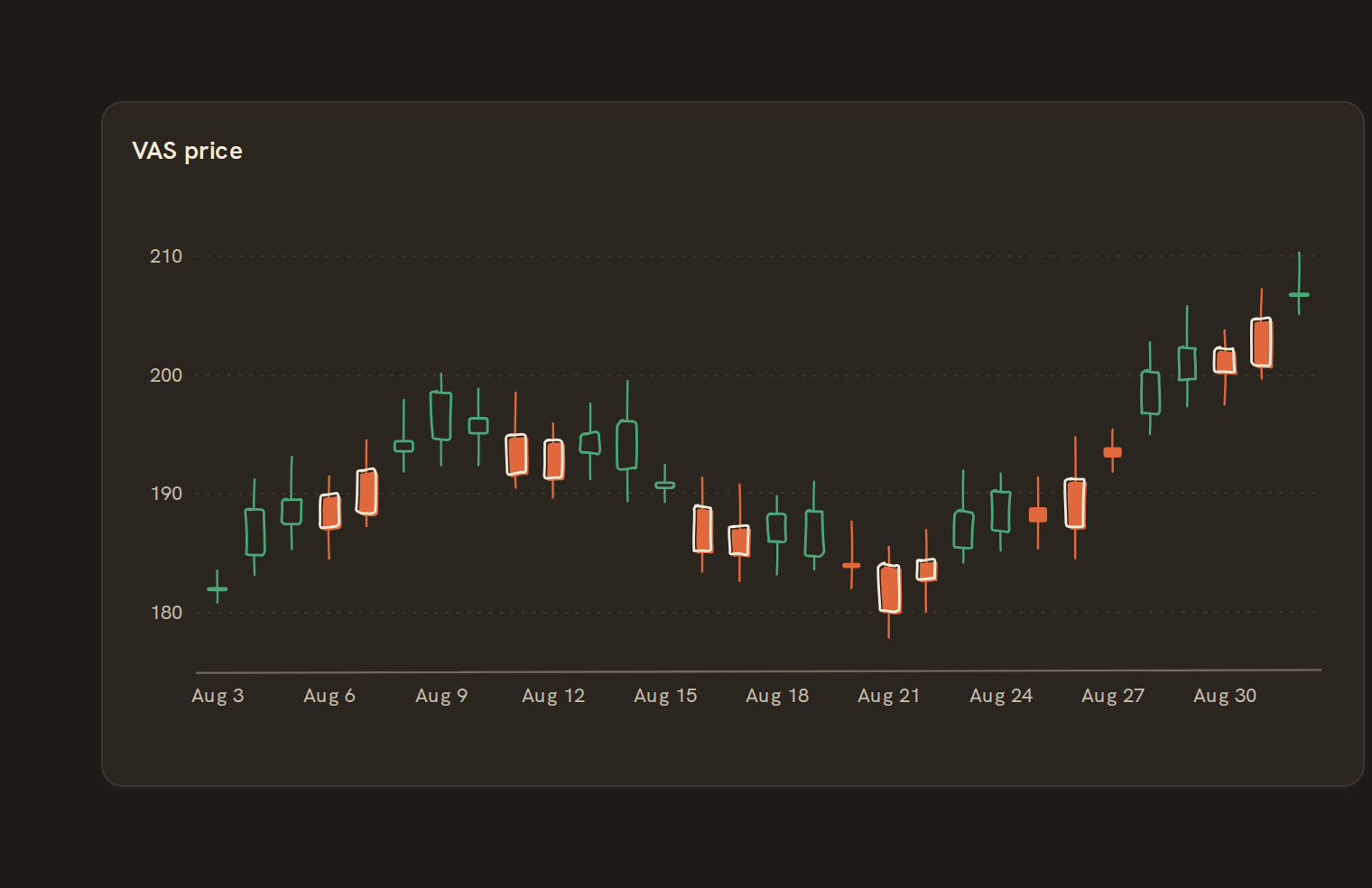
A Candlestick chart shows each period's open, high, low and close. It answers "how volatile was this holding each day, and did it close up or down?". Rising periods are hollow and falling ones are filled. You can add volume bars under the prices.
When to pick something else#
- Only the closing price matters? Use a Line chart.
- Want thinner marks, or printing in black and white? Use OHLC.
- Want the price levels that traded the most? Use a Volume profile.
The data it needs#
Pick these in the Data tab of the inspector. BankSync suggests a column for each when your source has an obvious match.
| Field | Needed | Pick | Notes |
|---|---|---|---|
| Date | Yes | a date | Open/High/Low/Close are read from columns named o/h/l/c — shape them in the query. |
Each row is drawn as it is, so shape the rows first if you need totals. See Shaping data.
Candlestick options#
Set these on the Style tab of the inspector. "Automatic" means BankSync picks a value from the chart's size and data.
| Option | What it does | Values | New charts start with |
|---|---|---|---|
| Rising colour | Colour for periods that closed higher than they opened. | Colour | #16a34a |
| Falling colour | Colour for periods that closed lower than they opened. | Colour | #dc2626 |
| Unchanged colour | Colour for periods that closed where they opened. Defaults to the rising colour. | Colour | Automatic |
| Wick colour | Colour of the thin high-to-low lines. Leave empty to match each candle’s colour. | Colour | Automatic |
| Candle width | Width of each candle body as a fraction of its slot, from 0 to 1. | Number, 0 to 1 | Automatic |
| Wick width | Thickness of the high-to-low lines, in pixels. | Number, 0 or more | Automatic |
| Show volume | Draw volume bars under the candles when a volume field is set. On by default. | On or off | Automatic |
| Volume height | Share of the chart height the volume bars take, from 0.1 to 0.5 (0.22 by default). | Number, 0 to 1 | Automatic |
Needs history#
Show a note instead of the chart until the rows cover enough periods, so a first week never reads as a trend.
| Option | What it does | Values | New charts start with |
|---|---|---|---|
| Date field | The date column whose distinct periods are counted. | Text | Automatic |
| Period | What counts as one period: a day, week, month, quarter or year. | Day, Week, Month, Quarter, Year | Automatic |
| Periods needed | How many distinct periods the rows must cover before the chart draws (2 to 60). | Whole number, 2 to 60 | Automatic |
| Waiting message | Shown until there is enough history. Leave empty for a message naming the periods. | Text, up to 120 characters | Automatic |
Shared chart styling#
Every chart also has the shared styling options. These apply to this one:
- Legend: position, layout and which series show.
- Axes: titles, tick labels and number format.
- Grid, title, padding and background.
- Value labels on the marks.
- Categories and labels: top N with "Other", sort order, readable labels, the handwritten callout.
- Style: corner radius, line width, opacity and animation.
- Tooltip on hover.
- Click to filter: clicking a mark can filter the rest of the dashboard. See Filters and cross-filtering.
- Colours: follow the dashboard palette or pick one for this chart.
Messy data#
- It needs price history with a date and open, high, low and close columns, one row per period. Transactions don't have these columns.
- A row missing any of the four prices is dropped, never drawn from zero. With none left you see "No complete price rows to show".
- Rows are sorted by date. Two rows with the same date draw two candles, and days with no rows, such as weekends, take no space.
- The price axis fits your price range instead of starting at zero.
On a phone#
When a candle would be under 2 pixels wide, the chart switches to a close-price line with a crosshair. For a phone, keep the range to a month or two of daily candles.
Related charts#
- OHLC: Open-High-Low-Close bars
- Volume profile: Volume traded per price
- Waterfall: Walk from a start to an end amount, step by step (P&L, net-worth change)
Use this page with your AI assistant
Every BankSync doc is available as plain Markdown for agents and LLMs.