KPI
Single headline metric with delta/sparkline. What the kpi is for, the data it needs and every option it has.
7 min read
On this page
Single headline metric with delta/sparkline. It sits in the Numbers and tables group of the widget library.
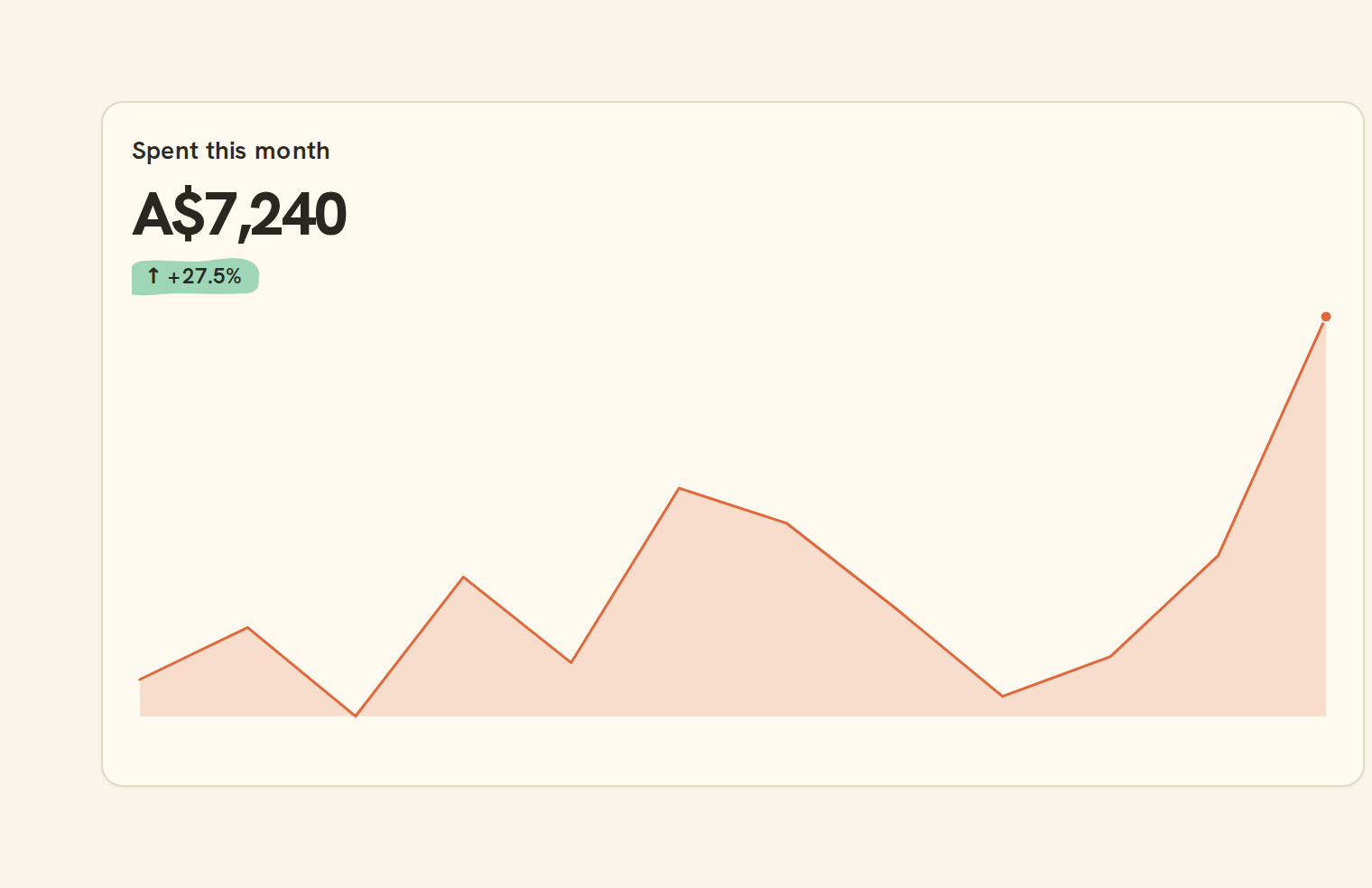
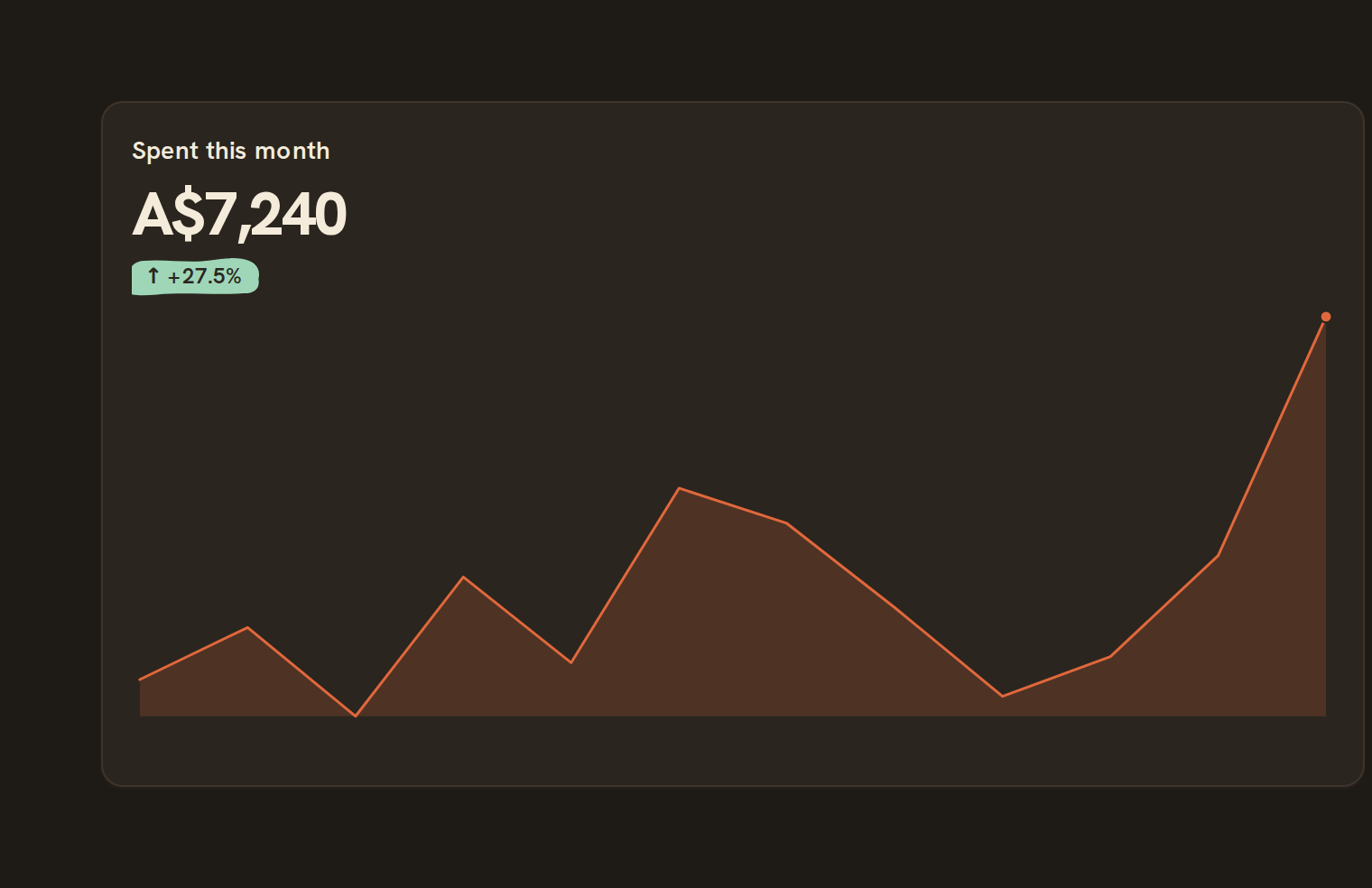
When to use it#
Use a KPI when one number is the answer: total spending this month, current cash balance, income year to date. It can add a change against a previous period or a fixed baseline, a small trend line and a target.
When to pick something else#
- The trend matters more than the number? Use a Line chart or an Area chart.
- The number against a goal? Use Progress or a Gauge.
- Several numbers broken down by category? Use a Bar chart or a Table.
The data it needs#
Pick these in the Data tab of the inspector. BankSync suggests a column for each when your source has an obvious match.
| Field | Needed | Pick | Notes |
|---|---|---|---|
| Metric | Yes | a number | value |
KPI options#
Set these on the Style tab of the inspector. "Automatic" means BankSync picks a value from the chart's size and data.
| Option | What it does | Values | New charts start with |
|---|---|---|---|
| Value column | The column the headline number is computed from. | Text | metric |
| Combine values | How the column becomes one number: sum, average, count, lowest, highest, median, first or last. None uses the first row as is. | None, Sum, Avg, Count, Min, Max, Median, Last, First | Automatic |
| Count amounts as | Net adds amounts as they are. Spending counts only money going out, as positive; income counts only money coming in. | Net, Spending, Income | Automatic |
| Label | A short name shown above the number. | Text | Automatic |
| Caption | Helper text under the number, such as "vs last month". Shown when the card is tall enough. | Text | Automatic |
| Icon | An emoji shown beside or above the number. | Text | Automatic |
| Icon position | Put the icon before the number, above it, or after it. | Start, Top, End | Automatic |
| Prefix | Text shown before the number. | Text | Automatic |
| Suffix | Text shown after the number, such as a unit. | Text | Automatic |
| Change shown as | When a comparison is on, show the change as an amount, a percentage, or both. | Absolute, Percent, Absolute and percent | Absolute and percent |
| Card style | Plain blends into the dashboard card; Card adds its own background and border; Outlined adds a border only. | Card, Plain, Outlined | Automatic |
| Density | Compact uses less padding and smaller text than comfortable. | Comfortable, Compact | Automatic |
| Alignment | Align the label, number and extras to the start, centre or end. | Start, Center, End | Automatic |
| Number size | Text size of the number, in pixels. Leave empty to size it to the card automatically. | Number, 0 or more | Automatic |
| Number weight | How bold the number is. | Normal, Medium, Semibold, Bold | Automatic |
| Number colour | Colour of the headline number. | Colour | Automatic |
| Label size | Text size of the label above the number, in pixels. | Number, 0 or more | Automatic |
| Label colour | Colour of the label above the number. | Colour | Automatic |
| Accent colour | Colour of the sparkline when it has no colour of its own. | Colour | Automatic |
| Card background | Fill colour of the card. Not used by the plain style. | Colour | Automatic |
| Card corner radius | Rounds the card’s corners, in pixels. Not used by the plain style. | Number, 0 or more | Automatic |
| Card shadow | Add a soft shadow under the card. | On or off | Automatic |
Sparkline#
A small trend chart under the number, grouped by day, week or month.
| Option | What it does | Values | New charts start with |
|---|---|---|---|
| Show sparkline | Draw a small trend chart under the number when the card is tall enough. | On or off | Off |
| Sparkline column | The column to chart over time. Leave empty to chart the headline value column. | Text | Automatic |
| Sparkline style | Draw the trend as a line, a filled area or bars. | Line, Area, Bar | Line |
| Sparkline colour | Colour of the trend. Leave empty to use the accent colour. | Colour | Automatic |
| Mark latest value | Put a dot on the most recent point. On by default. | On or off | Automatic |
| Period under way | How the newest point is drawn while its period is still running (this month so far): dashed into it (default), left out, or solid like the rest. | Dashed, Omit, Solid | Automatic |
| Start at zero | Draw the trend from zero rather than from its lowest point, so a small month does not look like a collapse. On by default for money. | On or off | Automatic |
Target#
A goal for the number, shown as a progress bar with the share reached.
| Option | What it does | Values | New charts start with |
|---|---|---|---|
| Show target | Show the progress bar towards the target when the card is tall enough. | On or off | Off |
| Target value | The goal the number is measured against: a number, or a column of the rows such as a budget. | Number | Automatic |
| Good when | Above for a goal to reach; below for a budget to stay under, which turns the bar red and says over once passed. | Above, Below | Automatic |
Number format#
How the number is written: currency, percent, decimals and locale.
| Option | What it does | Values | New charts start with |
|---|---|---|---|
| Format | Currency, percent and compact (1.2K) change how the number is written; every other choice shows a plain number. | Number, Currency, Percent, Accounting, Scientific, Compact, Date, Time, Duration | Number |
| Locale | Language and region for separators and symbols, such as en-US or en-AU. Defaults to en-US. | Text | Automatic |
| Currency | Three-letter currency code such as USD, AUD or EUR, or auto to use the currency most of the rows are in. Defaults to USD when neither this nor a currency column is set. | Text | Automatic |
| Currency column | The column that holds each row’s currency code, such as currency or isoCurrencyCode, for money in more than one currency. A total is shown in the currency most of its rows are in; when they mix currencies the code is written after the number, such as 1,234.50 AUD, and a KPI says the total adds different currencies. With no code in the rows, a plain number is shown rather than a guessed symbol. | Text, up to 120 characters | Automatic |
| Currency display | Write the currency as its symbol, such as A$1,234.50 (the default), as its code after the number, such as 1,234.50 AUD, which reads the same in every country, or as the bare sign, such as $1,234.50. A dashboard whose money is all in its workspace’s currency uses the bare sign on its own. | Symbol, Code, Narrow | Automatic |
| Decimal places | Show exactly this many digits after the decimal point. | Number | Automatic |
Examples#
Open the live chart above to switch between these examples:
- Spent this month
- Income
- Saved so far
Messy data#
- Rows are added together by default. Rows without a number are skipped; if none has one, the KPI shows as empty rather than zero.
- Long values shrink to fit the tile, then switch to short form (such as $1.2M) rather than being cut off.
- The change is only shown when it can be worked out from the rows loaded. A percent change against a zero baseline is not shown, rather than showing a misleading 0%.
- For spending, a fall is coloured as good.
On a phone#
KPIs are 2 rows tall on phones and pair up two to a row, which makes them the best fit for headline numbers on a phone. In a short tile the target line, caption and trend line are dropped first so the number and change stay readable.
Related charts#
- Table: Sortable, filterable data grid
Use this page with your AI assistant
Every BankSync doc is available as plain Markdown for agents and LLMs.