Bar chart
Horizontal categorical bars. What the bar chart is for, the data it needs and every option it has.
4 min read
On this page
Horizontal categorical bars. It sits in the Comparison group of the widget library.
When to use it#
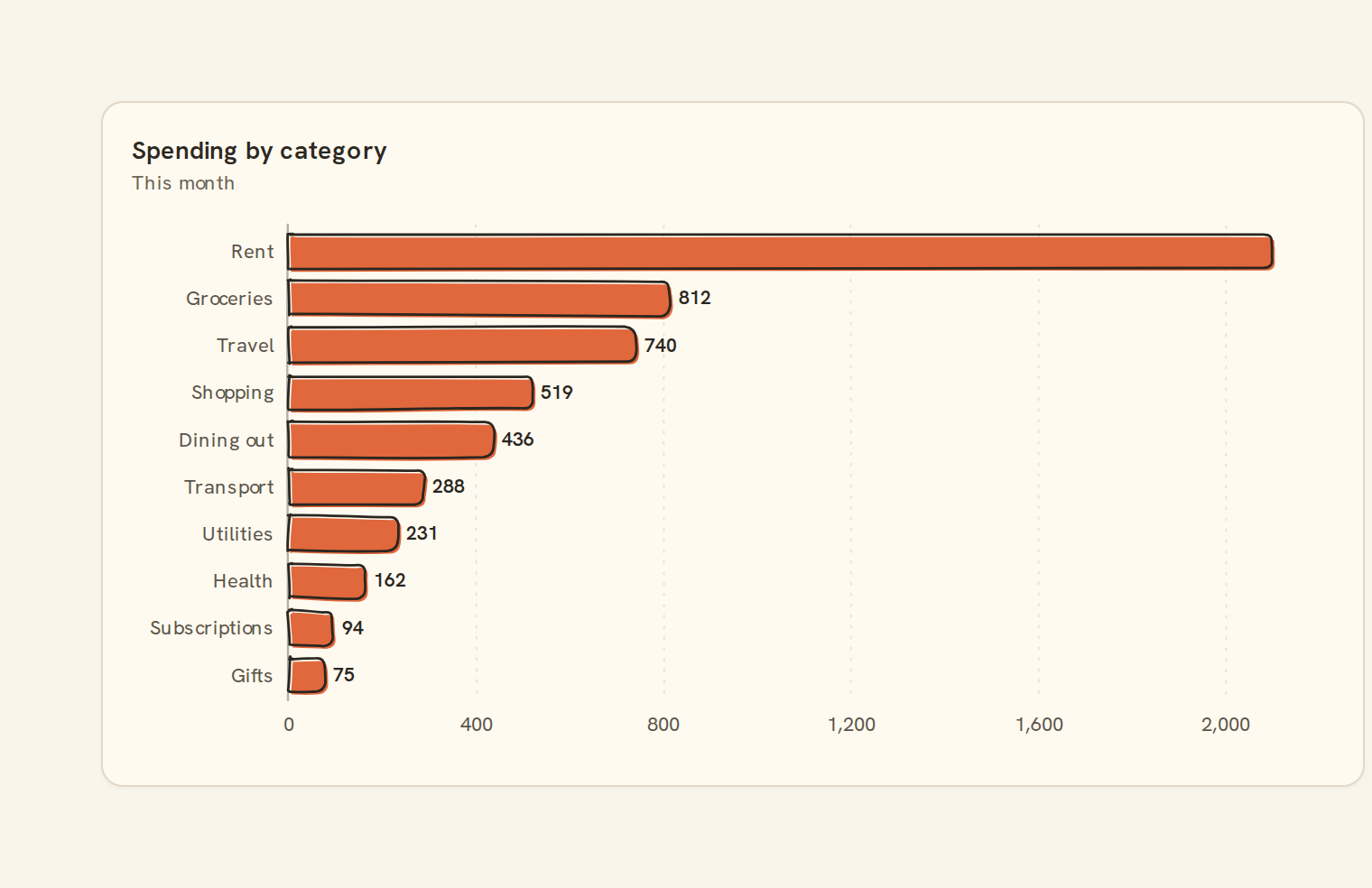
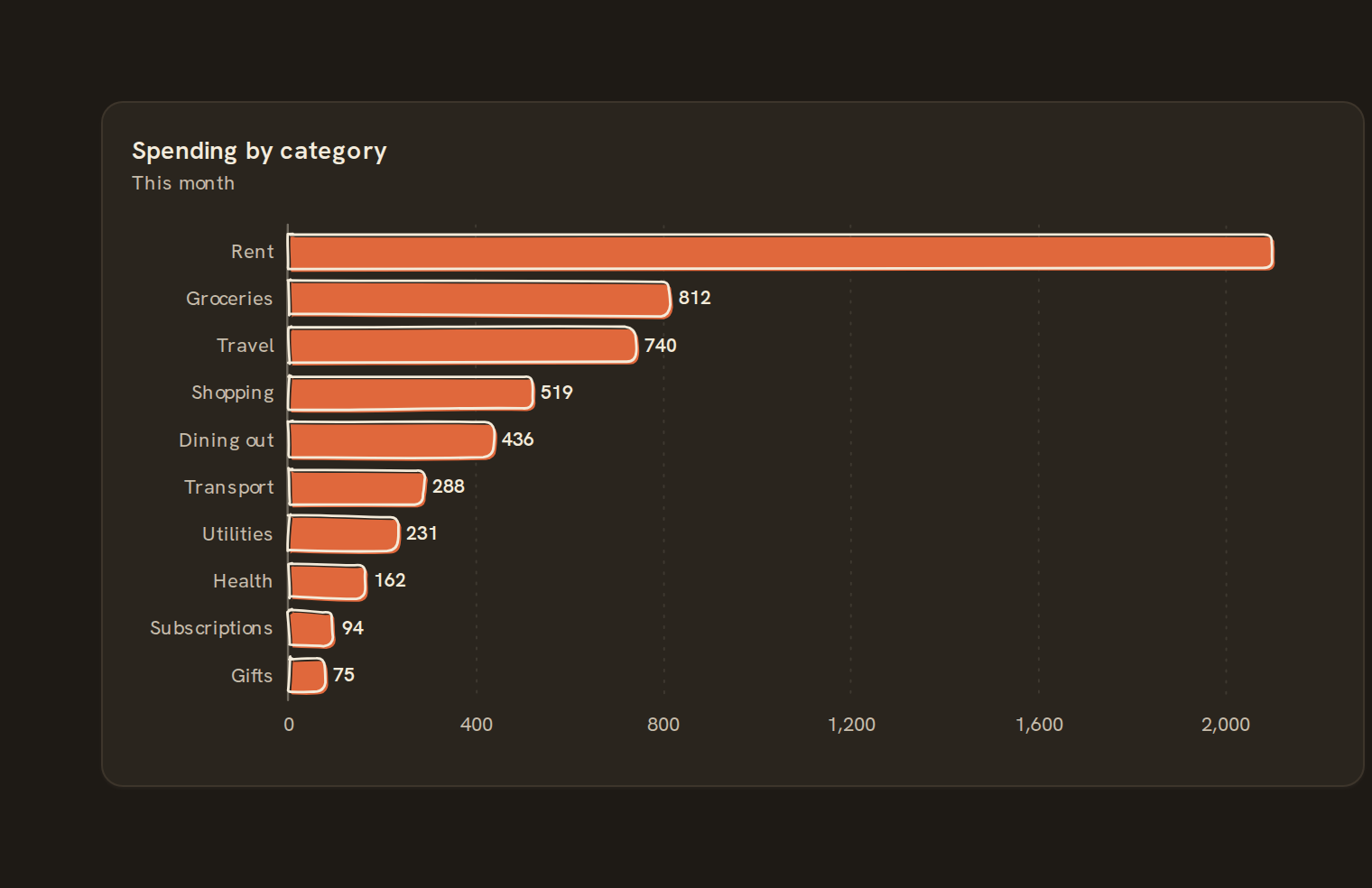
Use a bar chart to rank and compare categories: spending by merchant, balances by account, or income by client. Bars run horizontally, sorted largest first with their values shown, so long merchant names fit easily.
When to pick something else#
- Categories are periods of time? Use a Column chart so time runs left to right.
- Comparing two or three measures per category? Use a Grouped bar.
- Showing how each total splits into parts? Use a Stacked bar.
The data it needs#
Pick these in the Data tab of the inspector. BankSync suggests a column for each when your source has an obvious match.
| Field | Needed | Pick | Notes |
|---|---|---|---|
| X axis | Yes | a date or a category or a number | |
| Y axis | Yes | a number | You can pick several. |
| Series | Optional | a category | |
| Color | Optional | a category |
Rows that share a category are combined before drawing: choose Sum, Average, Count, Min or Max on the value field. See Binding data.
Bar chart options#
Set these on the Style tab of the inspector. "Automatic" means BankSync picks a value from the chart's size and data.
| Option | What it does | Values | New charts start with |
|---|---|---|---|
| Orientation | Vertical columns or horizontal bars. Horizontal suits long category names. | Vertical, Horizontal | Vertical |
| Stacking | How several series combine: None draws them side by side, Zero stacks them, Normalize stacks them to 100%. | None, Zero, Normalize | None |
| Group series | Put each series’ bar side by side within a category. Bars too thin to read are stacked instead. | On or off | Off |
| Bar corner radius | Rounds the ends of the bars, in pixels. 0 keeps them square. | Number, 0 or more | Automatic |
| Maximum bar thickness | Caps how thick a bar can grow, in pixels, so a few bars on a wide card stay slim. | Number, 0 or more | Automatic |
Needs history#
Show a note instead of the chart until the rows cover enough periods, so a first week never reads as a trend.
| Option | What it does | Values | New charts start with |
|---|---|---|---|
| Date field | The date column whose distinct periods are counted. | Text | Automatic |
| Period | What counts as one period: a day, week, month, quarter or year. | Day, Week, Month, Quarter, Year | Automatic |
| Periods needed | How many distinct periods the rows must cover before the chart draws (2 to 60). | Whole number, 2 to 60 | Automatic |
| Waiting message | Shown until there is enough history. Leave empty for a message naming the periods. | Text, up to 120 characters | Automatic |
Shared chart styling#
Every chart also has the shared styling options. These apply to this one:
- Legend: position, layout and which series show.
- Axes: titles, tick labels and number format.
- Grid, title, padding and background.
- Value labels on the marks.
- Categories and labels: top N with "Other", sort order, readable labels, the handwritten callout.
- Style: corner radius, line width, opacity and animation.
- Tooltip on hover.
- Click to filter: clicking a mark can filter the rest of the dashboard. See Filters and cross-filtering.
- Colours: follow the dashboard palette or pick one for this chart.
Examples#
Open the live chart above to switch between these examples:
- Spending by category: This month
- Monthly spending
- Income and spending
- Spending by category: Stacked, last 6 months
Messy data#
- Rows with the same category are summed, so you can feed raw transactions.
- When there are more categories than fit the height, the largest are kept and the rest are merged into one Other (N) bar.
- Blank categories are grouped as (blank).
- Negative values extend left of zero, which suits refunds or net amounts.
- No numeric values shows "No numbers to show"; with nothing chosen it asks you to "Choose a category and a value".
On a phone#
Horizontal bars are one of the best choices on a phone: labels have their own column and the bars use the full width. Fewer bars fit in the shorter phone card, so more categories fold into Other; filter or limit to your top items if the tail matters.
Related charts#
- Column chart: Vertical categorical bars
- Grouped bar: Side-by-side bars per series
- Stacked bar: Composition per category
- 100% stacked bar: Composition as percentage
- Lollipop: Bars with circle endpoints
- Dot plot: Discrete category dots
- Bullet chart: Single value with target bands
Use this page with your AI assistant
Every BankSync doc is available as plain Markdown for agents and LLMs.