Network graph
Force-directed nodes + edges. What the network graph is for, the data it needs and every option it has.
4 min read
On this page
Force-directed nodes + edges. It sits in the Flow & network group of the widget library.
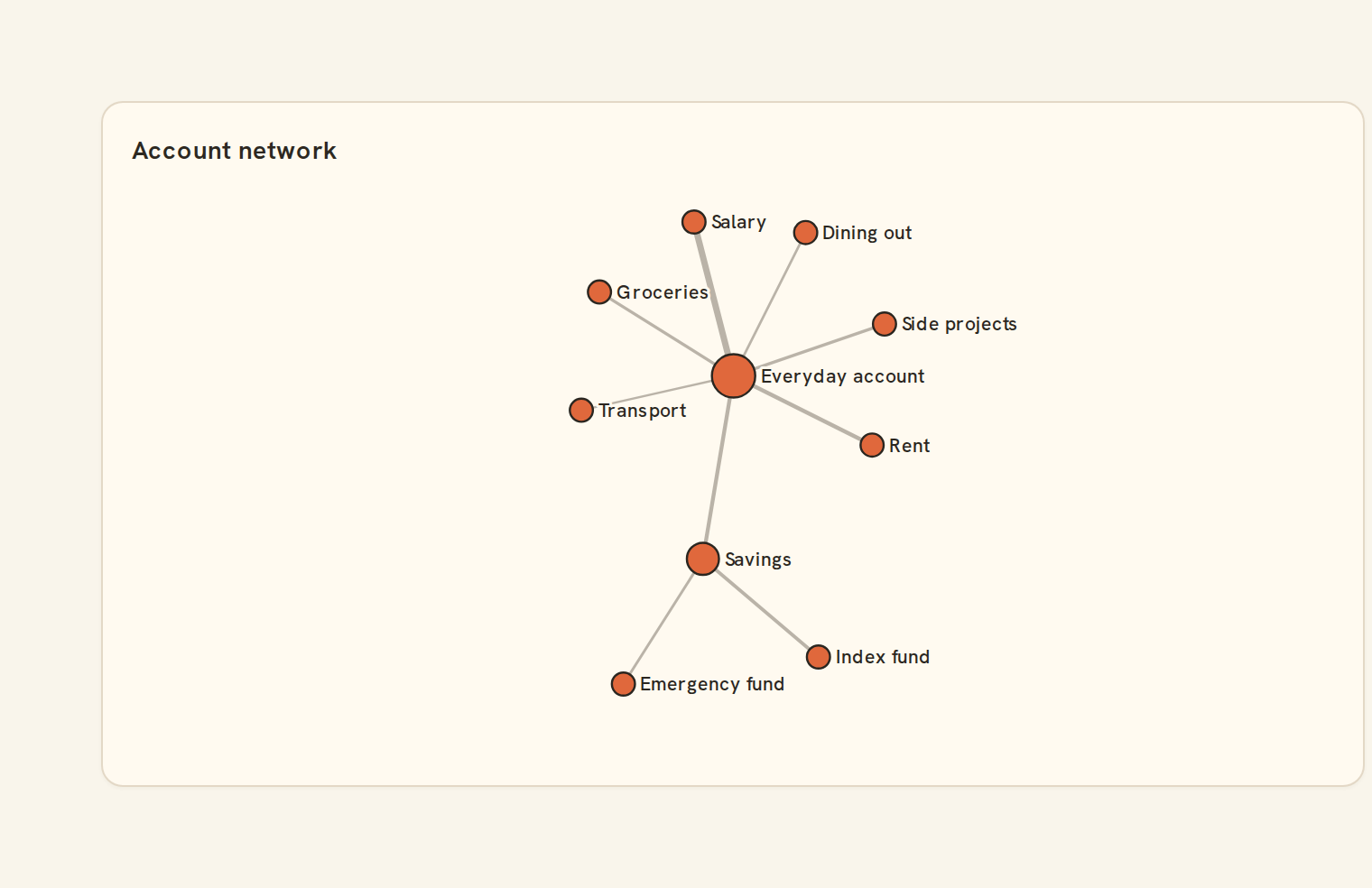
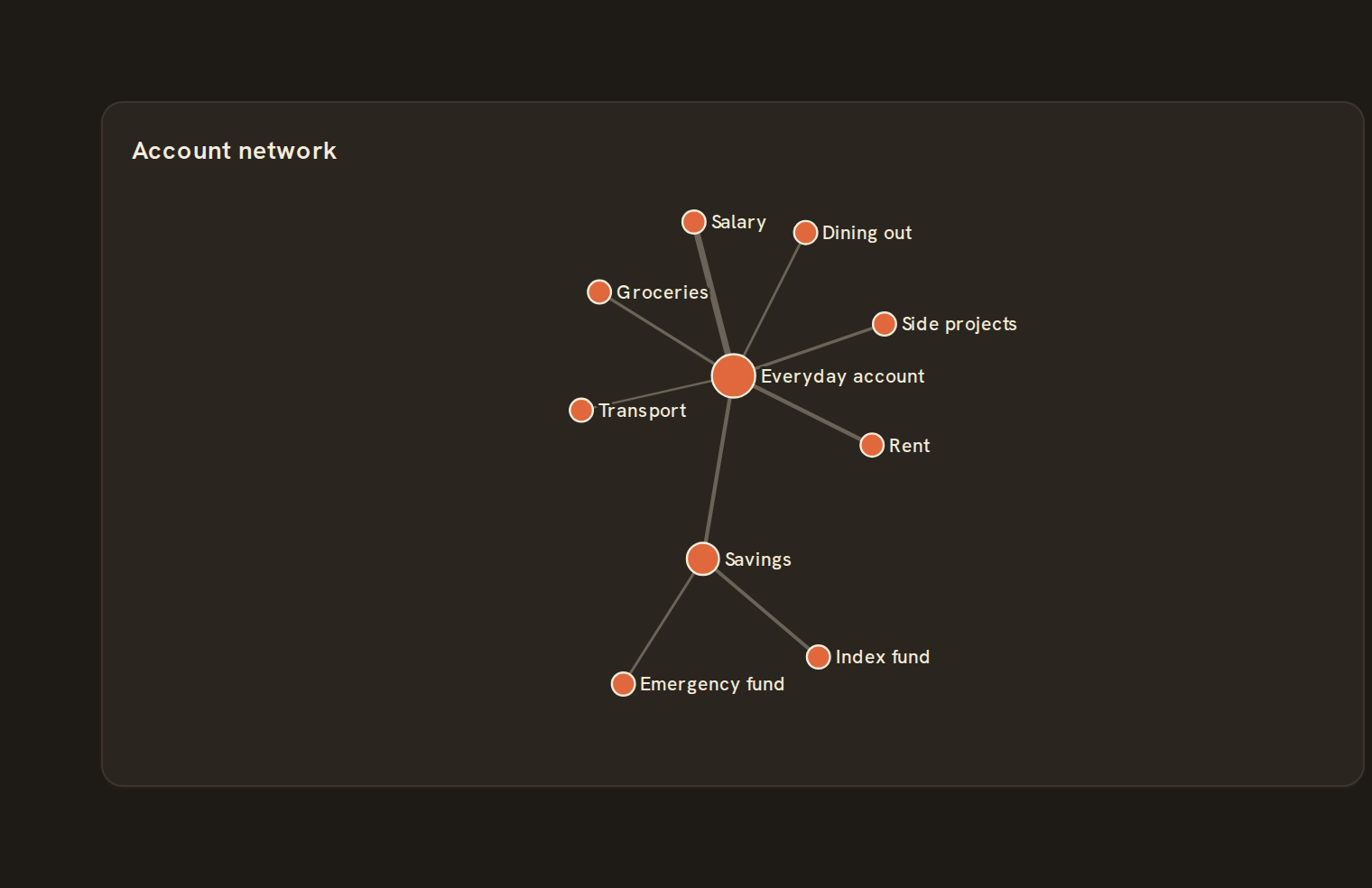
When to use it#
A Network graph shows what is connected and what sits at the centre. It answers "which accounts or payees link to many others?", for example accounts joined by transfers. Dots with more connections are bigger, and lines carrying more value are thicker.
When to pick something else#
- Care about amounts and direction? Use a Sankey.
- Two-way amounts among a few peers? Use a Chord diagram.
- Want connections in a fixed order? Use an Arc diagram.
The data it needs#
Pick these in the Data tab of the inspector. BankSync suggests a column for each when your source has an obvious match.
| Field | Needed | Pick | Notes |
|---|---|---|---|
| Source | Yes | a category | |
| Target | Yes | a category | |
| Value | Yes | a number |
Rows that share a category are combined before drawing: choose Sum, Average, Count, Min or Max on the value field. See Binding data.
Network graph options#
Set these on the Style tab of the inspector. "Automatic" means BankSync picks a value from the chart's size and data.
| Option | What it does | Values | New charts start with |
|---|---|---|---|
| Layout | Force lets connected nodes pull together; every other choice places the nodes evenly on a circle. | Force, Radial, Grid, Hierarchical | Force |
| Largest node size | Radius of the best-connected node, in pixels. Nodes with fewer links are drawn smaller. | Number, 0 or more | Automatic |
| Thickest link | Width of the heaviest link, in pixels. Lighter links are drawn thinner. | Number, 0 or more | Automatic |
| Link opacity | How solid the links are, from 0 (clear) to 1 (solid). | Number, 0 to 1 | Automatic |
| Show labels | Write the names of the best-connected nodes beside them. | On or off | Automatic |
| Label size | Text size of the node labels, in pixels (kept between 8 and 16). | Number | Automatic |
| Label colour | Colour of the label text. Leave empty for an automatic, readable colour. | Colour | Automatic |
| Link length | How far apart linked nodes try to sit in the force layout, in pixels. | Number, 0 or more | Automatic |
| Node repulsion | How strongly nodes push each other apart in the force layout. More negative spreads them out further. | Number | Automatic |
| Circle layout | Place the nodes evenly on a circle instead of running the force layout. | On or off | Automatic |
Needs history#
Show a note instead of the chart until the rows cover enough periods, so a first week never reads as a trend.
| Option | What it does | Values | New charts start with |
|---|---|---|---|
| Date field | The date column whose distinct periods are counted. | Text | Automatic |
| Period | What counts as one period: a day, week, month, quarter or year. | Day, Week, Month, Quarter, Year | Automatic |
| Periods needed | How many distinct periods the rows must cover before the chart draws (2 to 60). | Whole number, 2 to 60 | Automatic |
| Waiting message | Shown until there is enough history. Leave empty for a message naming the periods. | Text, up to 120 characters | Automatic |
Shared chart styling#
Every chart also has the shared styling options. These apply to this one:
- Legend: position, layout and which series show.
- Axes: titles, tick labels and number format.
- Grid, title, padding and background.
- Value labels on the marks.
- Categories and labels: top N with "Other", sort order, readable labels, the handwritten callout.
- Style: corner radius, line width, opacity and animation.
- Tooltip on hover.
- Click to filter: clicking a mark can filter the rest of the dashboard. See Filters and cross-filtering.
- Colours: follow the dashboard palette or pick one for this chart.
Messy data#
- Links have no direction here: A to B and B to A add up to one line.
- Rows with a blank end, and self-links, are skipped. With nothing left you see "No connections to show".
- A missing weight counts as one. Negative weights still draw, sized by their absolute value.
- Only the 40 best-connected nodes are drawn, and a corner note counts the "less-connected nodes" that were hidden.
- A label is shown only where it clears the other labels and dots. The rest appear on hover.
On a phone#
The layout always fits inside the card, but in a small card the dots shrink and most labels drop. In the smallest cards the hidden-node note is left out too. On phones, a Bar chart of the most-connected items is easier to read.
Related charts#
- Sankey: Flows between nodes
- Chord diagram: Cross-category links
- Alluvial: Multi-stage flow
- Arc diagram: Linear node arcs
Use this page with your AI assistant
Every BankSync doc is available as plain Markdown for agents and LLMs.