Arc diagram
Linear node arcs. What the arc diagram is for, the data it needs and every option it has.
3 min read
On this page
Linear node arcs. It sits in the Flow & network group of the widget library.
When to use it#
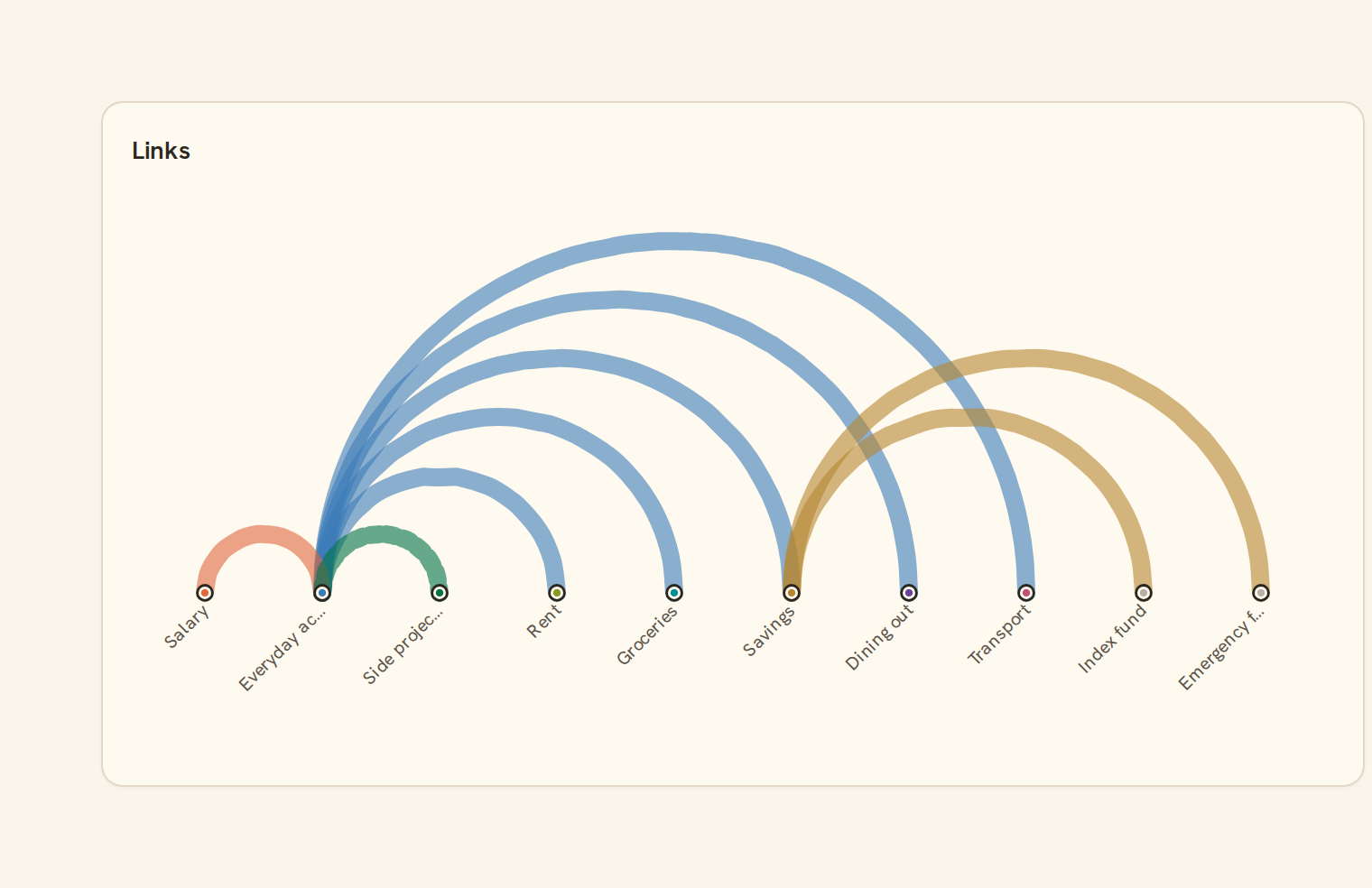
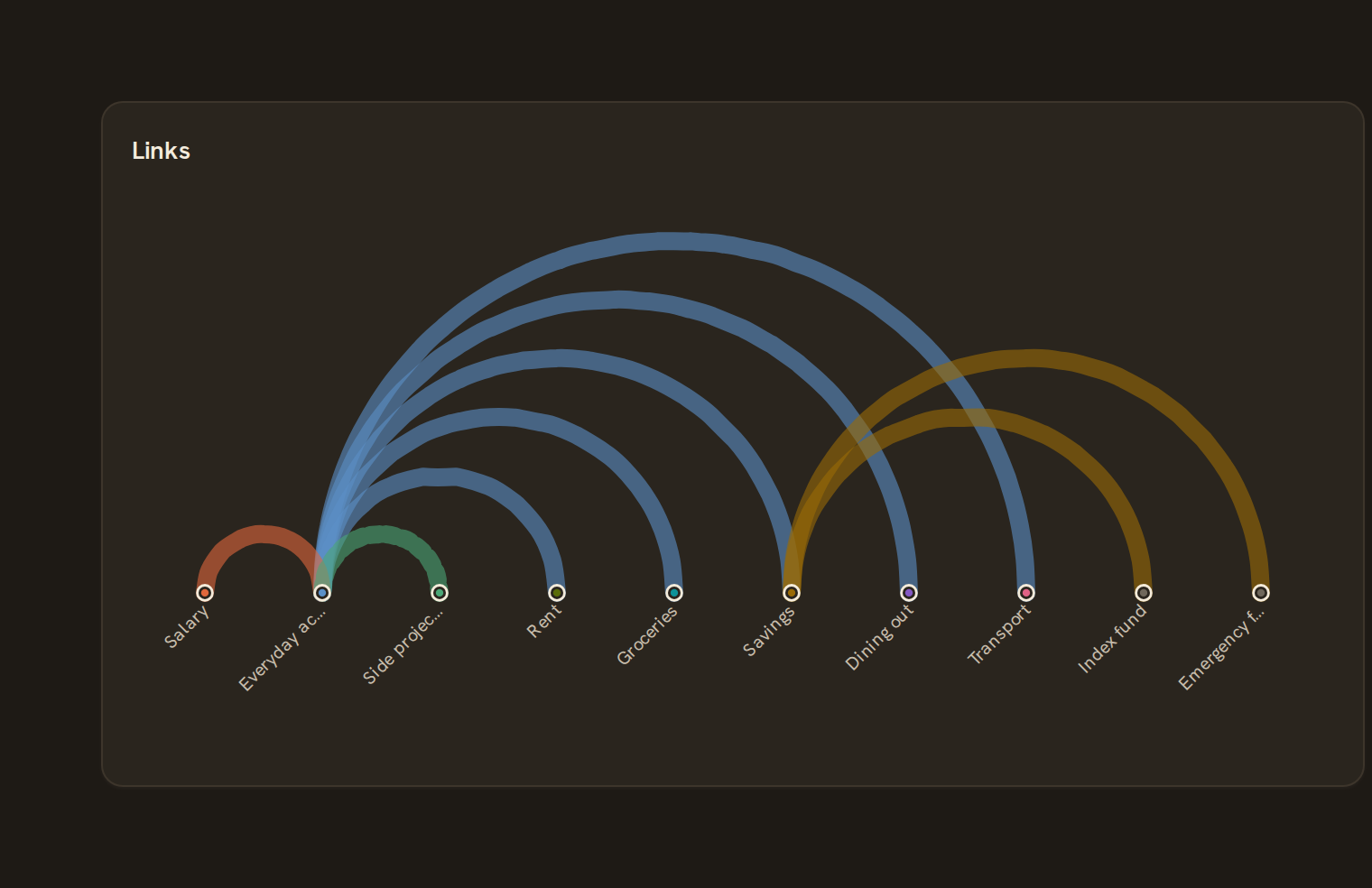
An Arc diagram places items along one line and joins linked pairs with arcs above it. It suits a modest set of items in a meaningful order, such as accounts joined by transfers. Thicker arcs carry more value. A solid arc points right and a dashed arc points left.
When to pick something else#
- Need clear amounts and direction? Use a Sankey.
- No natural order, and you care about clusters? Use a Network graph.
- Two-way flows among a few peers? Use a Chord diagram.
The data it needs#
Pick these in the Data tab of the inspector. BankSync suggests a column for each when your source has an obvious match.
| Field | Needed | Pick | Notes |
|---|---|---|---|
| Source | Yes | a category | |
| Target | Yes | a category | |
| Value | Yes | a number |
Rows that share a category are combined before drawing: choose Sum, Average, Count, Min or Max on the value field. See Binding data.
Arc diagram options#
Set these on the Style tab of the inspector. "Automatic" means BankSync picks a value from the chart's size and data.
| Option | What it does | Values | New charts start with |
|---|---|---|---|
| Show labels | Write each node’s name along the axis when the chart is tall enough. | On or off | Automatic |
| Label size | Text size of the labels, in pixels. | Number | Automatic |
| Label colour | Colour of the label text. Leave empty for an automatic, readable colour. | Colour | Automatic |
| Arc side | Draw the arcs above or below the line of nodes. | Top, Bottom | Automatic |
| Arc opacity | How solid the arcs are, from 0 (clear) to 1 (solid). | Number, 0 to 1 | Automatic |
Needs history#
Show a note instead of the chart until the rows cover enough periods, so a first week never reads as a trend.
| Option | What it does | Values | New charts start with |
|---|---|---|---|
| Date field | The date column whose distinct periods are counted. | Text | Automatic |
| Period | What counts as one period: a day, week, month, quarter or year. | Day, Week, Month, Quarter, Year | Automatic |
| Periods needed | How many distinct periods the rows must cover before the chart draws (2 to 60). | Whole number, 2 to 60 | Automatic |
| Waiting message | Shown until there is enough history. Leave empty for a message naming the periods. | Text, up to 120 characters | Automatic |
Shared chart styling#
Every chart also has the shared styling options. These apply to this one:
- Legend: position, layout and which series show.
- Axes: titles, tick labels and number format.
- Grid, title, padding and background.
- Value labels on the marks.
- Categories and labels: top N with "Other", sort order, readable labels, the handwritten callout.
- Style: corner radius, line width, opacity and animation.
- Tooltip on hover.
- Click to filter: clicking a mark can filter the rest of the dashboard. See Filters and cross-filtering.
- Colours: follow the dashboard palette or pick one for this chart.
Messy data#
- Items appear in the order they first show up in your rows, so sort the data to control the order.
- Rows with a blank end, and self-links, are skipped. With no links left you see "No links to show".
- With an amount bound, rows with a zero, negative or missing amount are skipped. Without one, each row counts as one link.
- Labels are cut to 12 characters. When they crowd, they turn diagonal and only every few are shown.
On a phone#
Every item shares the card's width, so on a phone the slots are narrow and labels get shortened and thinned. Up to about ten items read well. Beyond that, use a Bar chart of totals.
Related charts#
- Sankey: Flows between nodes
- Chord diagram: Cross-category links
- Alluvial: Multi-stage flow
- Network graph: Force-directed nodes + edges
Use this page with your AI assistant
Every BankSync doc is available as plain Markdown for agents and LLMs.