
Fee Ledger: Track Bank Fees and Catch the Creep
Turn on the Fee Ledger to classify bank fee lines from your transactions and get alerted when a month’s fees creep above your recent average.
3 min read
The Fee Ledger watches the money your bank quietly takes back: it recognizes fee lines in your syncing transactions, keeps a running monthly fee total, and alerts you when a month's fees creep meaningfully above your recent average. Fees are the classic slow leak — each line too small to notice, the trend very much worth noticing.
You can create as many Fee Ledgers as you need — each instance targets its own set of transaction feeds via its Dependencies tab, so a tight creep threshold on your operating accounts can sit alongside a laxer one covering everything else. Each instance alerts and cools down independently.
Like the other Watch enrichments that read totals, a Fee Ledger has no data type of its own: attach any feeds you like and the fee lines come from whichever of them carry transactions.

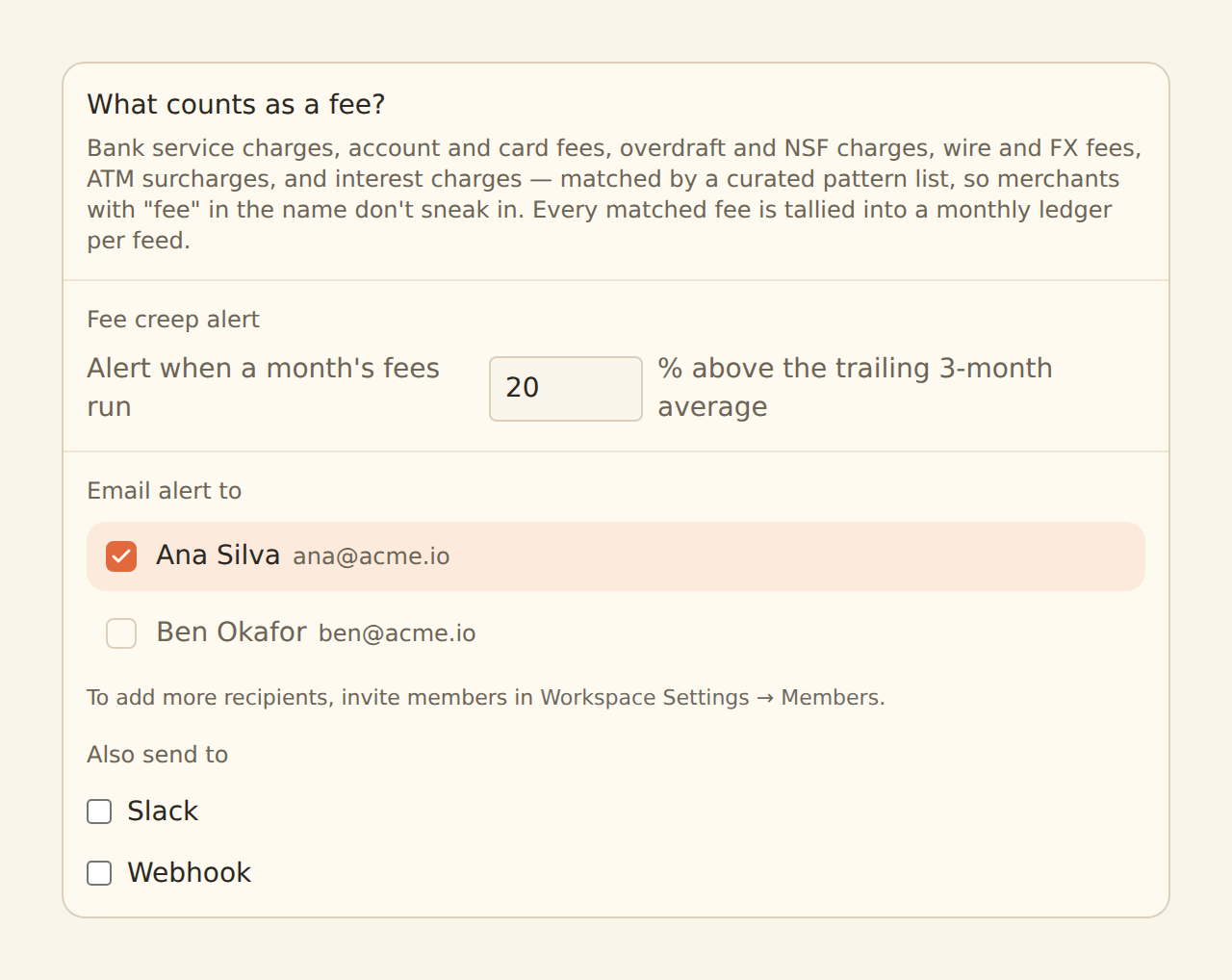
What counts as a fee#
Classification is deterministic — a curated list of fee shapes matched against the transaction description, not a guess:
- Overdraft fees
- Monthly service fees
- ATM fees
- Wire fees
- FX / foreign transaction fees
- Interchange fees
- Other lines that explicitly say "fee"
Interest is never counted as a fee — even when the line also mentions a fee, interest is excluded first. Interest is a cost of borrowing; fees are a cost of banking; mixing them would make both numbers useless.
Precision over recall, on purpose
Fee reversals net within the month: when the bank refunds a fee, the refund subtracts from that month's total, so a charged-and-refunded fee does not inflate the trend.
The creep alert#
Once there are three full months of tracked fee history, each month's running total is compared to the average of the trailing three months. When the current month exceeds that average by more than your threshold (default 20%, configurable 1–500%), the creep alert fires to your configured destinations — email, Slack, or webhook, the same channels every Watch enrichment uses. Repeat alerts for the same creep are held back by a 24-hour cooldown.
Until those three months of history exist, the check stays silent — a workspace without fee history cannot "creep", and silence beats noise.
Seed the history with a backfill
How it runs#
Fee lines are classified and totalled during your syncs; the creep comparison itself is evaluated by BankSync on a schedule, independent of your syncs. Like every Watch enrichment, the Fee Ledger never modifies records — a transaction recognized as a fee still syncs to your destination exactly as it arrived.
Setting it up#
Create it
On the Enrichments tab, click "Add an enrichment" and choose Fee Ledger in the Watch group.
Set the creep threshold
Keep the 20% default to start. Raise it if your fee volume is naturally lumpy; lower it if you want to hear about smaller drifts.
Choose where alerts go
Email recipients, a Slack incoming webhook, or a webhook endpoint.
Target the feeds
In the Dependencies tab, tick the transaction feeds whose fees should count, then flip the switch to Enabled — and consider a backfill to seed the baseline.
Related guides#
- Budgets: general-purpose threshold alerts on totals — a Budget on a "Fees" category is the hand-rolled alternative.
- Digests: the scheduled summary built from the same monthly totals.
- Creating Enrichments: the shared enrichment workflow.
Use this page with your AI assistant
Every BankSync doc is available as plain Markdown for agents and LLMs.