
Duplicate Screen: Catch Look-Alike Records
Add a Duplicate Screen enrichment that flags look-alike duplicate transactions, same account, amount, and description within a window, before they reach your destination.
3 min read
On this page
Sometimes the same real-world transaction arrives twice as two different records — a provider re-ingestion, a bank reposting a transaction with a new reference, an import overlap. The Duplicate Screen enrichment catches these look-alikes while your data syncs and flags them before they inflate your numbers.
BankSync already removes true duplicates automatically: records that arrive twice with the same provider record id never sync twice, no enrichment needed. The Duplicate Screen exists for the sneakier case — the same transaction under two different record ids, which no id check can catch.

What counts as a duplicate#
Two records syncing in the same batch are treated as look-alikes when they have:
- the same account,
- the same amount, and
- the same normalized description — normalization ignores store numbers, reference digits, and similar noise, so POS 1234 COFFEE CO and POS 5678 COFFEE CO compare equal,
- with dates at most the window apart (2 days by default, up to 7).
The earliest record always survives untouched. Only the later look-alikes are flagged (or suppressed, if you opt in).
Transactions only
Flag by default, suppress by choice#
The default action is Flag: the later record gets possible-duplicate written into its Duplicate Flag field and still syncs. Map the Duplicate Flag column in your field mappings and you can filter or spot-check flagged rows in your destination — nothing is ever silently missing.
Two identical coffees are not a duplicate
With Suppress, later look-alikes never reach the destination at all. The trade-off is the same as with Filters: a wrong call means a real transaction silently missing from your books.
Setting it up#
Create the enrichment
On the Enrichments tab, click "Add an enrichment" and choose Duplicate Screen in the Guard data group.
Set the window
Keep the 2-day default for most data. Widen it (up to 7 days) only if your duplicate source posts the second copy late.
Pick the action
Keep Flag unless you are certain (see the warning above).Map the Duplicate Flag column
In the feed's field mappings, map Duplicate Flag to a destination column so flagged rows are visible where you work.
Attach and enable
In the Dependencies tab, tick the feeds to screen, then flip the switch to Enabled.
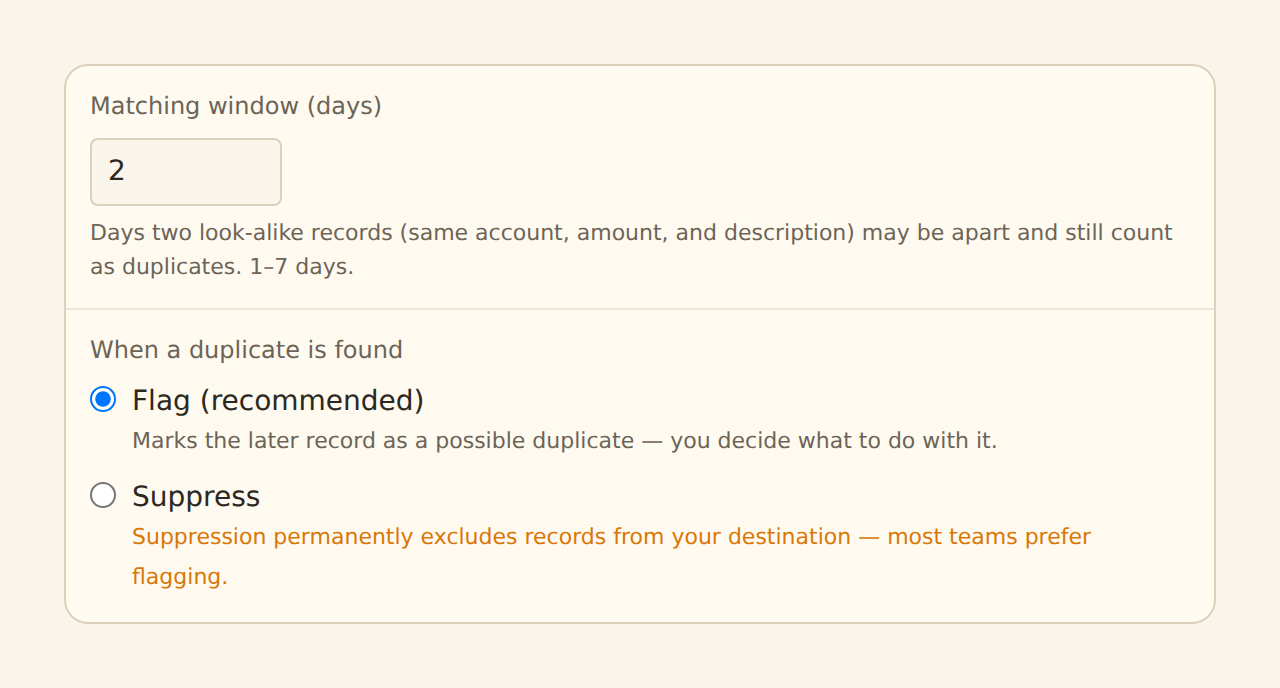
Preview the result in the feed's Live Preview: the Enrichments tab shows how many records the screen caught, and in Flag mode the Duplicate Flag cells show up in the Data tab.
Related guides#
- Transfer Matching: the other integrity guard — opposite-sign pairs across accounts.
- Filters: exclude records by explicit condition instead of similarity.
- Configuring field mappings: map the Duplicate Flag column.
Use this page with your AI assistant
Every BankSync doc is available as plain Markdown for agents and LLMs.