
BankSync is now live in the United Kingdom
Connect supported UK current, savings and credit accounts through read-only Open Banking, then send transactions and balances to the finance tools your team already uses.
Connect a UK bankBankSync is now live in the UK.
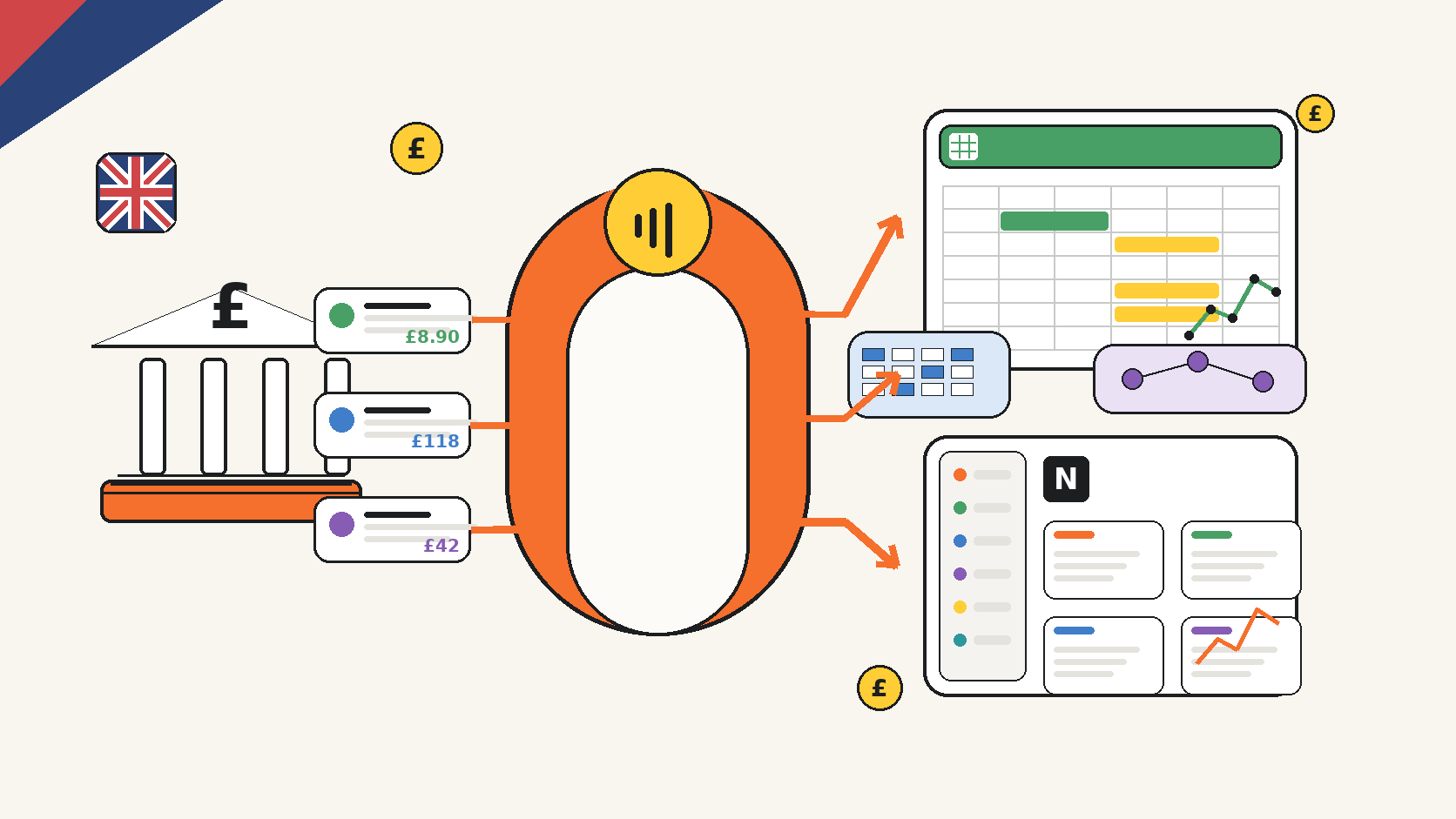
UK individuals, businesses, accountants and finance teams can connect supported bank accounts through UK Open Banking and automatically sync authorised financial data into Google Sheets, Microsoft Excel, Notion, Airtable, BankSync Tables, databases, dashboards and AI workflows.
The aim is straightforward: replace repeated CSV downloads and fragile copy-and-paste processes with a controlled bank feed that runs on a schedule you choose.
BankSync's UK connections are designed for account information, not payments. Access is read-only, limited to the accounts you select and revocable. You authenticate on the bank or provider-hosted consent flow rather than entering online-banking credentials into BankSync.
UK Open Banking consent
Authorise supported personal or business accounts through a regulated, bank-hosted flow.
Automatic bank feeds
Run recurring transaction or balance feeds weekly, daily or hourly where your plan and source support it.
Your chosen destination
Send structured data to Google Sheets, Excel, Notion, Airtable, databases or BankSync Tables.
Enrich before delivery
Clean merchants, apply categories, match transfers, screen duplicates and create alerts before rows arrive.
Build finance dashboards
Turn connected data into KPIs, charts, filters, drill-down tables and operating views.
Separate client workspaces
Accounting firms can let each client connect their own bank inside an isolated Client Portal.
What “live in the UK” means
A UK BankSync connection can expose the account information made available by the selected institution and consent. Depending on the bank and product, that can include account details, balances and posted transactions for supported current, savings and credit accounts.
The institution controls the exact account types, fields, history and posting times it provides. BankSync then gives you control over the operational layer: which accounts become sources, which data type a feed retrieves, where it goes, how fields are mapped, which enrichments run and when the feed is scheduled.
This distinction matters. Open Banking supplies authorised source data. BankSync turns that data into a repeatable workflow.
Read-only by design
The UK bank connection cannot move money, make a payment, change a bank setting or place a trade. It is an account-information connection. A feed can write the authorised data to a destination you configure, but it cannot initiate a transaction at the bank.
Personal and business banking may appear separately
Some institutions expose separate Open Banking entries for personal, business, corporate or credit-card products. Choose the exact institution entry that holds the accounts you need. Keeping business, personal, client and legal-entity data in separate BankSync workspaces makes access easier to control and reporting easier to explain.
From manual exports to an operated bank-data workflow
| Feature | Repeated CSV process | BankSync UK feed |
|---|---|---|
| Getting new transactions | Log in, choose dates, download and import again | |
| Column structure | ||
| Duplicate handling | ||
| Merchant and category cleanup | Apply after every import | |
| Monitoring | ||
| Client access |
How to connect a UK bank and create your first feed
Create or open the correct BankSync workspace
Use a separate workspace for each business, legal entity or client boundary that should not share access.
Add a UK bank connection
Open Banks, search for the exact institution and select the personal, business or corporate entry that matches the account.
Complete Open Banking consent
Continue to the bank or provider-hosted pages, authenticate there and review the requested read-only permissions.
Select only the accounts you need
Authorise the smallest practical account set. You can keep unrelated accounts outside the connection.
Create a feed
Choose a single data type, such as transactions or balances, and select the connected accounts that will supply it.
Choose the destination
Select Google Sheets, Excel, Notion, Airtable, BankSync Tables or another supported integration.
Map the fields
Map date, description, amount, currency, account, bank and stable source identifiers into the destination structure.
Add Enrichments and a schedule
Apply only the transformations, guards or watches the workflow needs, then choose the available weekly, daily or hourly cadence.
Run a manual test
Inspect the first rows, signs, currencies, dates, account labels and destination behaviour before relying on automation.
Send UK bank data where the work already happens
BankSync does not require every finance workflow to move into a new accounting interface. The destination can remain the spreadsheet, database, workspace or dashboard your team already understands.
A feed has four explicit parts: sources, destination, mapping and schedule. That makes it possible to maintain several focused feeds instead of one oversized export. For example, a business might send raw transactions to Google Sheets, balances to a treasury Table and exceptions to an operating dashboard.
Use append-oriented transaction feeds for history. Use current-state handling for balances where overwriting the latest snapshot is appropriate. Keep source amount, currency, date, account and transaction identifier intact, then add management classifications in separate destination fields.
Popular UK workflows now available in BankSync
UK bank transactions to Google Sheets
Keep a structured transaction tab current while formulas, pivots and reporting remain in your workbook.
UK bank account to Excel
Sync into a workbook stored in OneDrive or SharePoint and preserve the Excel models your team already uses.
Small-business cash flow dashboard
Combine posted bank actuals with controlled forecasts, exceptions and a regular cash review.
Client portals for accountants
Let clients connect their own banks while the firm controls feeds, resources and destination workflows.
AI analysis with source evidence
Use BankSync MCP or Ask Penny to query authorised data while keeping accounts, date ranges and currencies explicit.
Finance application stack
Combine Feeds, Enrichments, Tables, Dashboards and Client Portals into a controlled operating system.
Go beyond copying rows
A reliable bank feed is the beginning of the workflow, not the end.
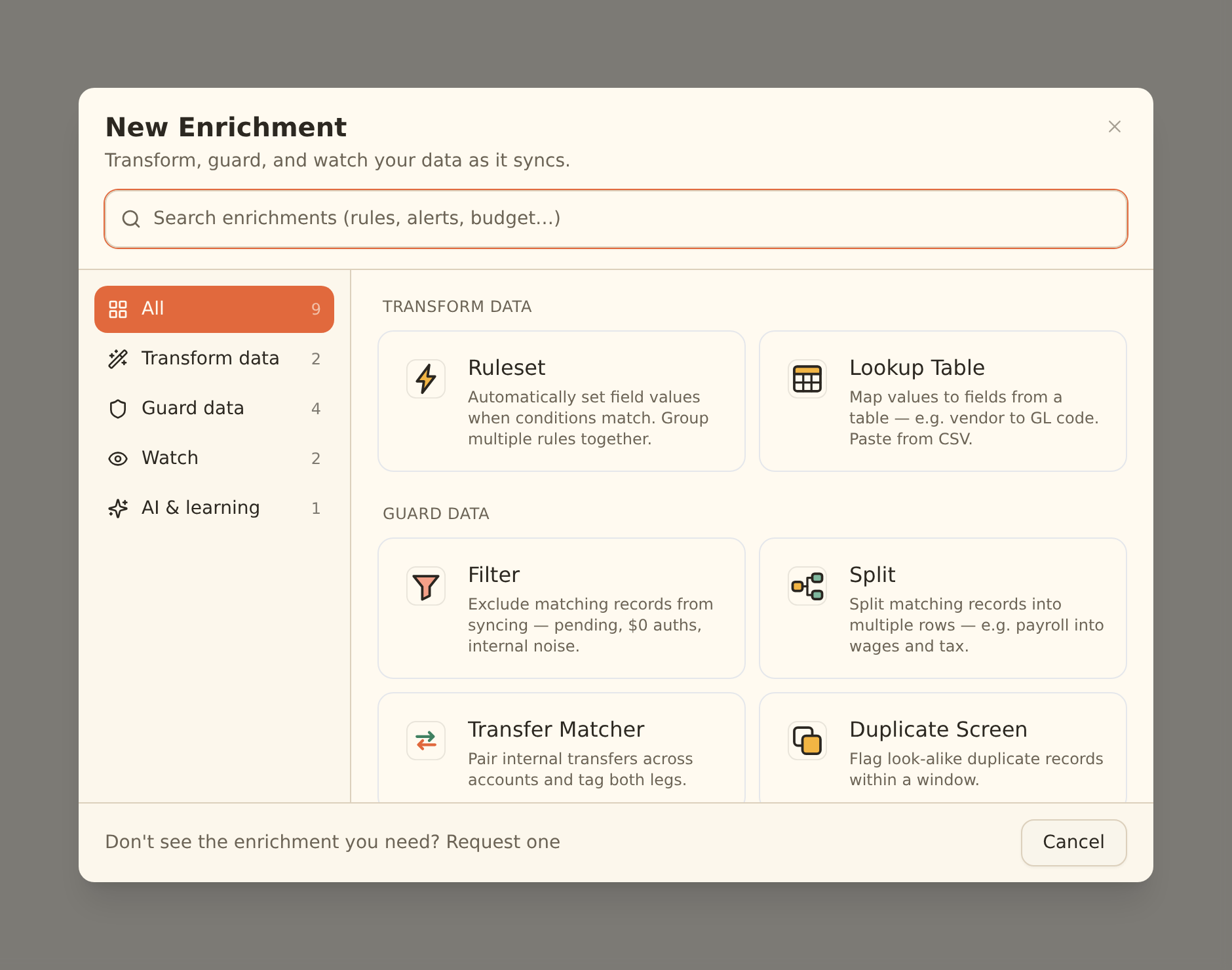
BankSync Enrichments can transform, guard, watch or learn from incoming records. Typical UK use cases include normalising merchant names, applying a chart-of-accounts category, tagging VAT-related review items, matching transfers between owned accounts, screening duplicates, identifying recurring direct debits, monitoring feed health and alerting on unusual transactions.
When a workflow needs persistent review status, relations, formulas or history, write the feed to BankSync Tables. When it needs a decision surface, build a Dashboard with the smallest set of KPIs, charts, filters and detail rows required for the next action. Dashboard and sharing availability can vary by workspace while those features continue to roll out.
Accountants and bookkeepers can add a stronger access boundary with Client Portals. Each portal is an isolated child workspace. The client can connect their own UK institution without sharing credentials with the firm, while the firm controls the feeds, destination structure and resources made available to that client.
Security and operating checklist
Keep credentials in the bank flow
Do not enter online-banking passwords or one-time codes into BankSync, a spreadsheet or an AI conversation.
Authorise the minimum account set
Select only the accounts required for the stated workflow and keep entities separated.
Verify the first sync
Compare balances, currencies, dates and a sample of transactions with the institution before using totals operationally.
Assign a consent owner
Make one person responsible for renewal notices and reselecting all required accounts.
Protect the destination too
A secure bank connection does not make a publicly shared spreadsheet or dashboard secure.
Monitor feed history
Investigate failures, stale feeds and incomplete account coverage before trusting a quiet report.
BankSync UK launch: frequently asked questions
Sources and further reading
- Connect UK banks in BankSync
- Manage UK Open Banking consent
- Create and manage BankSync feeds
- BankSync Enrichments overview
- BankSync Dashboards overview
- Set up a BankSync Client Portal
- FCA guidance on account-information services
- What is Open Banking?
BankSync already has dedicated guides for connecting a UK bank account to ChatGPT and connecting a UK bank account to Claude. The next guides in this launch series cover Google Sheets, Excel, cash-flow dashboards and accounting client portals.