
Collecting bank data from multiple UK clients often becomes an operational problem before it becomes an accounting problem.
One client emails a CSV. Another shares a spreadsheet. A third sends screenshots. A fourth assumes the accountant can log in to online banking. Every method creates a different date range, column structure, access model and follow-up process.
An Open Banking client portal for UK accountants replaces that patchwork with a controlled workflow. Each client receives an isolated BankSync portal, connects the supported institution themselves and selects the accounts they are willing to share. The accounting firm can then operate the recurring feeds, data structure, Enrichments and destination without collecting the client's banking password.

Isolated client workspace
Each portal is a separate child workspace, so one client's banks, feeds and integrations are not exposed to another client.
Client-held bank consent
The client authenticates on the bank or provider-hosted Open Banking pages and selects the accounts to share.
Firm-controlled feeds
The practice configures the data type, source accounts, destination, field mapping, Enrichments and schedule.
Least-privilege access
Expose only the portal resources and actions the client needs, with role-based permissions for firm staff.
Flexible destinations
Deliver authorised data to Google Sheets, Excel, Notion, Airtable, BankSync Tables or supported databases.
Portfolio oversight
Monitor client portal status, connection health, feed history, exceptions and consent renewal from a central operating model.
How the client-portal architecture works
A Client Portal is not a shared folder or a second login to the accounting firm's main workspace. It is an isolated child workspace created for a specific client.
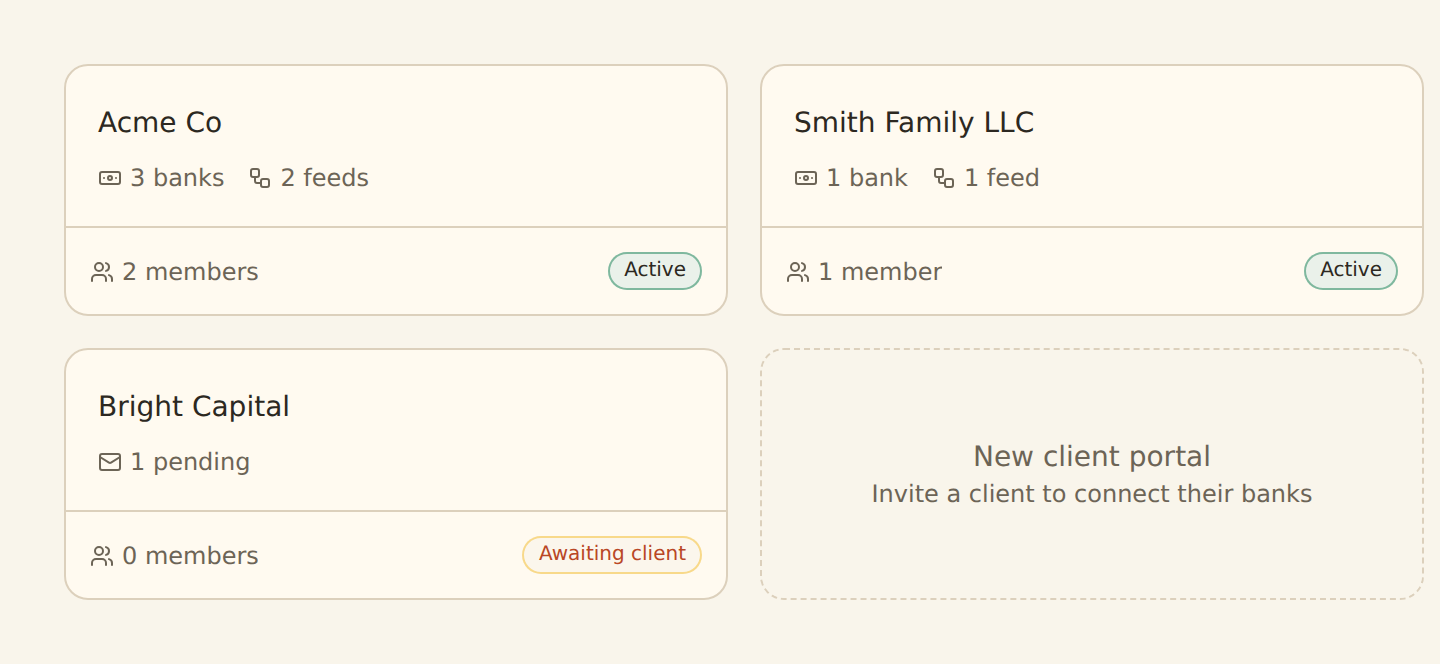
The firm creates the portal, gives it a recognisable name and icon, chooses which portal resources are available and invites the client. The client signs in to that portal and can connect a supported UK bank when the relevant permission is enabled. The client does not see the firm's main workspace or another client's portal.
The UK bank connection itself is read-only account information. The client authenticates on the institution or provider-hosted consent pages, not inside a spreadsheet or an email thread. They review the requested access and select the accounts to share. BankSync cannot use that connection to make a payment, transfer money or change a bank setting.
Once authorised, the accounting firm can create focused BankSync Feeds. Each feed has explicit sources, one data type, a destination, a field mapping, optional Enrichments and a recurring schedule. This gives the firm a consistent operating layer without taking ownership of the client's banking credentials.
Ways accounting firms collect client bank data
| Feature | Method | Client experience | Firm experience |
|---|---|---|---|
| Emailing CSV files | Repeated exports and follow-up requests | Different columns, date gaps and duplicate risk | |
| Shared spreadsheet uploads | Client still downloads and imports files | ||
| Shared online-banking access | |||
| One mixed workspace for all clients | |||
| BankSync Client Portals |
Set up a UK Open Banking Client Portal
Define the client boundary
Create one portal per client, legal entity or access boundary. Do not combine unrelated organisations merely because the same team services them.
Create the Client Portal
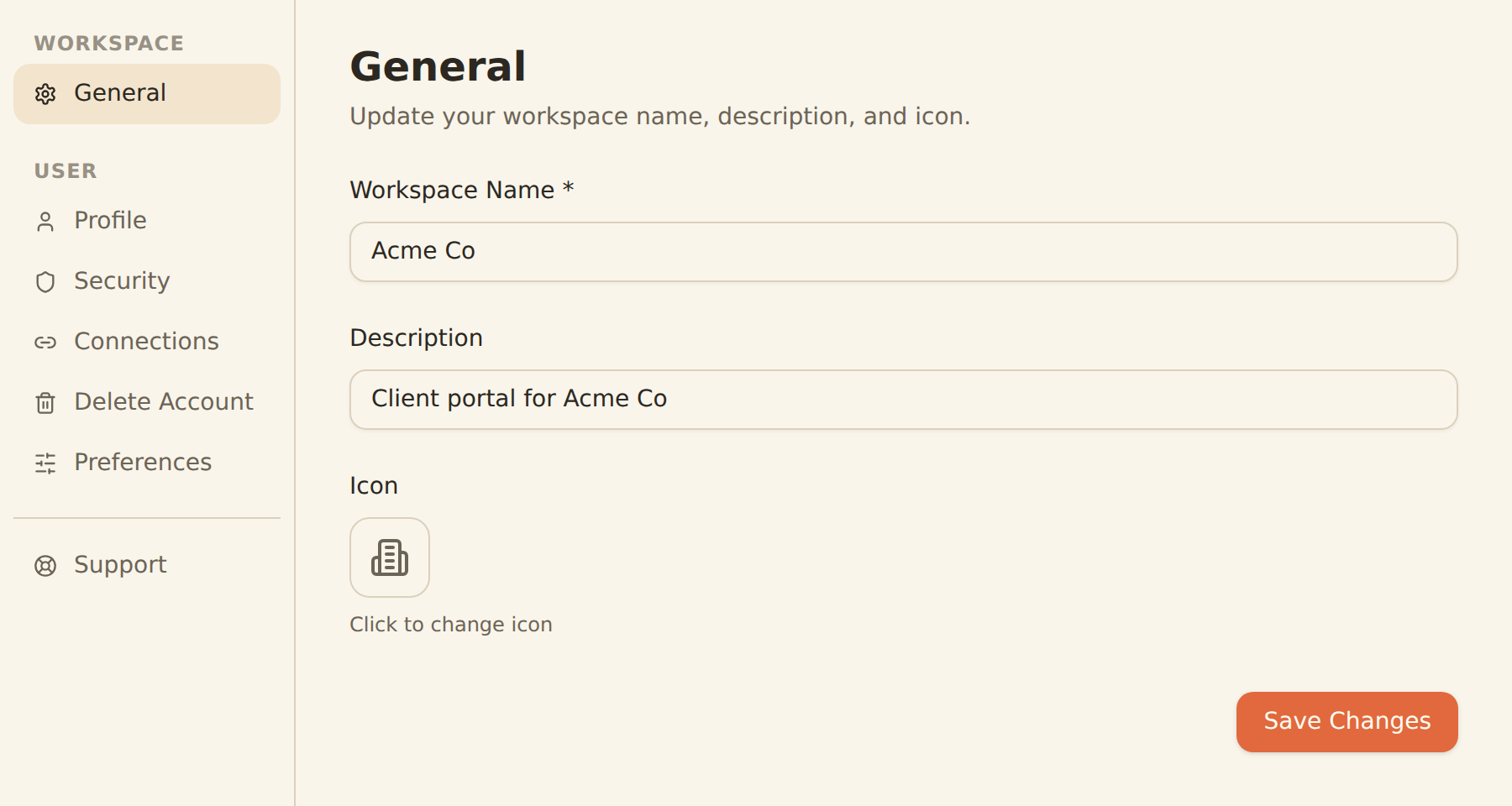
From Client Portals, add a portal with a clear client-facing name and icon. Client Portals are available on eligible BankSync plans.
Configure portal resources and permissions
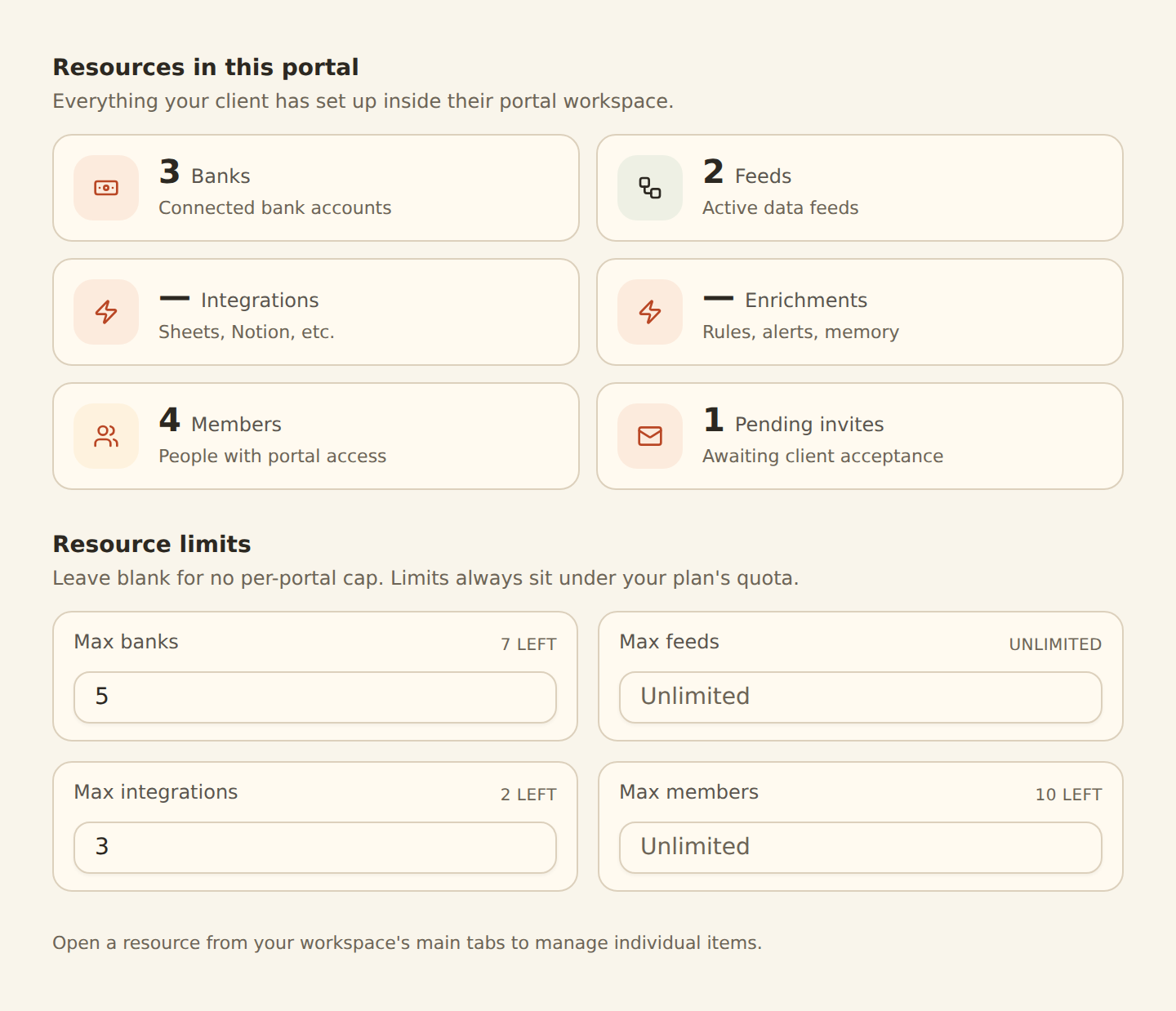
Choose whether the client can access banks, feeds or integrations and assign the minimum role required. Enable bank connection only for users who should manage consent.
Invite the client
Send the invitation to the person authorised to connect the bank. BankSync invitation links expire after seven days, so resend an invitation that is not accepted in time.
Ask the client to connect the exact UK institution
The client should select the personal, business, corporate or card entry that matches where the account is held.
Complete read-only Open Banking consent
The client authenticates on the bank or provider-hosted pages, reviews the requested access and selects only the accounts required for the engagement.
Create focused feeds
The firm creates separate transaction, balance or other supported feeds rather than mixing several data types into one destination table.
Map and enrich the records
Preserve date, description, amount, currency, institution, account and transaction identifiers, then add categories, transfer treatment, client codes or review flags.
Choose the destination and schedule
Send the data to the firm's Google Sheet, Excel workbook, Notion database, Airtable base, BankSync Table or supported database, then choose the cadence available to the plan and source.
Test, document and operate
Run the first feed manually, reconcile a sample, assign consent-renewal ownership and monitor connection status, feed history and exceptions.
Separate responsibilities instead of sharing credentials
The portal model works because the client and firm have different responsibilities.
The client owns the relationship with the bank. They authenticate, approve the requested read-only access, select the accounts and reconfirm consent when required. The firm owns the operating workflow built on the authorised data: source selection, destination structure, field mapping, classification rules, schedules, monitoring and review.
Firm access should also be role-based. Owners and Administrators manage workspace-wide settings and membership. Editors can build feeds and integrations without changing the highest-risk workspace settings. Viewers can inspect results without modifying the workflow. Client permissions should be narrower again and limited to what the engagement requires.
This is a stronger model than asking a client for credentials or making them repeatedly prepare files. It also makes offboarding clearer: remove the user, revoke or allow the bank consent to expire, stop the feeds and retain only the records the engagement and applicable obligations require.
A practical responsibility model
| Responsibility | Client | Accounting firm |
|---|---|---|
| Authenticate with the UK bank | Owns | Does not receive credentials |
| Select the accounts to share | Owns | Specifies the engagement requirement |
| Reconfirm Open Banking consent | Completes the bank flow | Tracks deadlines and reminds the client |
| Choose feed data type and source accounts | May view where permitted | Owns the configuration |
| Design the destination structure | Provides business context | Owns the working-paper or reporting model |
| Map and classify transactions | Answers exceptions | Owns rules, review and quality control |
| Monitor failed or stale feeds | Responds when bank action is required | Owns operational monitoring |
| Approve accounting and tax treatment | Provides evidence and authorisation | Applies professional process and judgement |
Document the owner of every recurring task so a quiet client file is not mistaken for a healthy feed.
Build several accounting workflows from the same authorised source
A portal does not have to send every record to one giant spreadsheet. Several focused feeds can use the same authorised connection while keeping each destination purposeful.
For bookkeeping, send posted transactions into a structured raw-data table with stable account, currency and transaction identifiers. Apply deterministic merchant and category rules first, then route uncertain items to review.
For cash management, combine balance and transaction feeds with explicit expected receipts and commitments. Mark transfers between owned accounts so consolidated inflow and outflow are not inflated.
For management reporting, keep source actuals separate from formulas, pivots and commentary. Use the reporting period, entity, account, currency and category as visible filters.
For working papers, create separate client workbooks or databases with a repeatable schema. Do not mix several clients in a destination unless row-level access controls and the engagement genuinely require it.
For advisory alerts, use Enrichments to watch for unusual transactions, duplicate records, recurring direct debits, bank fees, budget thresholds or feed-health problems before the monthly review.
Client portal workflows for UK practices
Live bookkeeping source
Keep a client transaction table current without waiting for another CSV export.
Cash-flow advisory
Combine bank actuals with controlled forecasts, commitments and exception review.
Excel working papers
Deliver structured rows to a separate OneDrive or SharePoint workbook for each client.
Multi-client operations
Use one portal per client and a consistent setup, renewal and monitoring checklist.
Exception and control queue
Surface stale feeds, uncategorised rows, anomalies and expiring consent before review.
Assisted classification
Use rules, Memory or AI categorisation with human review for uncertain accounting context.
Standardise the destination without erasing source evidence
A repeatable practice schema can include transaction date, original description, cleaned merchant, signed amount, currency, institution, account, transaction identifier, category, tax-review status, transfer treatment, client code and review status.
The exact fields available depend on the institution and account product. Preserve the original bank values and add the practice's classifications in separate fields. This keeps the working paper explainable and allows a reviewer to trace a category or cash-flow total back to the source record.
Google Sheets works well for collaborative client schedules. Excel is useful when the firm's models depend on Microsoft 365, Power Query, PivotTables or established workbook templates. Notion and Airtable can suit review-oriented databases. BankSync Tables provide persistent fields, views, formulas and relations inside the platform. Supported databases can power internal systems and larger reporting workflows.
Use a dedicated destination for each client unless a deliberate, tested access model says otherwise.
Choose the destination by workflow
| Feature | Destination | Best fit | Control to add |
|---|---|---|---|
| Google Sheets | Collaborative schedules, review lists and lightweight reporting | Restricted sharing and protected ranges | |
| Microsoft Excel | Working papers, Power Query, pivots and management packs | Separate source worksheet and Microsoft permissions | |
| Notion or Airtable | Database-style review, ownership and status workflows | Limit workspace and base access | |
| BankSync Tables | Persistent relational workflow, formulas, views and dashboard sources | Role, table and view design | |
| Supported database | Internal systems, warehouse workflows and custom reporting | Database roles, retention and downstream controls |
Consent renewal and invitation lifecycle
UK Open Banking access is time-limited and commonly needs reconfirmation on a rolling cycle around 90 days, although the exact period is controlled by the institution and consent route.
The firm should maintain a consent calendar and notify the client before expiry. During renewal, the client must reselect every account that should remain shared. The existing BankSync feed configuration, destination rows and history remain, but no new records can be retrieved while access is expired.
Portal invitations have a separate lifecycle. An invitation link expires after seven days. If it is not accepted, resend a fresh invitation rather than asking the client to forward an old link. Review portal members when the client's staff, ownership or authorised contacts change.
Connection health and feed history should be part of the practice's recurring review. A workbook with no new rows can mean a quiet period, an expired consent, a failed feed or a bank that has not yet posted the item. Check the operating evidence before assuming which.
A repeatable client operating cycle
Create the isolated portal
Configure the client boundary, minimum resources, firm roles and destination before inviting the client.
Client completes bank consent
The client authenticates with the correct UK institution and selects the required accounts.
Firm builds and tests feeds
Map source fields, add controlled Enrichments, run a manual test and reconcile a sample.
Monitor schedules and exceptions
Review feed history, missing data, uncertain classifications, alerts and destination access.
Prompt consent reconfirmation
Ask the authorised client contact to renew access and reselect every account that should remain connected.
Remove access and stop workflows
Remove users, stop feeds, revoke connections where appropriate and apply the firm's retention obligations.
Security and governance checklist
One portal per client boundary
Keep clients, entities and unrelated businesses out of shared workspaces and destinations.
Use minimum permissions
Give clients and staff only the roles and portal resources required for their responsibilities.
Verify the first feed
Check account coverage, dates, currencies, amount signs and a sample of transactions with the institution.
Assign consent ownership
Track renewal dates and name the firm contact responsible for reminders and escalation.
Protect the destination too
Review Google, Microsoft, Notion, Airtable and database permissions independently of the bank connection.
Maintain an audit trail
Use feed history, review status and documented exceptions instead of silent manual corrections.
Open Banking Client Portals for UK accountants: FAQs
Sources and related UK guides
- Set up BankSync Client Portals
- Understand the client experience
- Connect UK banks
- Manage UK Open Banking consent
- Create and manage BankSync Feeds
- Map source fields
- Configure feed schedules
- BankSync Enrichments overview
- BankSync for accountants
Start with the BankSync UK launch announcement. The rest of the UK launch cluster covers Google Sheets, Microsoft Excel and a small-business cash-flow dashboard.