Webhook destinations
Send synced bank data as signed JSON to your own HTTPS endpoint. Connect an endpoint once, point a feed at it, and verify deliveries with your signing secret.
3 min read
On this page
A webhook destination delivers your synced bank data straight to your own server. BankSync POSTs a signed JSON payload to your HTTPS endpoint every time a feed syncs, so you can push data into any system you can write a small handler for. There is no field mapping: the payload is a standard, versioned envelope.

Before you start
How it works#
- You connect a webhook endpoint (a URL plus a signing secret) from the Integrations tab.
- You create a feed that targets that endpoint, picking the accounts and data type.
- On every sync, BankSync POSTs a signed JSON event to your URL. Your server verifies the signature and processes the data.
One endpoint can receive deliveries from many feeds.
Step 1: Connect an endpoint#
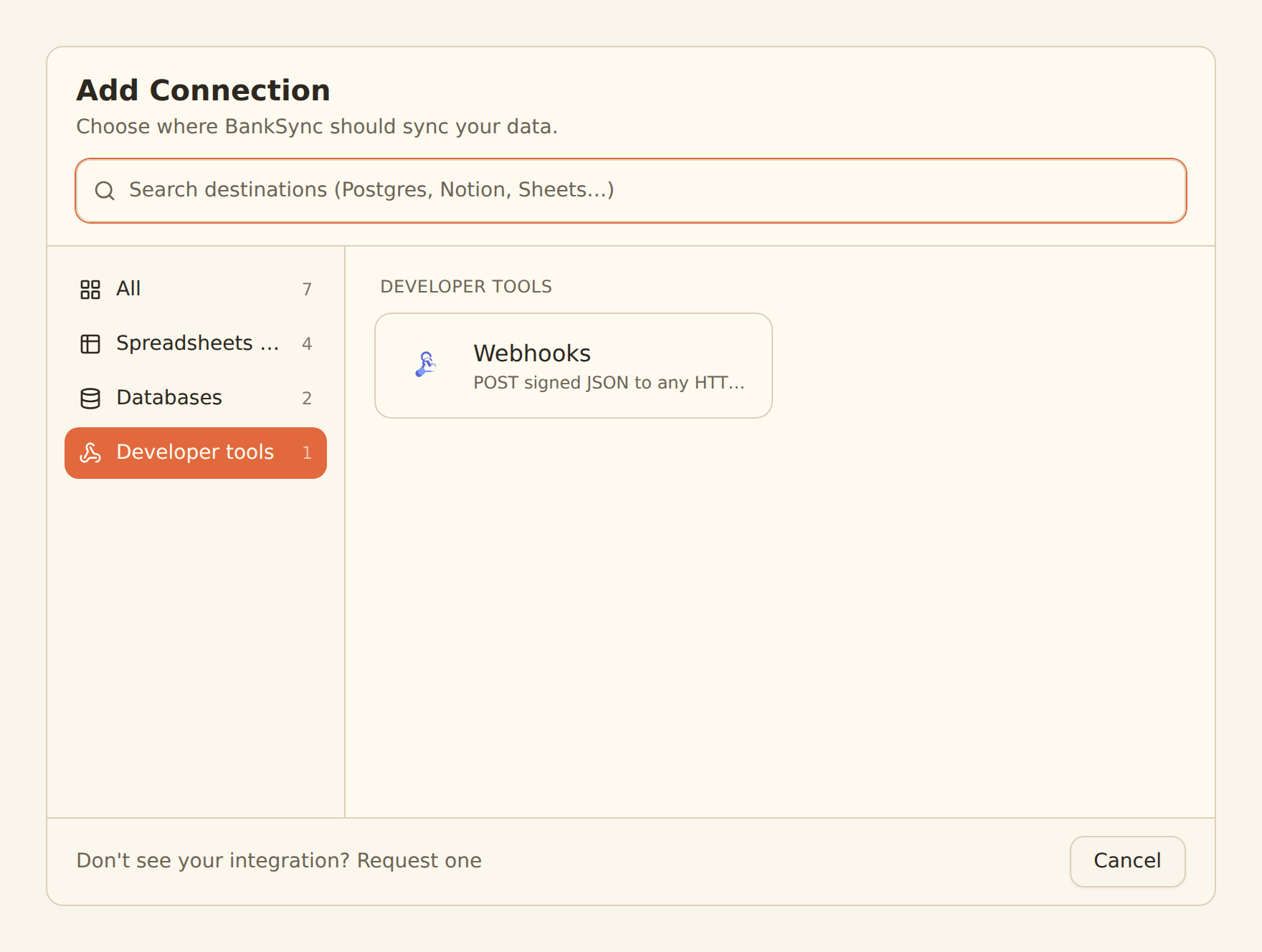
Connect a webhook endpoint
Open Add Connection
From your workspace, go to the Integrations tab and click "Add Connection".
Choose Webhooks
Under the "Developer tools" group, click "Webhooks" (search "webhook" if you don't see it).
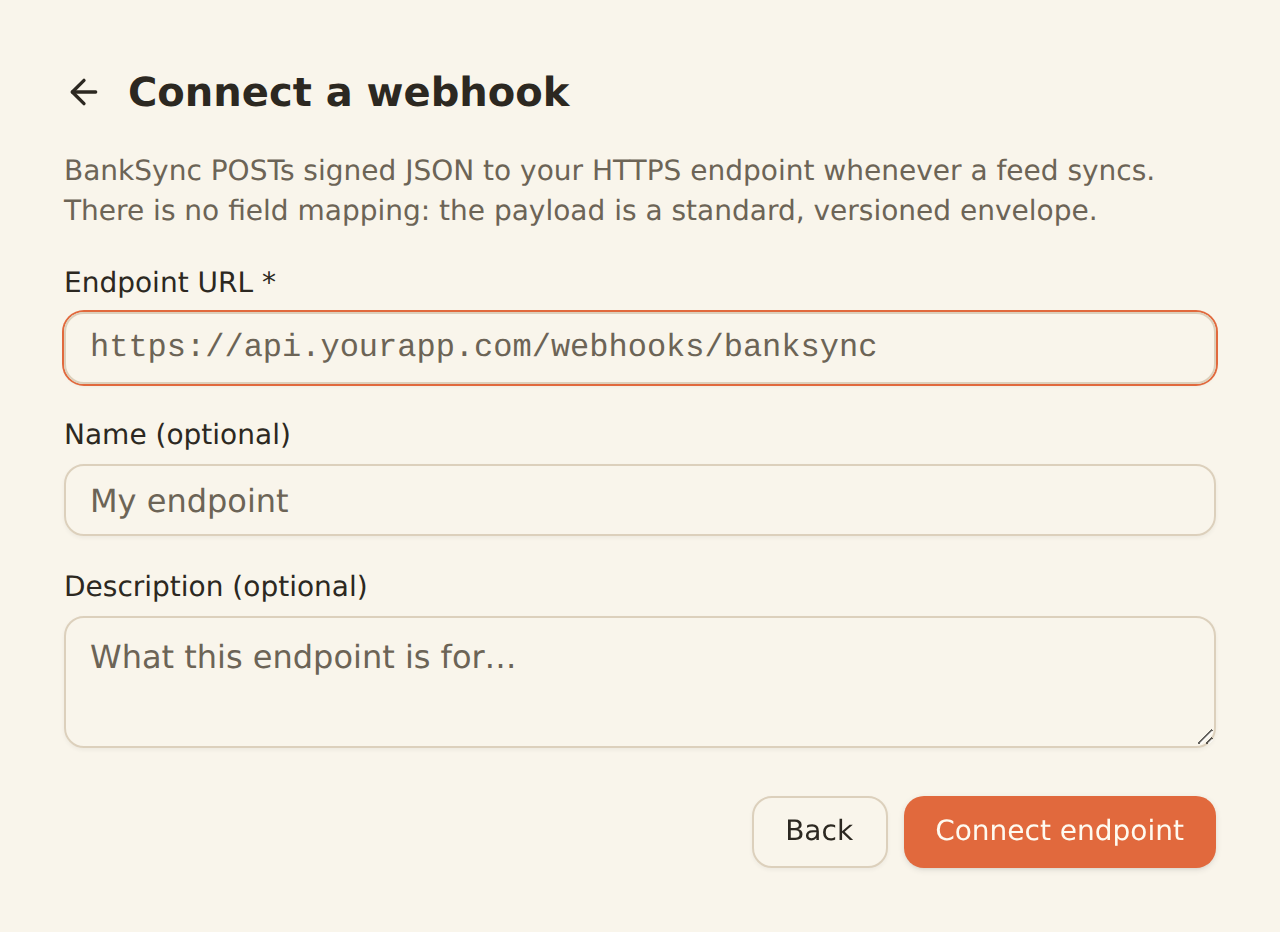
Enter your endpoint URL
Paste the HTTPS URL that should receive deliveries, e.g. https://api.yourapp.com/webhooks/banksync. Optionally give it a name and description.
Connect
Click "Connect endpoint". BankSync generates a signing secret and shows it once.
Copy your signing secret
Copy the secret (it starts with whsec_) and store it where your server can read it. You'll use it to verify every delivery. You can reveal or rotate it later from the endpoint's settings.
Send a test event
Click "Send test event" to POST a sample payload to your endpoint and confirm it's reachable. The result (status code and timing) shows inline.
Your URL must be public HTTPS
Step 2: Create a feed to your endpoint#
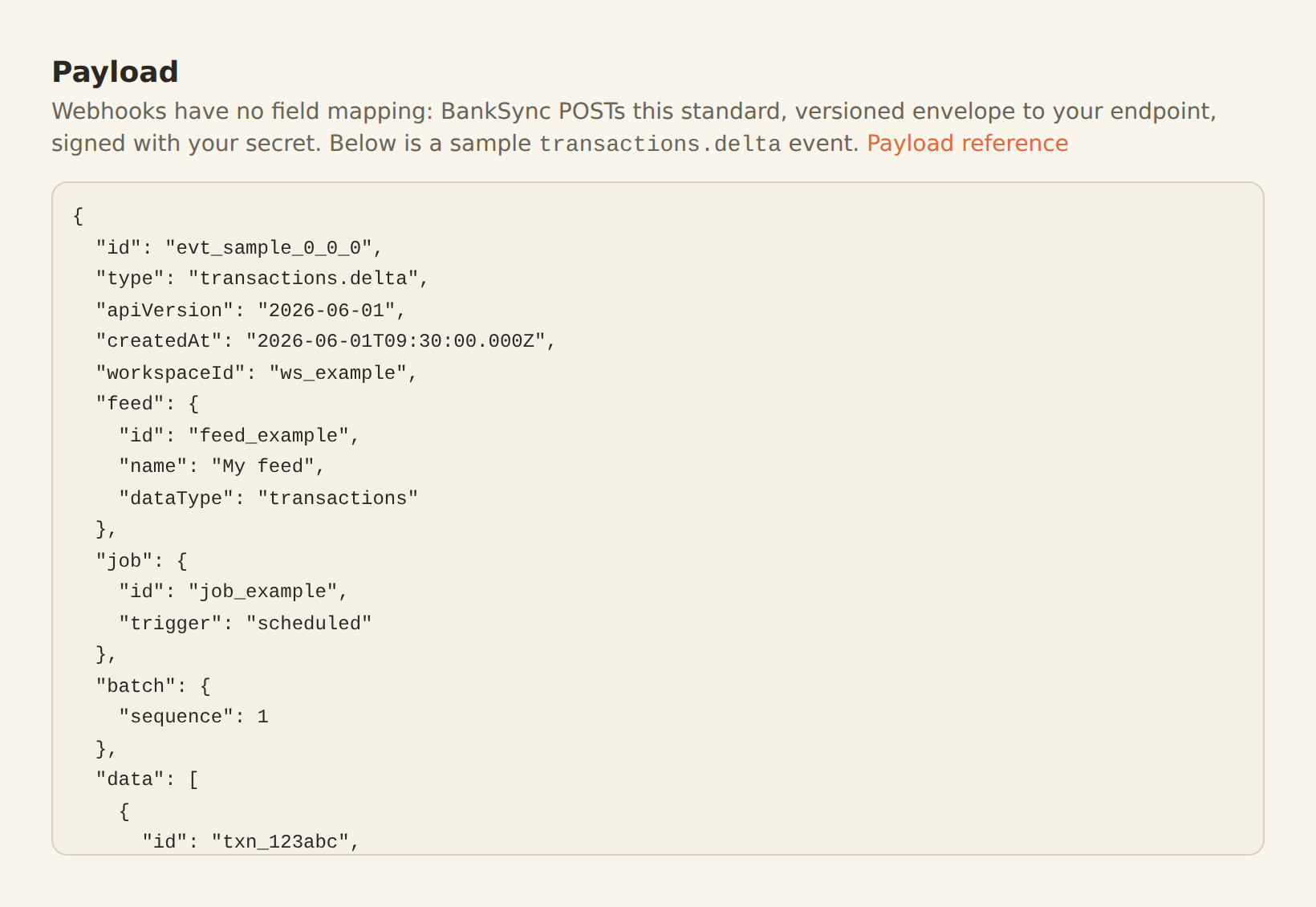
Webhook feeds work like any other feed, with one difference: there is no mapping step. Instead, the wizard shows a payload preview of the exact event your endpoint will receive.
Create a webhook feed
New feed
On the Feeds tab, create a feed and pick your accounts and the data type (transactions, balances, holdings, trades, orders, or loans).
Pick the webhook destination
In the Destination tab, select your webhook endpoint.
Review the payload
The Payload tab shows a sample event for your data type, the same envelope production will send. There's nothing to map.
Set a schedule
Pick how often the feed should sync, then save.
What you receive#
Each delivery is a JSON envelope with an event type, an apiVersion, the feed and job it came from, and a data array of rows. Transactions arrive as transactions.delta events (new or changed rows); balances, holdings, trades, orders, and loans arrive as *.snapshot events (the full current state). A terminal sync.completed event marks the end of each run.
For the exact envelope, per-data-type field tables, and signature-verification code in several languages, see the Webhooks developer reference.
Managing an endpoint#
Open a webhook endpoint from the Integrations tab to manage it.
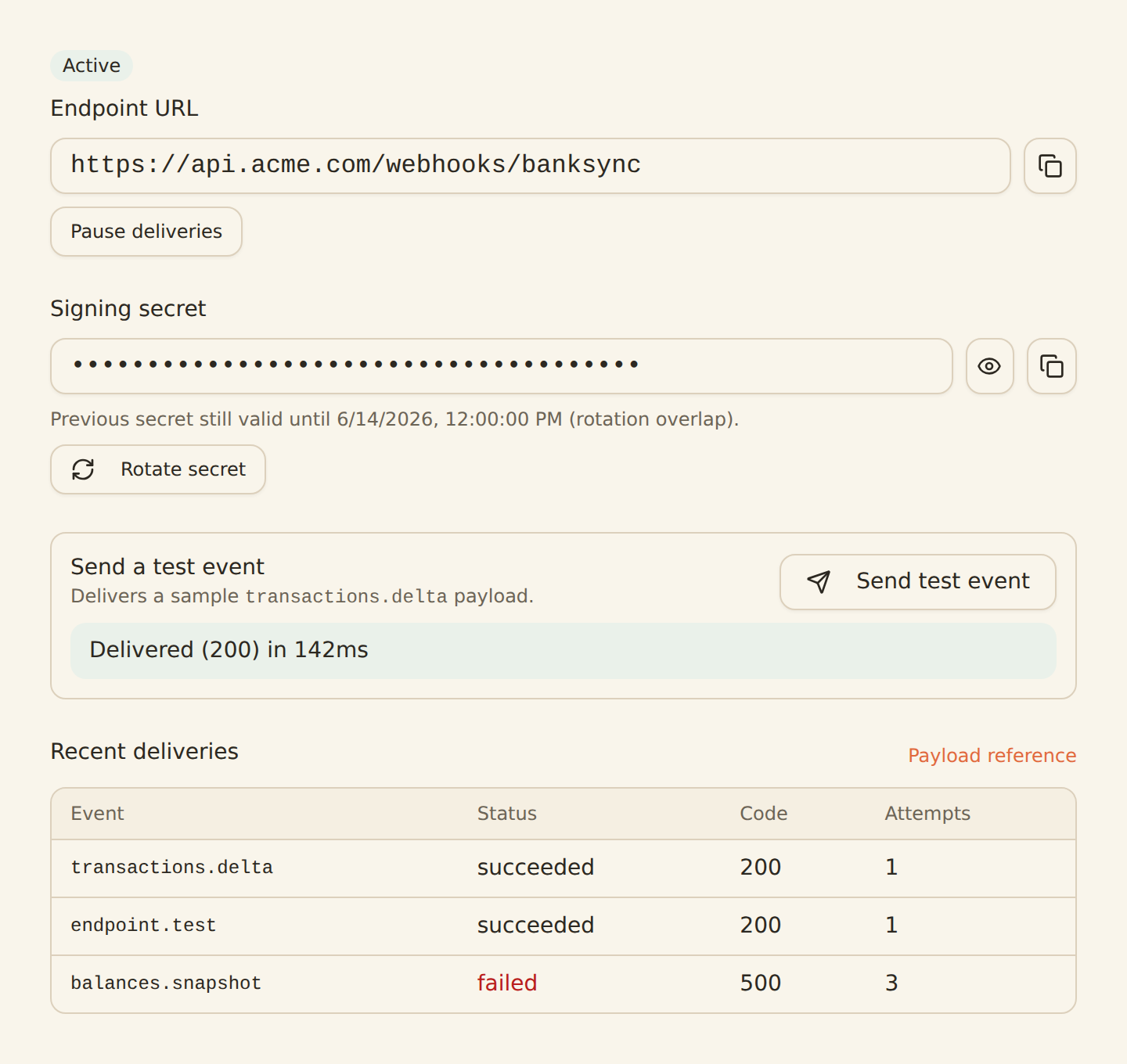
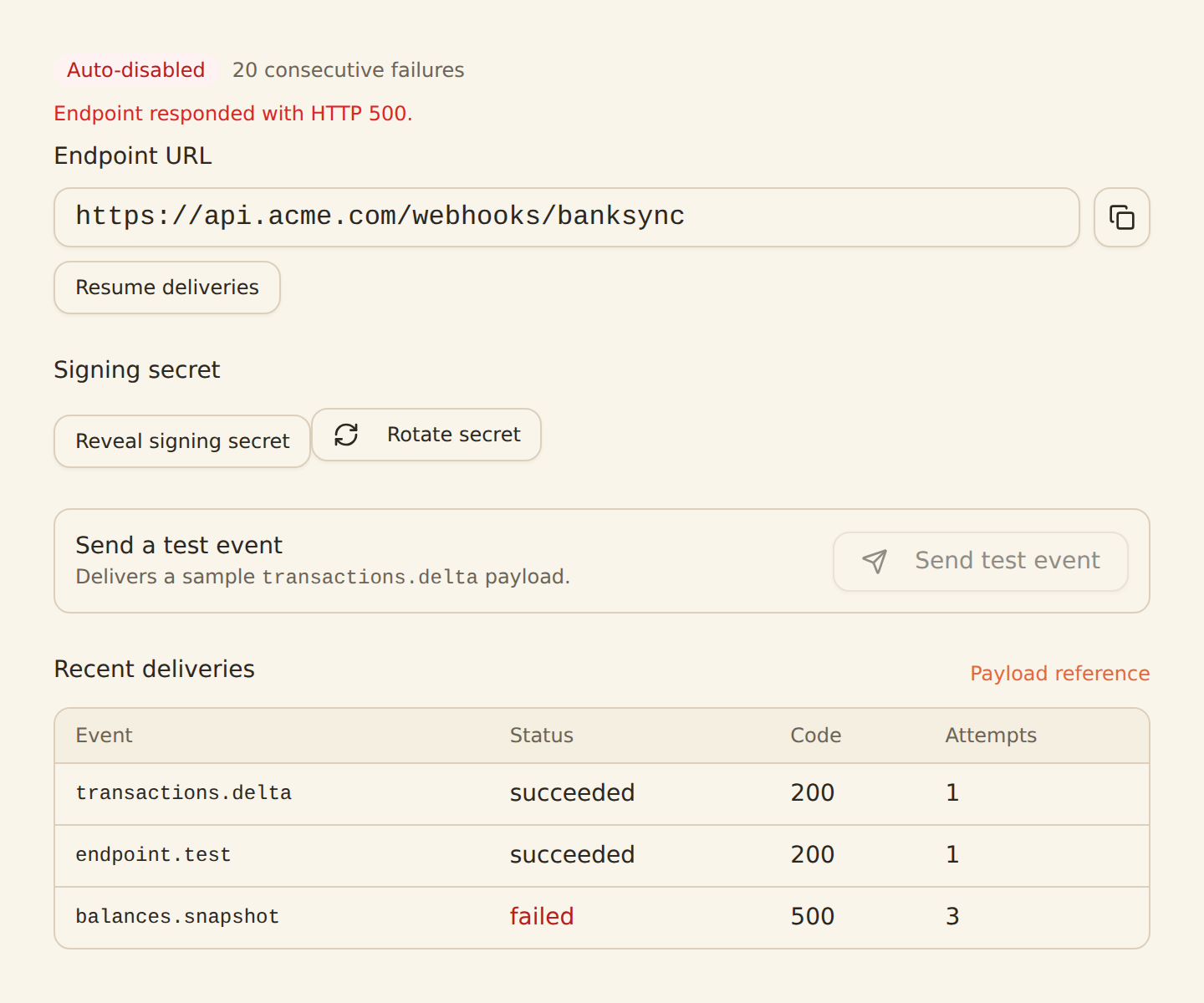
From this panel you can:
- Reveal or copy the signing secret (owners and admins only).
- Rotate the secret. The previous secret keeps verifying for 24 hours so you can roll it without downtime.
- Send a test event at any time.
- Pause and resume deliveries.
- Inspect recent deliveries: event type, status, HTTP code, and attempt count.
Troubleshooting#
Your endpoint returned 401 / 403
- Deliveries are retried on timeouts, 429s, and 5xx responses with exponential backoff. A 4xx (other than 429) is treated as a permanent rejection and isn't retried.
- A 410 Gone response tells BankSync the endpoint has unsubscribed, so the endpoint is disabled automatically.
- Repeated failures auto-disable the endpoint. Fix your server, then re-enable it from the endpoint page; the failure count resets.
- Redelivering is available for test events from the inspector. To re-send feed data, just run the feed again: every event carries a stable
webhook-id, so your consumer can safely deduplicate.
Plan#
Webhook destinations require a Standard plan or higher. If you downgrade below it, your webhook feeds stop delivering until you upgrade again.
Use this page with your AI assistant
Every BankSync doc is available as plain Markdown for agents and LLMs.