

PostgreSQL becomes the household's system of record: the maintained ledger from which reports are calculated. Store source identities, posted amounts and reviewed corrections there. Each local-model request can then use a small query result, with a link back to the exact entries behind the answer.
To sync a bank account into PostgreSQL behind a home router, run the importer inside the LAN and have it pull from BankSync over HTTPS. PostgreSQL only needs to accept a connection from that importer. This design works with a private database address and gives you control over retries, retained fields and the cut-off shown to the household.
Choose the direction before configuring Postgres
BankSync also offers a managed PostgreSQL destination. That route needs a database BankSync can reach, a destination login and the correct schema and table. Its documented TLS settings include certificate and hostname verification. A LAN-only hostname cannot be reached by a hosted writer. A local pull is a good fit if your database has no inbound internet route. Database destinations
For the pull design, create a scoped workspace key on an eligible plan and give it the read permission required by the bank endpoints. Load the key into the collector's environment or secret store. The report and model have their own identities and can run without this key. API keys
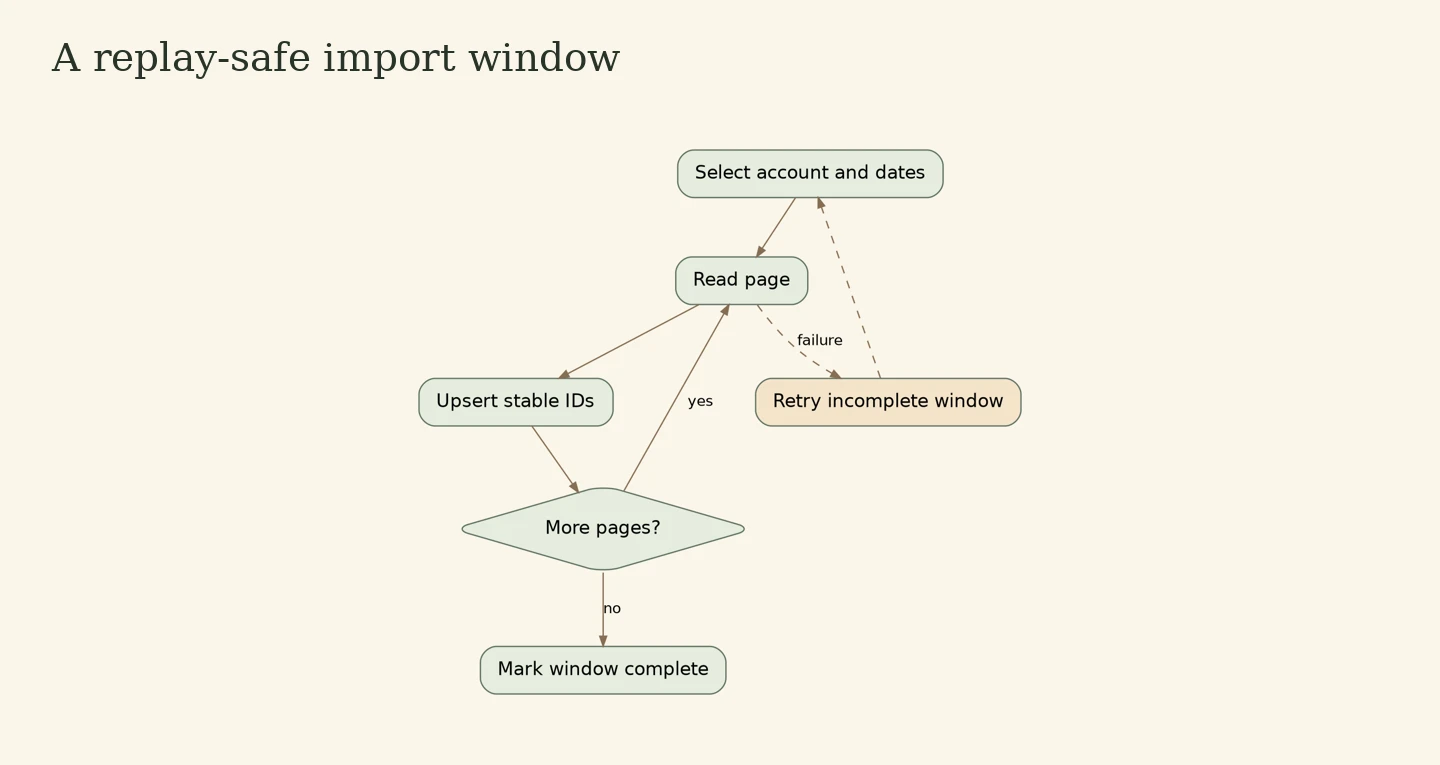
Read one account and one closed period
Start with GET /v1/banks, then GET /v1/banks/{bid}/accounts. Fetch GET /v1/banks/{bid}/accounts/{aid}/transactions with the documented from and to parameters. Follow pagination until the selected period is complete. Keep the bank ID and account ID with each row. Two banks may issue identifiers that only make sense within their own connection. Generated API reference
Create a unique constraint on your local columns (connection_id, account_id, source_transaction_id) for records with a stable source ID. Store currency, signed amount, posting status, source dates and import run ID separately. Map documented response fields into these local names. Use decimal arithmetic or currency-aware integer minor units. If an ID is missing, queue the row for review. A date, amount and merchant can match two genuine coffees.
Suggested local ledger fields
| Local field | Example | Reason to retain it |
|---|---|---|
| source_transaction_id | t_017 (fictional) | Upsert within the source account namespace |
| amount_minor and currency | −6200, EUR | Protect the sign and the two-decimal euro scale |
| posting_state | posted | Keep unsettled activity out of closed-period spend |
| observed_at and run_id | Timestamp and import ID | Trace a revision to the retrieval that supplied it |
Advance the checkpoint after the write commits
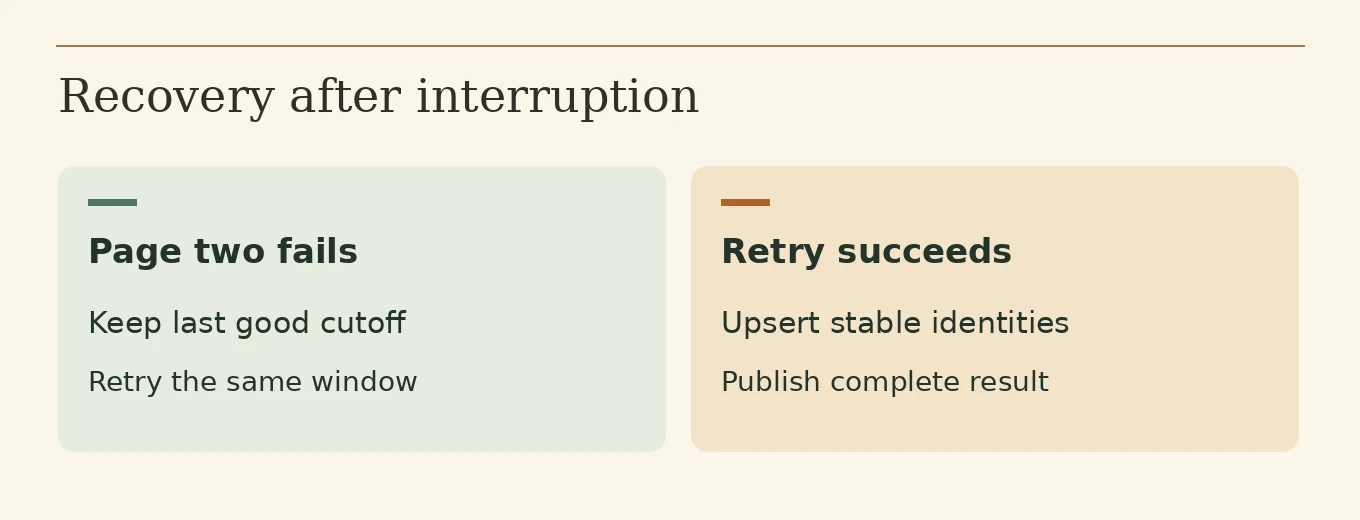
Give each account/window a run record with start, finish, status and page count. If page two fails after page one was stored, keep the window incomplete. On retry, upsert the stable entries and finish the remaining work. Update the completed-through date only once the period is durable. Revisit a small overlap on later runs so late-posted items can enter the ledger. Document how corrections and pending-to-posted ID changes are handled before using the data for month-end totals.
On Standard the workspace shares ten REST requests per minute. A pass listing banks once, accounts for two banks, and a single page for each of eight accounts already takes eleven requests. Pace the calls, honour Retry-After on a rate-limit response and resume later. A local scheduler is cheap to run every minute, but polling more frequently does not make a bank post faster. REST limits
A query you can check by hand
With a normalised local table named ledger, a posted debit stored as negative and an approved groceries category applied to its refunds too, a bounded euro total can be calculated with SELECT -SUM(amount_minor) FROM ledger WHERE currency = 'EUR' AND category = 'groceries' AND posting_state = 'posted' AND booked_on >= DATE '2026-10-01' AND booked_on < DATE '2026-11-01'. A debit of −6200 and credit of 1000 return 5200 euro cents. An empty input returns NULL. First verify account coverage, then decide whether a completed empty period means zero.
Acceptance checks for the first import
Interrupt a pull
Stop after one returned page and inspect the run record. The dashboard should continue to show the previous complete cutoff.
Replay the window
Import it twice. Check row count, totals and updated source fields, including two genuine transactions for the same amount.
Check the balance clock
Record balanceAsOf when supplied and retrievedAt separately. An absent source timestamp leaves the balance age unknown.
Give the household a useful failure message
A successful HTTP response can contain zero new entries. Show the period inspected, last successful run and count of accounts completed. A dashboard saying “three accounts checked, one needs reconnection” gives someone a job they can do. A zero spending total would tell a different story.
Continue building with SQLite vs PostgreSQL vs DuckDB for Personal Finance and Deploy a Private AI Finance Stack on K3s.