
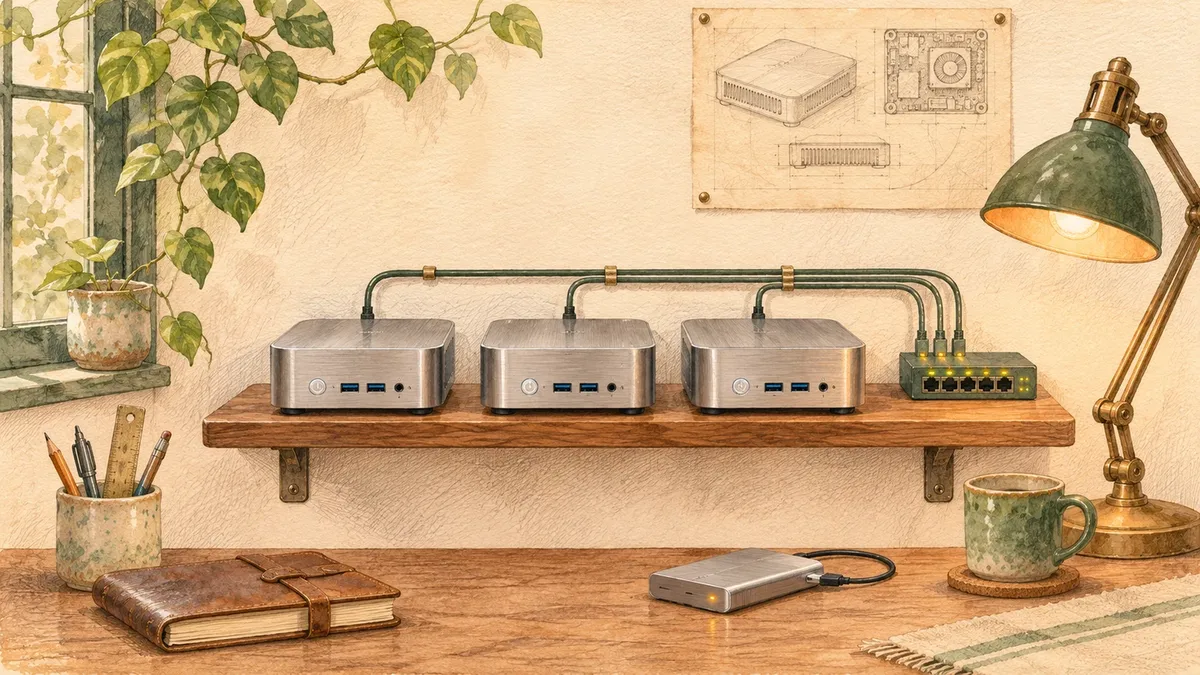
Keep the financial record durable and the inference service replaceable. With the ledger, checkpoints and decisions in a backed-up database, you can restart a model pod or move inference to new hardware without losing household history. K3s then has a clear job: run the components around that persistent record.
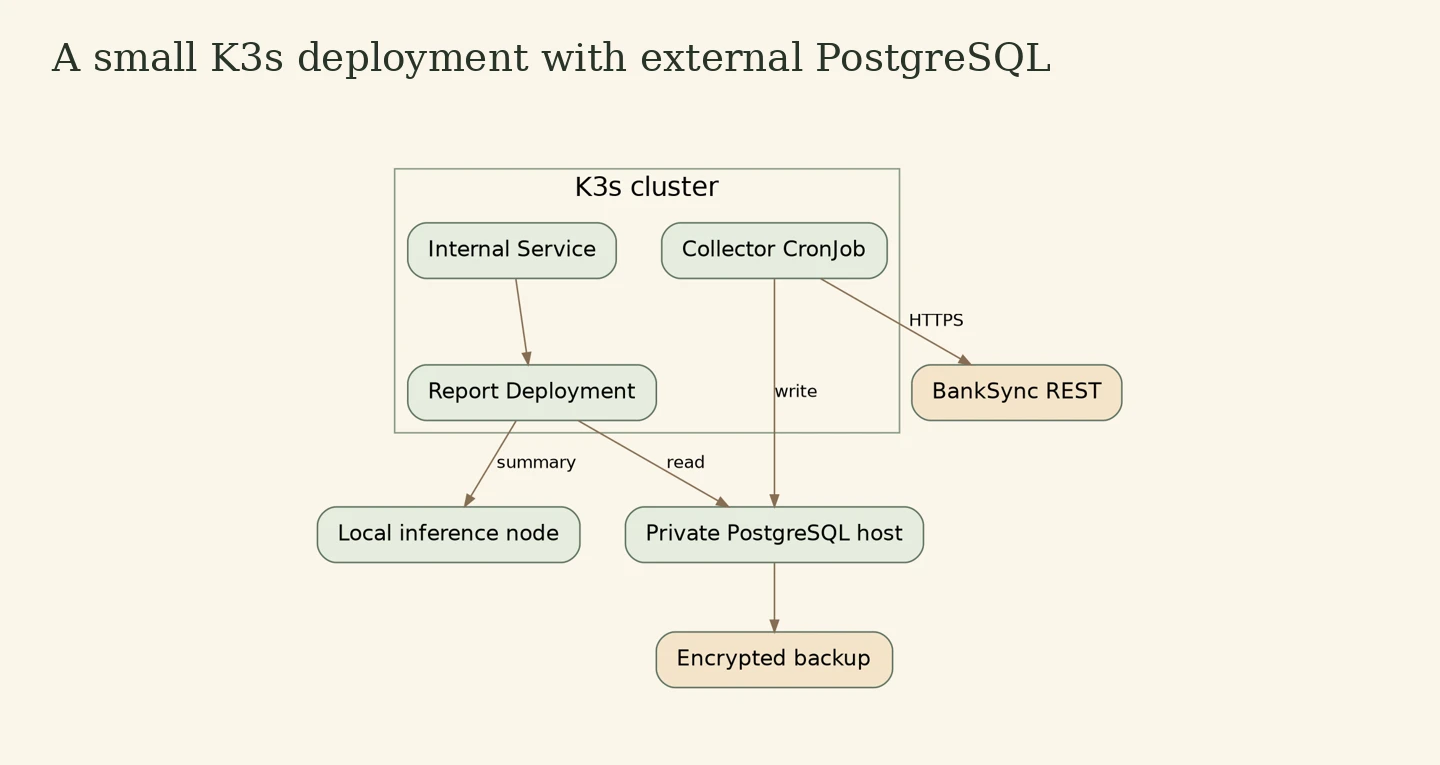
A finance stack on K3s needs an answer to one question before it needs YAML: what happens to last month's ledger if the node holding its disk fails? For a small existing cluster, a practical starting point is a collector CronJob and a report Deployment inside K3s, with PostgreSQL on a private host you already back up. Run Ollama where the memory or GPU is available.
Map the components to their failure modes
Give the collector the bank API credential and write access to the ledger. The reporting app gets a read-only database role and a private route to the local model. Use an internal Service for the report and an authenticated LAN entry point for users. Avoid publishing the database or model API directly. Mount secrets only into the workload that needs them. Namespace separation helps organise resources, but permissions and enforced network policy determine which workloads can actually communicate.
If you keep everything on one mini PC, a service manager or Compose can run the same components. K3s becomes attractive when you already operate the cluster, have a repeatable update process or need to schedule inference onto a particular node. Moving a workload into a pod does not make the bank data fresher.
Choose where persistent state lives
K3s ships a local-path storage provisioner. A volume backed by a node's local disk has a physical location. If that node disappears, scheduling a replacement pod elsewhere does not carry the data with it. An in-cluster PostgreSQL deployment therefore needs a deliberate storage class, capacity monitoring, recovery plan and tested database backups. A single replica on a local volume is a single-disk design. K3s volumes and storage
On a GPU node, pin the model workload using an appropriate node label and configure the device support required by the hardware. Size its memory request using a measured run with your actual model and context. The database and importer should keep working if the inference node is offline. Keep model weights on a separate volume or document how to retrieve the pinned model again.
What survives a node outage?
| Component | State to keep | Recovery check |
|---|---|---|
| Collector CronJob | Completed import windows in the database | Replay a period without duplicate entries |
| Report deployment | Configuration and read permissions | Known monthly total matches |
| Ollama workload | Model version and runtime settings | Same fixture still passes |
| PostgreSQL | Independent recoverable database backup | Restore on replacement storage |
| K3s control plane | Appropriate datastore backup and server token | Recover configuration with schedules paused |
Schedule for replay and missed runs
For a daily ingestion CronJob, set spec.concurrencyPolicy to Forbid if overlapping runs of that job would compete for the same account. Choose the time zone explicitly on a supported Kubernetes version. Set a deadline that matches your recovery window. A skipped or duplicate execution is still possible, so the collector must use durable checkpoints and idempotent writes. When it next starts, it should read the last completed interval and catch up in bounded windows. Kubernetes CronJobs
A healthy pod says the process is running. A useful finance health signal says which accounts finished, when and for what period. Alert on an overdue completed window, low disk space or a failed backup. Keep raw descriptions and account identifiers out of centralised logs.
An overnight schedule you can reason about
A CronJob with schedule: "15 3 * * *", timeZone: "Etc/UTC" and concurrencyPolicy: Forbid targets 03:15 UTC daily. These belong under spec on a supported cluster. The job template should load a pinned collector image and read its credential from a workload-specific Secret. Keep the report’s household time zone separate from the scheduler's time zone. A 03:15 UTC import can cover a different local calendar day in Sydney and Berlin.
A recovery rehearsal for the homelab
Rehearse loss of the model node
The dashboard should show the last complete figures with an explanation unavailable. New imports should still finish.
Restore the application data
Restore PostgreSQL and its required roles onto a clean private host. Replay an already imported period and compare totals.
Rehearse the control-plane restore
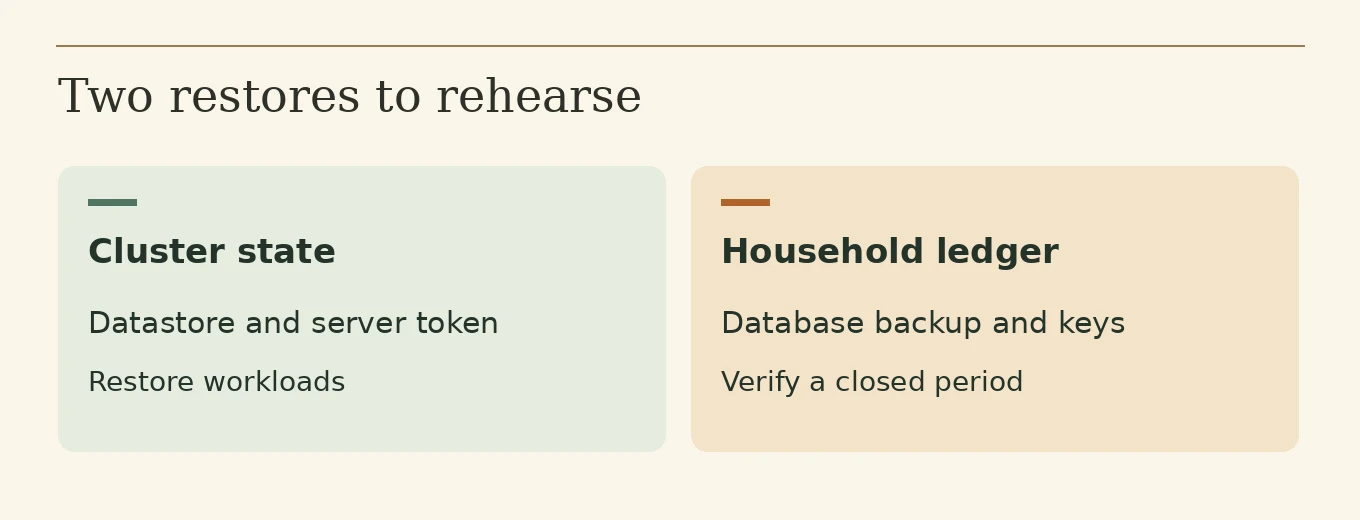
Keep the appropriate K3s datastore backup and matching server token. Restore in an isolated environment with collectors paused to prevent concurrent writes.
What a successful recovery looks like
A restored cluster configuration and a restored household ledger answer different questions. K3s documents backing up its datastore and server token. Application volumes, external PostgreSQL, encrypted backups and decryption keys need their own recovery path. Before resuming schedules, confirm the database target, one known statement total and the intended run checkpoint. Then enable a single collector and watch the first complete run. K3s backup and restore
Continue building with SQLite vs PostgreSQL vs DuckDB for Personal Finance and Sync Bank Transactions to Local PostgreSQL With BankSync.