

Store alert state and household acknowledgements in the finance database. Home Assistant can display a small approved signal while a local model explains the underlying issue in your private app. Restarting an assistant or clearing a conversation leaves the saved review history available.
A household dashboard usually needs a nudge, not a transaction list. Publish a count such as “2 bills need review” from your local reporting service to a private MQTT broker. Home Assistant can display it beside the rest of the household's tasks. Keep merchants, balances and policy documents behind the finance app's own access controls.
Publish one small message after a complete run
Use a dedicated local topic, for example household/finance/review_count. A useful payload is {"count":2,"as_of":"2026-10-01T08:00:00Z","complete":true}. These are example application fields. The publisher computes the count from reviewed database rules after ingestion finishes. A language model can prepare a fuller explanation on the finance server without participating in the delivery of this signal.
Grant the publisher permission to write its topic and the Home Assistant client permission to read it. Configure the local broker with authentication. Avoid public brokers and shared test topics. Household dashboards sometimes appear on a wall tablet or a guest phone. Decide who should see even the count before publishing a balance or merchant name.
Configure the sensor and its clock
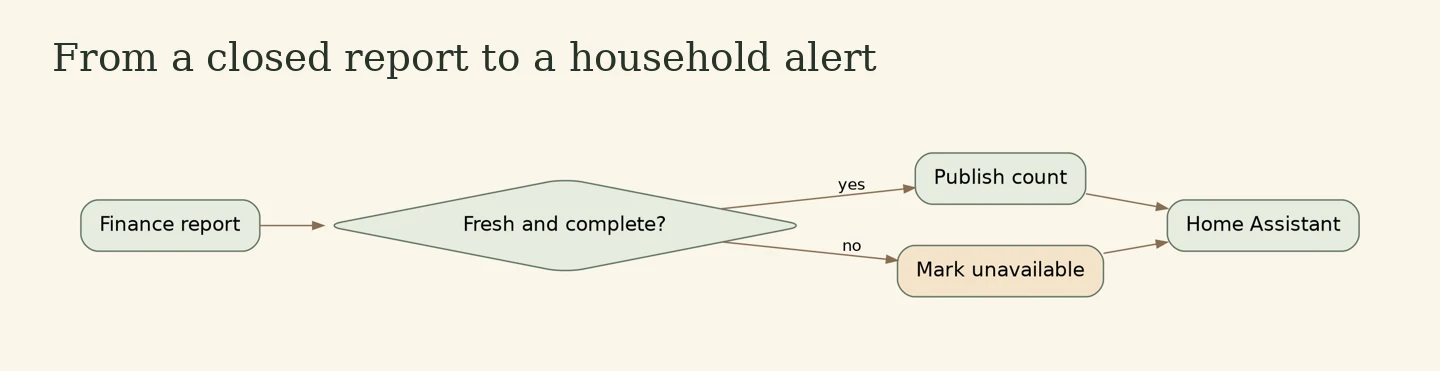
In Home Assistant's MQTT sensor configuration, point state_topic at the chosen topic and use a numeric value_template such as {{ value_json.count }} for complete reports. Publish a numeric state only for a validated complete run. Use an availability topic or a separate freshness check for incomplete imports. With a daily job, an expiry threshold longer than the normal interval leaves room for ordinary delays. Pick that threshold from the schedule you actually run. MQTT Sensor reference
The broker can replay a retained message when Home Assistant restarts. A stale retained zero can look reassuringly fresh. One design publishes count updates without retention, includes the source timestamp, and republishes after startup only when the underlying report is still current. Set a separate availability policy for a database or upstream outage. A successful MQTT connection proves the broker is alive, not that all bank accounts refreshed.
What to send to Home Assistant
| Field | Example | Where it belongs |
|---|---|---|
| Review count | 2 | Private MQTT topic and dashboard |
| Source report time | 08:00 UTC | Freshness rule and dashboard detail |
| Coverage state | Complete or partial | Availability decision |
| Merchant and invoice | Utility name and document | Authenticated local finance app |
Notify on a transition someone can act on
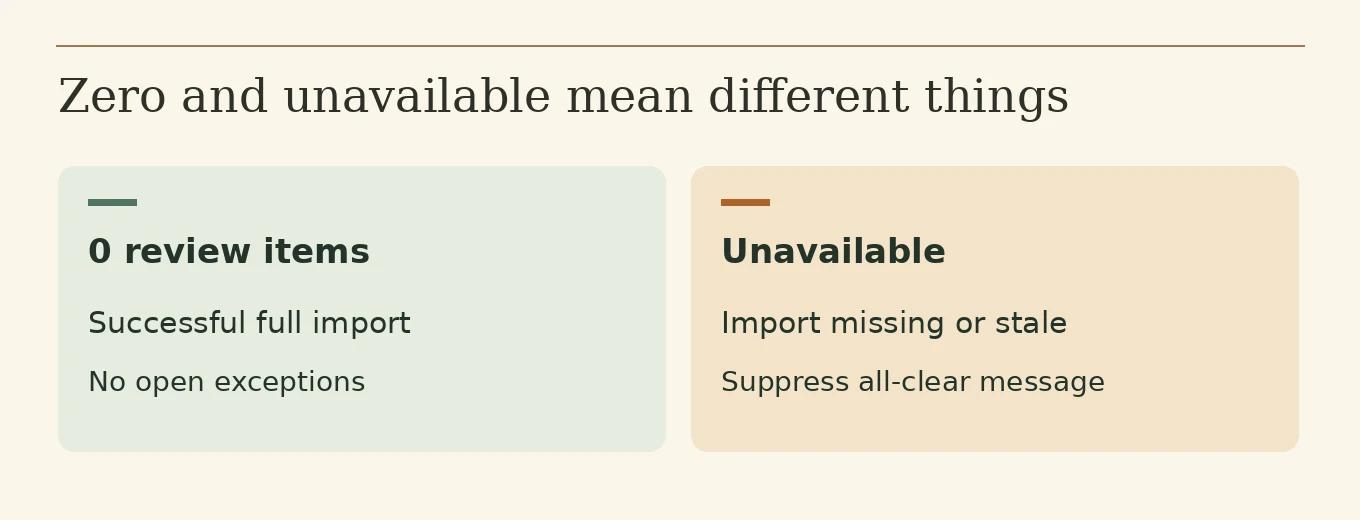
Suppose one electricity contract is nearing its renewal date. A completed run raises the count from zero to one. Send a generic notification that links to a locally authenticated review screen. Give the alert an identity based on service and renewal date so a restart or replay does not notify the household again. If the count goes to zero after the account import failed, suppress the all-clear and surface the stale state.
Home Assistant's Recorder stores entity state changes and can put them into history and backups. Decide whether this entity belongs in Recorder and check any mobile notification previews or remote access path. Its exclusion filters can keep a particular sensor out of Recorder when historical counts have no value. Recorder documentation
A message suitable for a shared screen
Show “1 bill needs review” on the wall panel and put the explanation in the private app. On the detail page, show when the last complete report finished. If a family member acknowledges a reminder, store that decision against the event identity in the finance database so a repeated sensor payload cannot reopen the same task.
Rehearse a stale or repeated message
Send a synthetic update
Publish a count of two and confirm the dashboard contains neither the account nor the merchant.
Stop the report publisher
Wait through the configured freshness threshold. The display should become unavailable or visibly stale.
Restart the broker and dashboard
Verify that an old message cannot create a fresh all-clear. Repeating one report should produce at most one actionable notification.
When to use an existing balance integration
If all you want is a supported account balance, start with BankSync's documented SimpleFIN route for compatible apps. A custom local MQTT sensor is worthwhile when the signal comes from your own rules, such as unreconciled savings or expiring quotes. The MQTT bridge described here is a component you build and operate. BankSync SimpleFIN setup
Continue building with Find Subscription Price Increases With a Local LLM and Track Actual Savings After Switching Providers.