Bank data in your IDE
Connect BankSync MCP server to Sourcegraph Cody and combine code intelligence with live bank transactions, balances, and investments.
Setup in 3 steps
Add bank data context to Cody in minutes.
one key, every tool
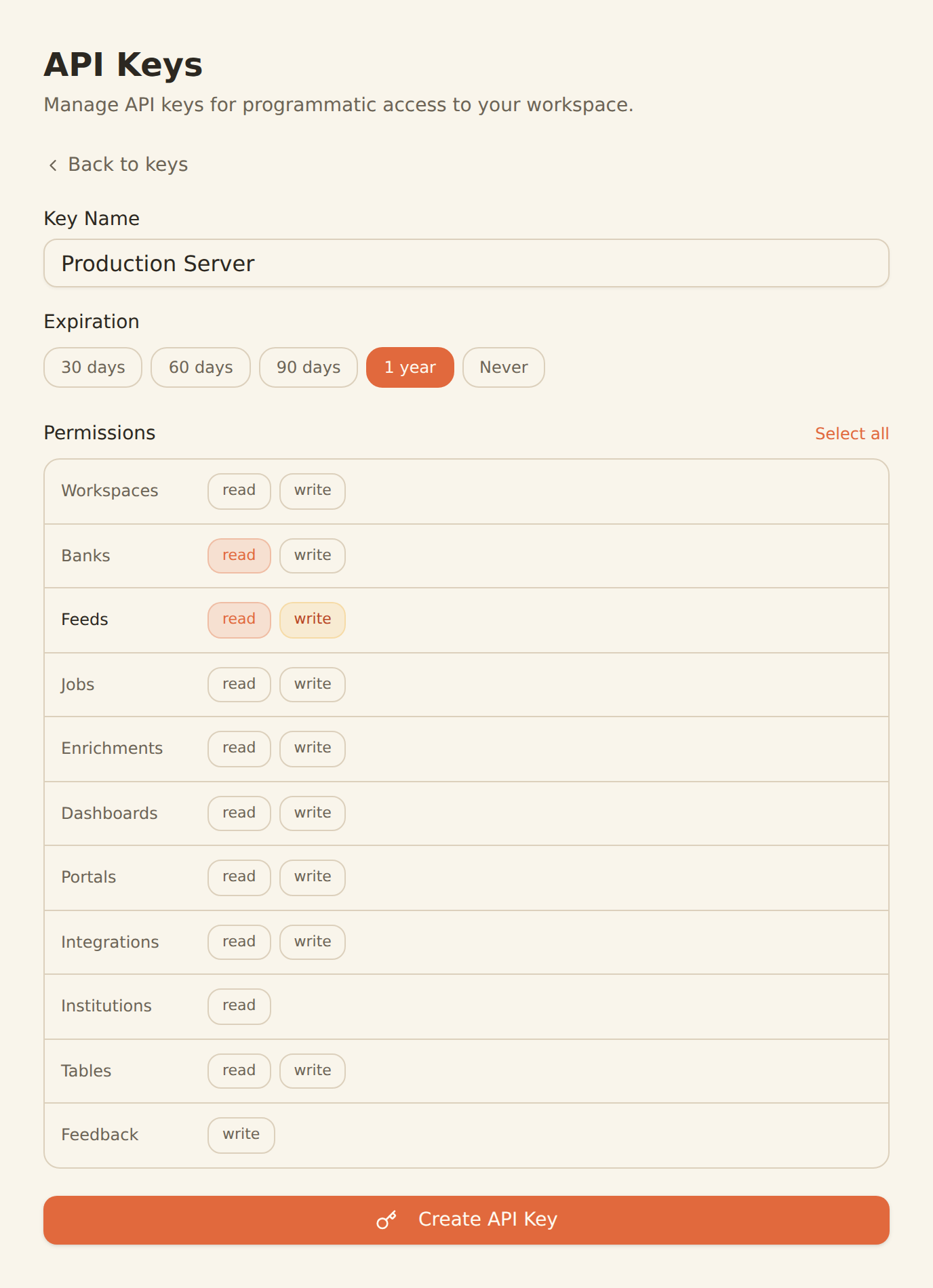
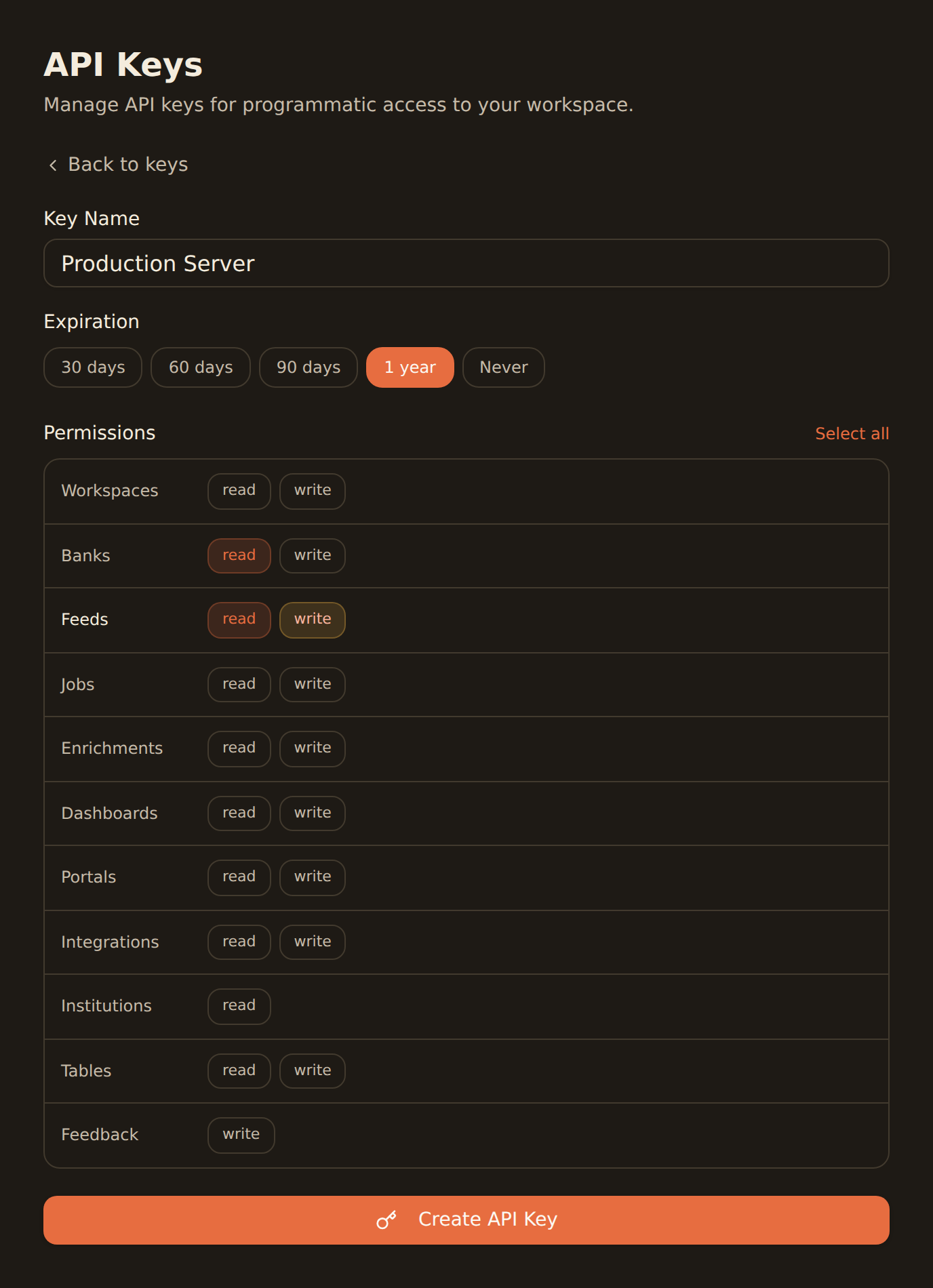
Generate a BankSync API key
Sign up, connect your banks, and create an API key from the Developers section.
Configure MCP in Cody
Add the BankSync MCP server configuration in your Cody settings with your API key.
Code with financial context
Start building fintech features with Cody combining code intelligence and live bank data.
MCP Server Configuration
Add this configuration to your Cody settings.
{
  "mcpServers": {
    "banksync": {
      "url": "https://mcp.banksync.io",
      "headers": {
        "X-API-Key": "bsk_your_key_here"
      }
    }
  }
}
What you can build
Combine code intelligence with financial data for powerful fintech development.
Codebase + Bank Data Queries
Ask Cody questions that combine codebase context with live bank data for comprehensive fintech development.
Financial Code Generation
Generate code with real bank data schemas, using Cody code intelligence for accurate type definitions.
API Client Development
Build typed API clients for bank data endpoints with Cody understanding both your codebase and data structures.
Code Review with Data Context
Review fintech code with Cody having access to actual bank data structures for accurate suggestions.
Test Fixture Generation
Create test fixtures based on real transaction patterns, with Cody understanding your existing test patterns.
Documentation Generation
Generate accurate API documentation with Cody referencing both your code and live bank data schemas.
Why BankSync for Sourcegraph Cody
11,000+ Banks
Access financial data from major US & Canadian institutions through secure open banking connectivity.
36 MCP Tools
From listing banks to triggering syncs — everything your AI coding assistant needs.
Code Intelligence
Sourcegraph's code search and codebase awareness combined with live financial data.
Multi-Repo Context
Cody understands code across repositories, now enhanced with financial data context.
Frequently asked questions
How do I connect Sourcegraph Cody to BankSync?
Generate a BankSync API key, then add the BankSync MCP server configuration in your Cody settings. Cody will discover 28 financial data tools for use alongside its code intelligence features.
Can Cody search my codebase and bank data together?
Yes. Sourcegraph Cody combines its code intelligence (codebase search, context awareness) with BankSync's financial data tools. This means you can ask Cody questions that span both your codebase and bank data.
What financial data can Cody access?
Cody can access transactions, account balances, investment holdings, trades, and loan data from 11,000+ banks through the BankSync MCP server.
Does Cody work with BankSync in VS Code?
Yes. Sourcegraph Cody works as a VS Code extension and supports MCP servers. You can use BankSync MCP tools directly within VS Code through the Cody chat interface.
Code Intelligence Meets Bank Data
Connect BankSync to Sourcegraph Cody and build fintech apps with code intelligence and real bank data. 14-day free trial.
14-day free trial • Cancel anytime