Bank data at a keystroke
Connect BankSync MCP server to Raycast and access bank transactions, balances, and investments instantly from your macOS launcher.
Setup in 3 steps
Add live bank data to Raycast in minutes.
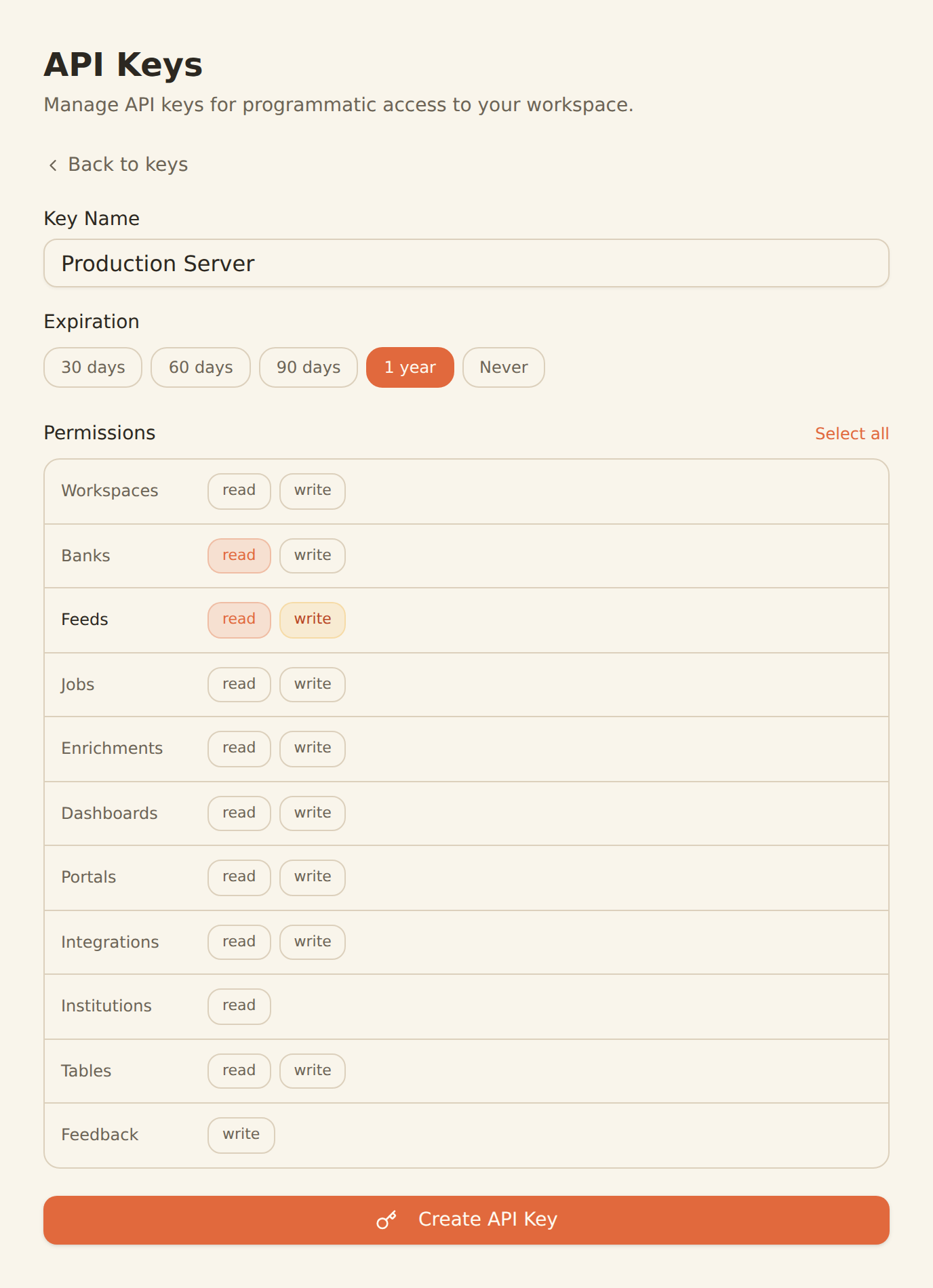
one key, every tool
Generate a BankSync API key
Sign up, connect your banks, and create an API key from the Developers section.
Configure MCP in Raycast
Add the BankSync MCP server configuration in your Raycast AI settings with your API key.
Query with a keystroke
Open Raycast AI and start querying your bank data — balances, transactions, and investments instantly.
MCP Server Configuration
Add this configuration to your Raycast AI settings.
{
  "mcpServers": {
    "banksync": {
      "url": "https://mcp.banksync.io",
      "headers": {
        "X-API-Key": "bsk_your_key_here"
      }
    }
  }
}
What you can do
Instant financial data access from your macOS launcher.
Quick Balance Checks
Check your bank balances instantly from the Raycast command bar without opening a browser or app.
Transaction Lookups
Find recent transactions, recurring payments, and specific charges with a quick keyboard shortcut.
Spending Summaries
Get instant spending breakdowns by category or merchant right from your macOS launcher.
Investment Updates
Check portfolio holdings and investment positions without leaving your current workflow.
Financial Calculations
Perform quick financial calculations using real account data directly from Raycast.
Daily Finance Check
Build a quick morning routine: check balances, review recent transactions, and monitor investments from Raycast.
Why BankSync for Raycast
11,000+ Banks
Access financial data from major US & Canadian institutions through secure open banking connectivity.
36 MCP Tools
From listing banks to triggering syncs — everything you need at a keystroke.
Keyboard-First
Access bank data with a keyboard shortcut. No context switching, no browser tabs.
macOS Native
Runs natively on macOS with Raycast's fast, low-latency interface.
Frequently asked questions
How do I connect Raycast to BankSync?
Generate a BankSync API key, then add the BankSync MCP server configuration in your Raycast AI settings. Raycast AI will have access to 28 financial data tools available via keyboard shortcut.
Can I check my bank balance from Raycast?
Yes. With BankSync MCP connected to Raycast, you can check account balances, recent transactions, and investment holdings instantly from your macOS launcher without opening a browser.
Does Raycast support MCP servers?
Yes. Raycast supports MCP through its AI configuration settings. You can add BankSync as an MCP server and query financial data directly from the Raycast command bar.
Bank Data at a Keystroke
Connect BankSync to Raycast and access financial data instantly from your macOS launcher. 14-day free trial.
14-day free trial • Cancel anytime