Bank data for API testing
Connect BankSync MCP server to Postman and explore, test, and validate financial APIs with real bank data.
Setup in 3 steps
Add live bank data to Postman in minutes.
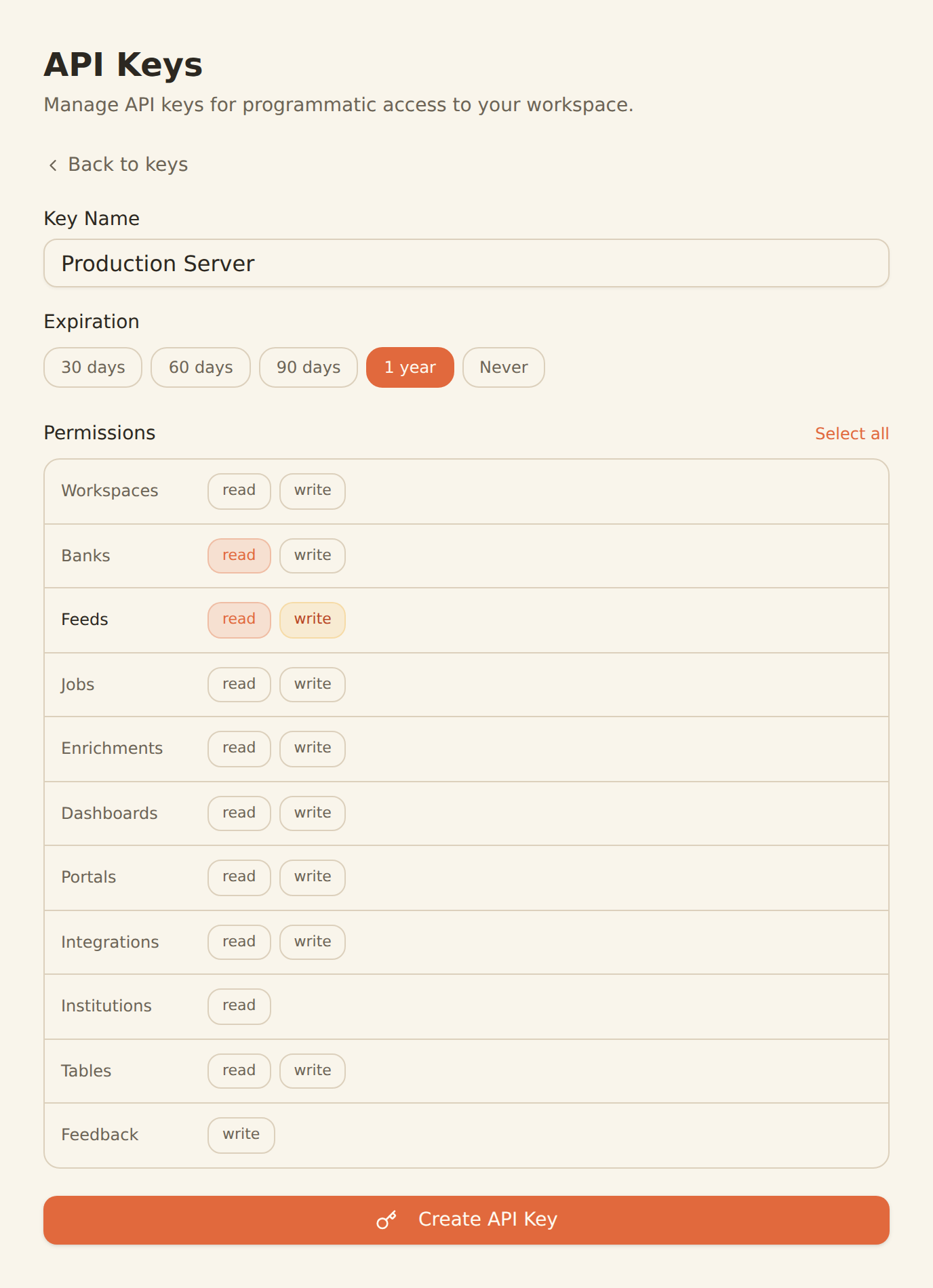
one key, every tool
Generate a BankSync API key
Sign up, connect your banks, and create an API key from the Developers section.
Configure MCP in Postman
Add the BankSync MCP server configuration in your Postman settings with your API key.
Explore and test
Start exploring bank data endpoints and testing financial API integrations with real data.
MCP Server Configuration
Add this configuration to your Postman settings.
{
  "mcpServers": {
    "banksync": {
      "url": "https://mcp.banksync.io",
      "headers": {
        "X-API-Key": "bsk_your_key_here"
      }
    }
  }
}
What you can do
Explore and test financial APIs with Postman and BankSync.
API Exploration
Explore bank data endpoints and response structures interactively through Postman with MCP tools.
Integration Testing
Test financial API integrations with real bank data to validate response formats and edge cases.
Schema Validation
Validate bank data schemas and response structures against your API contracts and documentation.
API Documentation
Generate API documentation with real response examples from live bank data through BankSync.
Collection Building
Build Postman collections for financial data workflows with pre-configured MCP tool requests.
Team Collaboration
Share bank data API collections with your team for consistent financial API testing.
Why BankSync for Postman
11,000+ Banks
Access financial data from major US & Canadian institutions through secure open banking connectivity.
36 MCP Tools
From listing banks to triggering syncs — everything you need for API testing.
API-First
Test and explore BankSync financial data endpoints with Postman's industry-standard API tools.
Team Sharing
Share bank data API collections and environments with your development team.
Frequently asked questions
How do I connect Postman to BankSync?
Generate a BankSync API key, then add the BankSync MCP server configuration in your Postman settings. Postman will discover 28 financial data tools for API testing and exploration.
Can I test bank APIs with Postman and BankSync?
Yes. With BankSync MCP connected, Postman can query bank transactions, balances, and investments through MCP tools, making it easy to explore and test financial API integrations.
Does Postman support MCP servers?
Yes. Postman supports MCP through its configuration settings. You can add BankSync as an MCP server and use it alongside Postman AI for API testing.
Test Financial APIs with Real Data
Connect BankSync to Postman and explore bank data endpoints with real financial data. 14-day free trial.
14-day free trial • Cancel anytime