Bank data in your workflow
Connect BankSync MCP server to Pieces for Developers and access bank data across your entire development workflow.
Setup in 3 steps
Add live bank data to your Pieces workflow in minutes.
one key, every tool
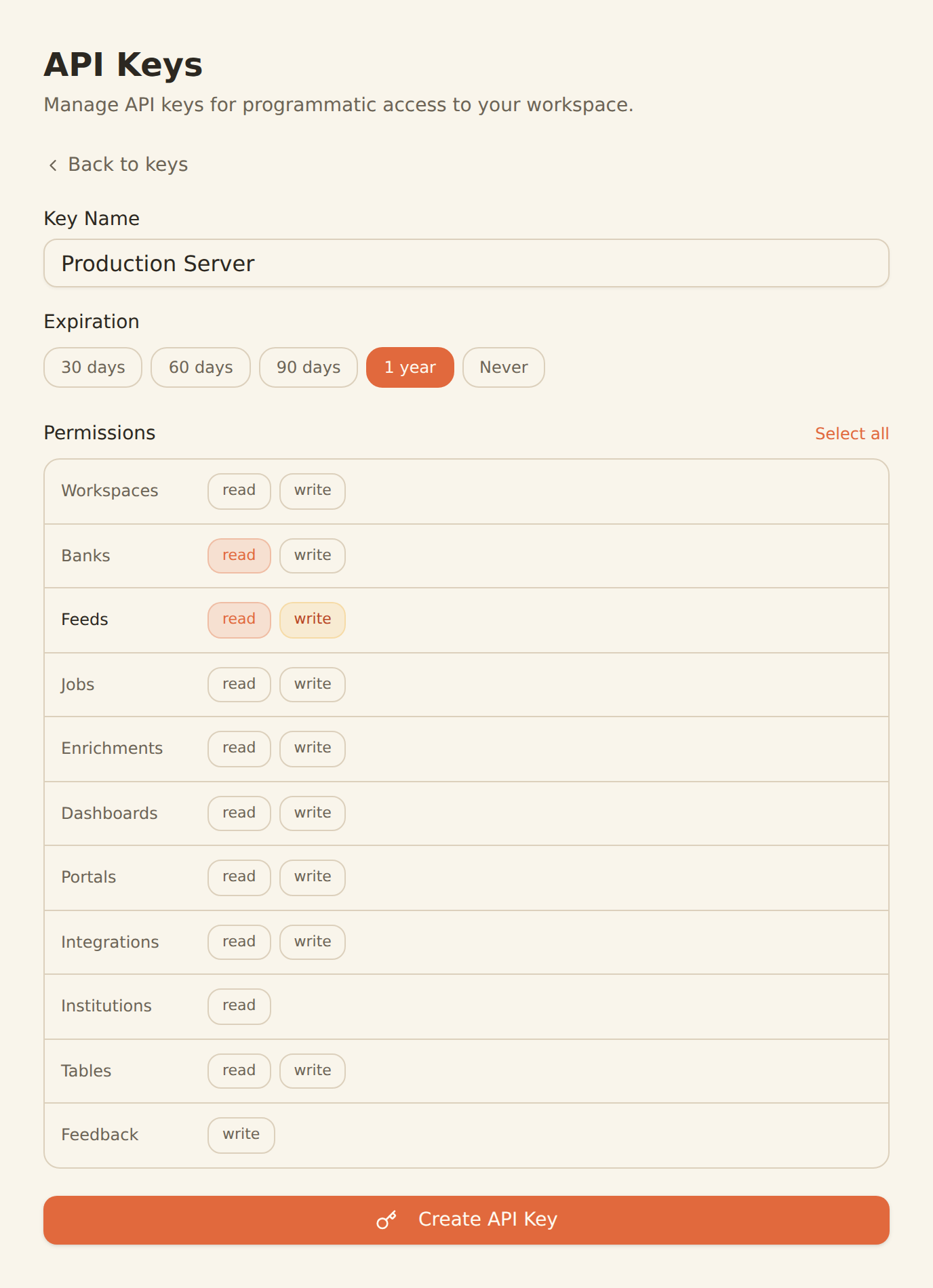
Generate a BankSync API key
Sign up, connect your banks, and create an API key from the Developers section.
Configure MCP in Pieces
Add the BankSync MCP server configuration in your Pieces settings with your API key.
Access bank data anywhere
Start querying bank data from any IDE, browser, or the Pieces desktop app.
MCP Server Configuration
Add this configuration to your Pieces settings.
{
  "mcpServers": {
    "banksync": {
      "url": "https://mcp.banksync.io",
      "headers": {
        "X-API-Key": "bsk_your_key_here"
      }
    }
  }
}
What you can do
Financial data access across your entire development workflow.
Financial Code Snippets
Save, organize, and reuse bank data query snippets, financial schemas, and API integration code.
Cross-IDE Financial Context
Access bank data context from any IDE or browser through Pieces' cross-platform workflow.
Financial Schema References
Keep real bank data schemas as reference snippets while building fintech features.
Code Generation
Generate API clients and data models with Pieces AI using real bank data structures from BankSync.
Team Knowledge Sharing
Share financial integration patterns and bank data code snippets across your development team.
Debug with Real Data
Reference actual bank transaction formats and account structures while debugging fintech code.
Why BankSync for Pieces
11,000+ Banks
Access financial data from major US & Canadian institutions through secure open banking connectivity.
36 MCP Tools
From listing banks to triggering syncs — everything your developer workflow needs.
Cross-Platform
Works across IDEs, browsers, and the Pieces desktop app for consistent financial data access.
Snippet Management
Save and organize financial code patterns alongside real bank data context.
Frequently asked questions
How do I connect Pieces to BankSync?
Generate a BankSync API key, then add the BankSync MCP server configuration in your Pieces settings. Pieces will discover 28 financial data tools for use across your development workflow.
Can Pieces save bank data snippets?
Yes. Pieces can save and organize code snippets related to bank data queries, financial schemas, and API integrations. Combined with BankSync MCP, you can reference real bank data while managing your snippet library.
Does Pieces work across multiple IDEs with BankSync?
Yes. Pieces works across VS Code, JetBrains, and other IDEs. Once BankSync MCP is configured, financial data tools are available everywhere Pieces runs.
Bank Data Across Your Workflow
Connect BankSync to Pieces and access financial data from any IDE or browser. 14-day free trial.
14-day free trial • Cancel anytime