Give OpenClaw bank data superpowers
Connect the BankSync MCP server to OpenClaw and turn the open-source AI agent with 250K+ stars into your personal finance assistant — querying transactions, balances, investments, and loans from 11,000+ banks.
Setup in 3 steps
Add real financial data to your OpenClaw agent in minutes.
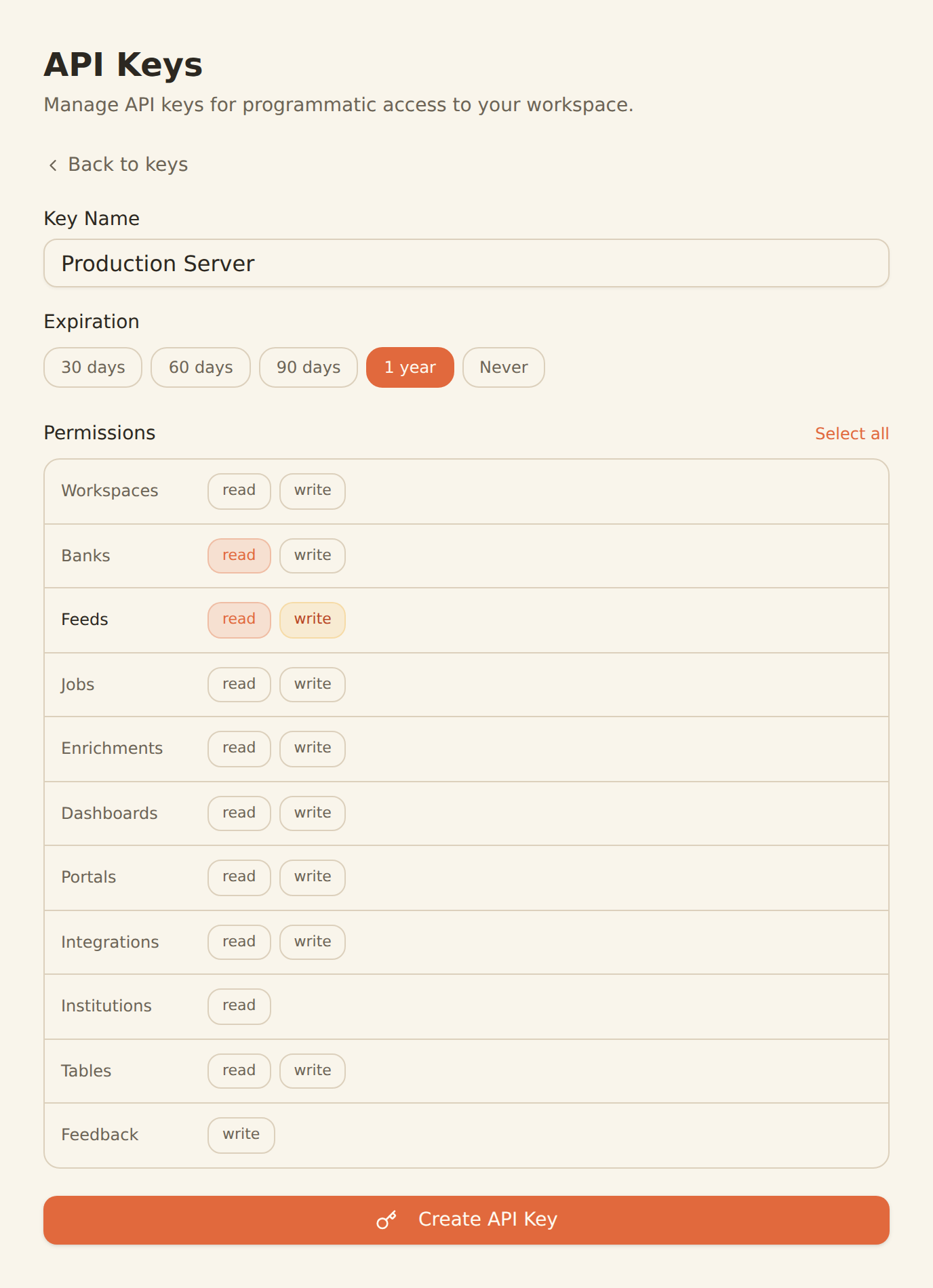
one key, every tool
Generate a BankSync API key
Sign up, connect your bank accounts, and create an API key from the Developers section.
Add the MCP server to OpenClaw
Add the BankSync MCP server configuration to your OpenClaw setup. OpenClaw supports MCP through community adapters and growing native support.
Ask about your finances
Your OpenClaw agent now has access to 36 financial data tools. Ask about transactions, balances, investments, and more in natural language.
MCP Server Configuration
Add this config to your OpenClaw MCP server settings.
{
  "mcpServers": {
    "banksync": {
      "url": "https://mcp.banksync.io",
      "headers": {
        "X-API-Key": "bsk_your_key_here"
      }
    }
  }
}
What you can build
From simple balance checks to complex multi-tool financial workflows.
Personal Finance Assistant
Turn OpenClaw into a personal finance assistant that answers questions about your spending, income, and account balances in natural language.
Spending Analysis
Ask OpenClaw to analyze your spending patterns, identify trends, and surface insights from your transaction history across all accounts.
Budget Tracking
Have OpenClaw monitor your spending against budget categories and alert you when you are approaching or exceeding limits.
Investment Monitoring
Track your investment holdings, analyze portfolio performance, and get updates on trades and position changes.
Expense Categorization
Let OpenClaw automatically categorize your transactions, flag unusual charges, and generate organized expense summaries.
Multi-Tool Workflows
Combine BankSync data with other MCP servers in OpenClaw for complex workflows — save reports to files, send alerts, or sync with other tools.
Why BankSync for OpenClaw
11,000+ Banks
Access financial data from major US & Canadian institutions through secure open banking connectivity.
36 MCP Tools
From listing banks to triggering syncs — everything your AI agent needs to work with financial data.
Local-First
OpenClaw runs on your machine. Your financial queries stay local, with only secure API calls to fetch bank data.
Any LLM Provider
Use OpenClaw with your preferred LLM provider. BankSync MCP tools work the same regardless of the model behind the agent.
Frequently asked questions
How do I connect OpenClaw to my bank data?
Generate a BankSync API key, then add the BankSync MCP server configuration to your OpenClaw setup. OpenClaw supports MCP through community adapters and growing native support, giving your agent access to 28 financial data tools.
What bank data can OpenClaw access through BankSync?
OpenClaw can access transactions, balances, investment holdings, trades, and loan data from 11,000+ banks through the BankSync MCP server.
Does OpenClaw run my financial data locally?
Yes. OpenClaw is a local-first AI agent that runs on your machine. Your financial queries are processed locally, and only the necessary API calls are made to BankSync to fetch your bank data securely.
Can I use any LLM provider with OpenClaw and BankSync?
Yes. OpenClaw works with multiple LLM providers. Regardless of which provider you choose, the BankSync MCP tools remain the same — 36 tools for querying transactions, balances, investments, and more.
Turn OpenClaw into a Finance Assistant
Connect BankSync to OpenClaw and give the most popular open-source AI agent access to real bank data. 14-day free trial.
14-day free trial • Cancel anytime