Bank data in your workflows
Connect BankSync MCP server to n8n and build automated financial workflows with live transactions, balances, and investments.
Setup in 3 steps
Add live bank data to your n8n workflows in minutes.
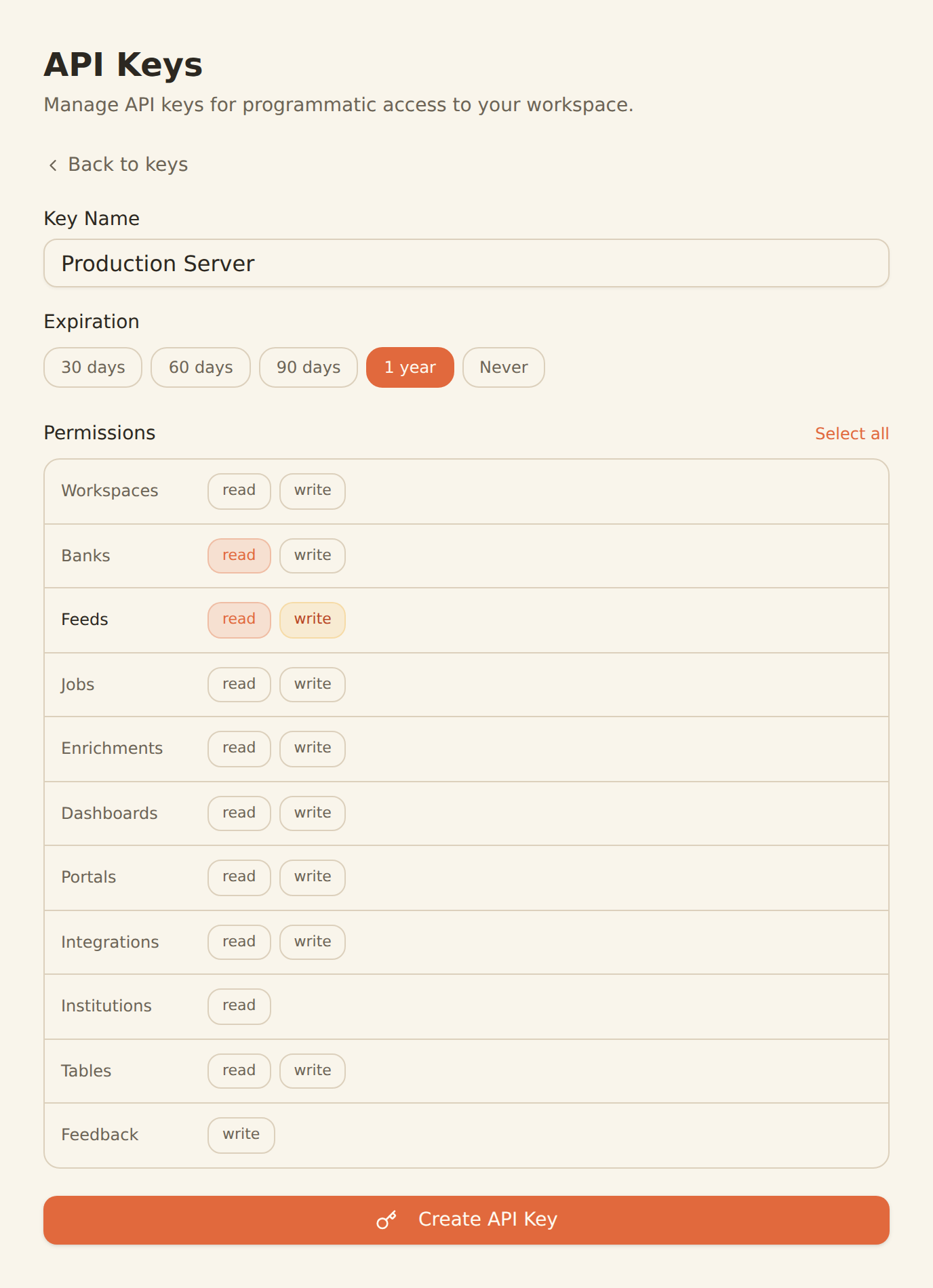
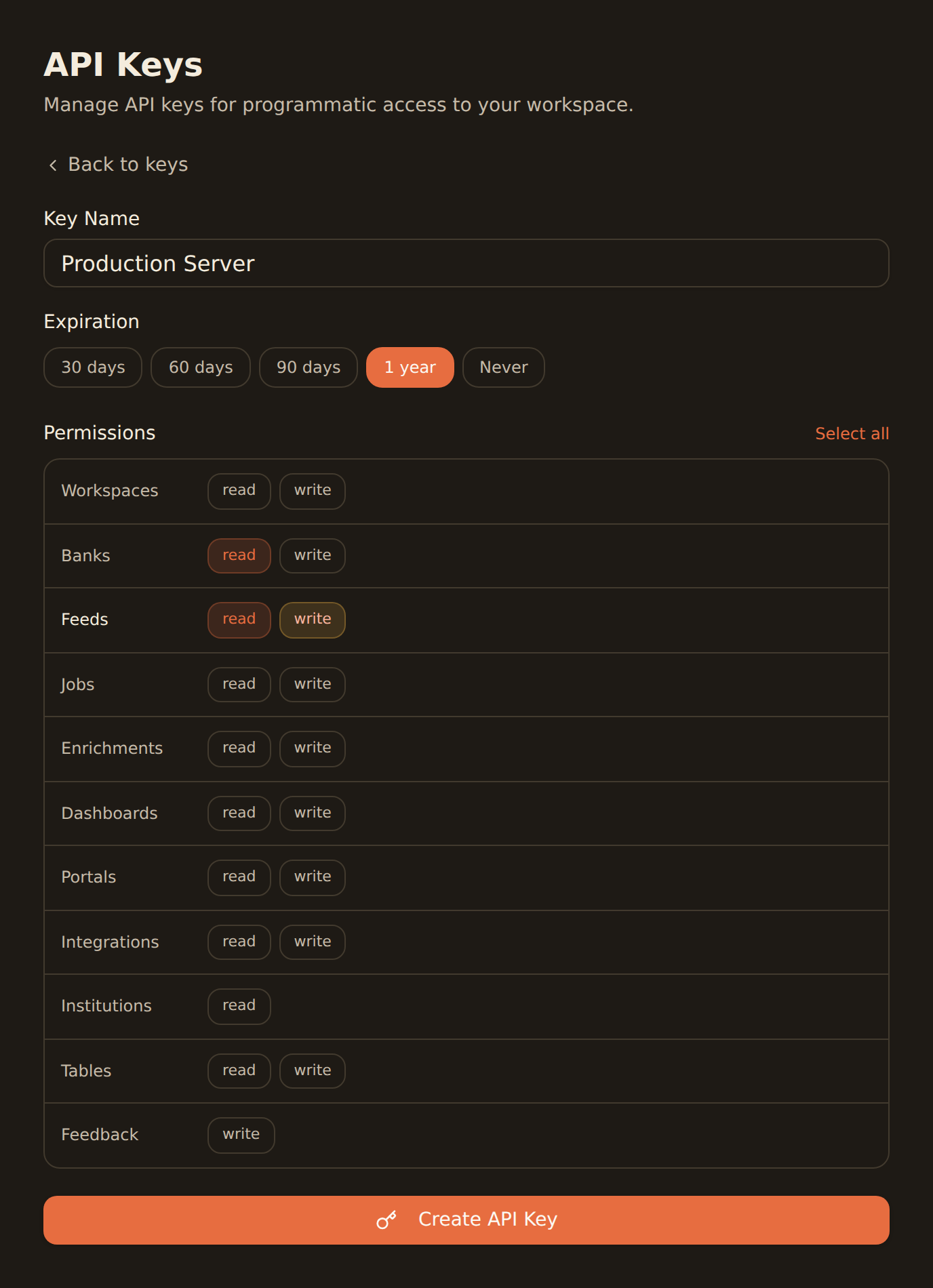
one key, every tool
Generate a BankSync API key
Sign up, connect your banks, and create an API key from the Developers section.
Configure MCP in n8n
Add the BankSync MCP server configuration in your n8n AI agent node with your API key.
Build financial workflows
Create automated workflows that pull bank data, process transactions, and trigger actions.
MCP Server Configuration
Add this configuration to your n8n AI agent node.
{
  "mcpServers": {
    "banksync": {
      "url": "https://mcp.banksync.io",
      "headers": {
        "X-API-Key": "bsk_your_key_here"
      }
    }
  }
}
What you can automate
Build powerful financial automation workflows with n8n and BankSync.
Transaction Alerts
Build automated workflows that monitor transactions and send alerts via Slack, email, or SMS for specific patterns.
Financial Report Automation
Generate scheduled financial reports from bank data and deliver them to Google Sheets, Notion, Airtable, or Excel.
Expense Categorization
Automate transaction categorization using AI and route categorized data to accounting tools.
Balance Monitoring
Set up automated balance checks across accounts with alerts when thresholds are reached.
Data Sync Pipelines
Build ETL pipelines that sync bank data to databases, data warehouses, or analytics platforms.
Invoice Reconciliation
Automate invoice matching against bank transactions for streamlined bookkeeping workflows.
Why BankSync for n8n
11,000+ Banks
Access financial data from major US & Canadian institutions through secure open banking connectivity.
36 MCP Tools
From listing banks to triggering syncs — everything your automation workflows need.
Visual Workflows
Build financial automations visually with n8n's drag-and-drop workflow editor.
Self-Hostable
Run n8n on your own infrastructure for complete control over your financial data pipelines.
Frequently asked questions
How do I connect n8n to BankSync?
Generate a BankSync API key, then add the BankSync MCP server configuration in your n8n workflow settings. n8n will discover 28 financial data tools for use in your automation workflows.
Can I automate financial workflows with n8n and BankSync?
Yes. With BankSync MCP connected, n8n can pull bank transactions, balances, and investments into automated workflows — trigger alerts, sync data to spreadsheets, generate reports, and more.
Does n8n support MCP servers?
Yes. n8n supports MCP through its AI agent nodes. You can add BankSync as an MCP server and use it within n8n workflow automation pipelines.
Can I self-host n8n with BankSync?
Yes. n8n is open-source and can be self-hosted. BankSync MCP works with both self-hosted and cloud-hosted n8n instances.
Automate Your Financial Workflows
Connect BankSync to n8n and build automated financial data pipelines. 14-day free trial.
14-day free trial • Cancel anytime