
People searching “connect Australian bank account with ChatGPT” need a different answer from users in the United States, Canada or the United Kingdom.
Australian bank connections in BankSync use the Consumer Data Right (CDR) through Fiskil. CDR lets you choose the accounts, data types and consent period. Authentication happens in the bank’s secure flow, and BankSync does not receive your online-banking password.
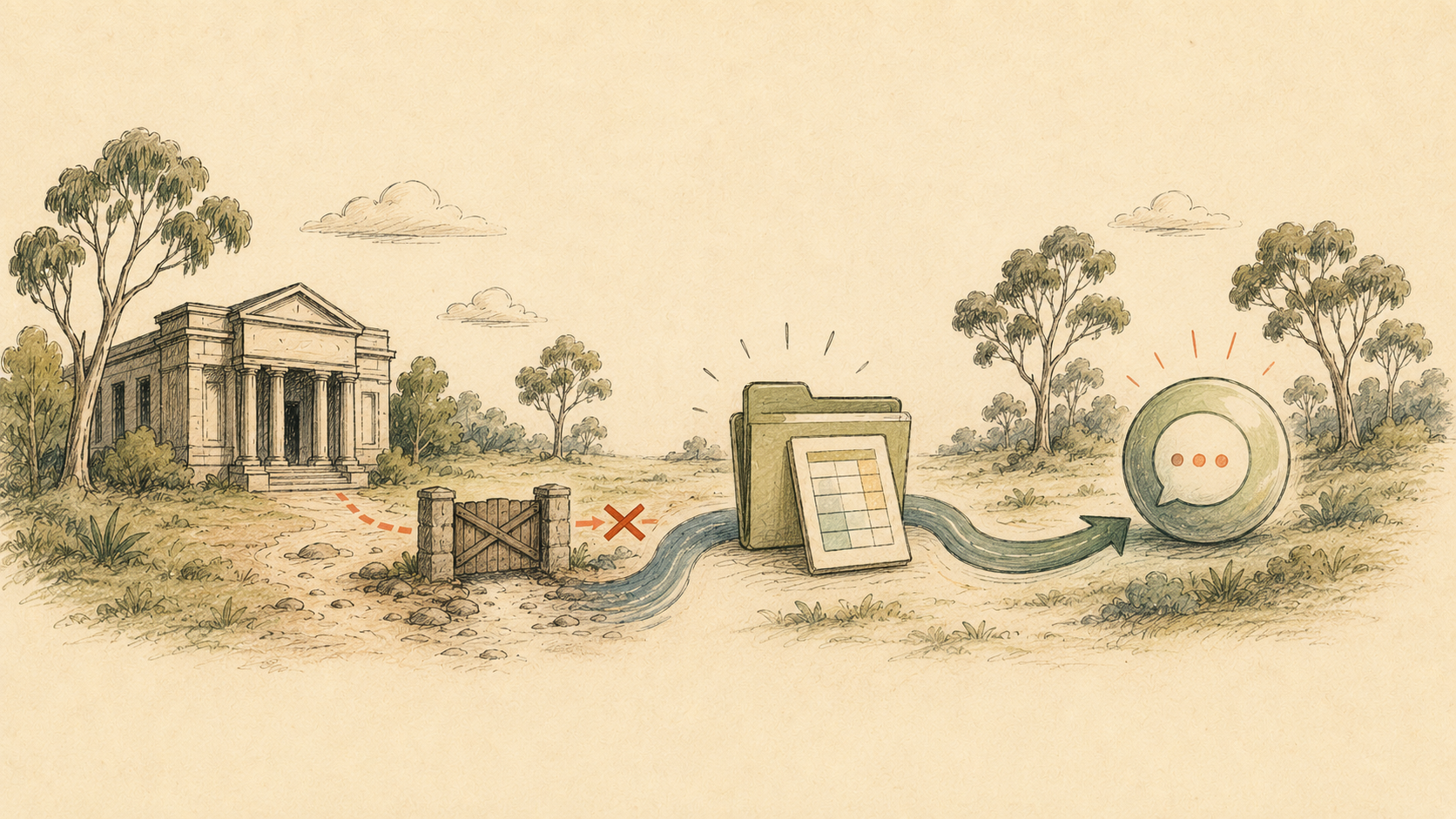
However, BankSync’s MCP server currently excludes data from CDR-connected Australian banks. A direct tool call in ChatGPT returns a restriction notice rather than the transactions or balances.
That does not prevent analysis. It changes the data path: Australian bank → BankSync feed → destination you control → ChatGPT.
Current ways to use Australian bank data with ChatGPT
| Feature | Direct BankSync MCP | Controlled destination | Paste bank credentials |
|---|---|---|---|
| Current status | Unavailable for CDR bank data | Supported | Never appropriate |
| Data path | Blocked by the CDR restriction | BankSync → sheet/database → ChatGPT | Unsafe and unnecessary |
| Freshness | n/a | Typically around daily for CDR data | n/a |
| User control | n/a | Choose accounts, fields and destination | Credentials would be over-shared |
| Best use | Wait for approval | Analysis of a bounded dataset | Do not use |
Step 1: connect the Australian bank under CDR
Open the Banks page in BankSync and search for the exact institution. BankSync routes Australian results through Fiskil. CommBank personal banking and CommBiz, for example, are separate entities; choose the one that holds the account.
The bank’s CDR flow asks you to review:
- the data types being requested;
- the accounts covered;
- the consent duration; and
- the organisation receiving the data.
Select only what the workflow needs. CDR consents are time-limited and can be withdrawn.
Step 2: send only the necessary data to a destination you control
Create a dedicated feed rather than sharing an existing finance workbook full of unrelated information. Common destinations include Google Sheets, Excel, Notion, Airtable and databases.
Map only the fields needed for the question. A transaction-analysis dataset might contain date, account label, description, amount, currency, status and category. Full account identifiers and unrelated notes usually add risk without improving the answer.
Use Australian bank data with ChatGPT
Connect the bank in BankSync
Search the exact Australian institution, complete the bank-hosted CDR consent and select the accounts and data types to share.
Choose a controlled destination
Connect Google Sheets, Excel, Notion, Airtable or a database in BankSync. Create a dedicated dataset for the ChatGPT task.
Create the Australian bank feed
Select the CDR-connected accounts and data type, map only the required fields, and choose a daily schedule or run an initial manual sync.
Review the destination disclosure
Once CDR data is sent to an external destination, that copy is governed by the Privacy Act and the destination’s terms rather than remaining inside the CDR framework.
Use an appropriate ChatGPT file or app workflow
Depending on your plan and enabled apps, provide the relevant spreadsheet or a controlled export. Do not expose an entire drive or unrelated financial files.
Verify the dataset before analysis
Ask ChatGPT to list the accounts, currencies, date range and last refresh it can see. Compare that with the destination before trusting a broader summary.
Australian data limitations to plan around
Refresh cadence
BankSync’s documentation says Australian transaction and balance data delivered through CDR refreshes roughly once a day. A feed can check more often, but it cannot force the bank to publish new data sooner.
Historical coverage
Some institutions expose only a limited transaction-history window through CDR, sometimes around six months. Reconnecting or extending the consent does not create older records. Use statements exported from the bank for an earlier period.
Consent renewal
A CDR consent can last for a selected period, for example up to 12 months. When it lapses, reconnect and re-select every account that should continue syncing.
Analysis quality
ChatGPT can only analyse the records provided. If a sheet is missing an account, a period or pending transactions, the answer is incomplete even if the prose sounds confident.
Dedicated destination
Use a purpose-built sheet, database or view containing only the fields required for analysis.
Visible refresh time
Record the last successful sync and ask the assistant to state it in every time-sensitive answer.
Reconciliation
Compare opening balance plus net movement with closing balance before relying on a summary.
Separate entities
Do not mix personal, business or client accounts in one dataset merely for convenience.
Prompts that expose gaps
A useful prompt specifies the dataset and makes uncertainty visible. Ask ChatGPT to show evidence for recurring patterns or classifications rather than returning only a conclusion.
Example ChatGPT prompts for an Australian bank dataset
| Goal | Prompt | Check |
|---|---|---|
| Dataset check | List the accounts, currencies, first date, last date and row count available. | Compare with the spreadsheet. |
| Monthly spending | Summarise non-transfer outflows for the last complete month. | Exclude transfers and credit-card payments. |
| Subscriptions | Identify repeating charges and show at least three supporting rows. | Verify cadence and merchant. |
| Cash buffer | Calculate average monthly non-transfer outflows from complete months only. | Check the included months. |
| Data quality | Find duplicates, missing dates and records after the last refresh. | Fix the source before using conclusions. |
Use these only after checking the sheet or database is complete for the requested period.
Security checklist
- Never paste an Australian online-banking password or one-time code into ChatGPT.
- Authenticate only through the bank’s CDR flow.
- Connect the minimum account set and data types.
- Use a dedicated destination with restricted sharing.
- Remove full identifiers and unrelated columns.
- Record the last sync and included date range.
- Turn on multi-factor authentication for BankSync, ChatGPT and the destination.
- Withdraw CDR consent and delete destination copies separately when the workflow ends.
For the direct-connection position and future changes, check BankSync’s MCP server guide and CDR consent guide. See the Australian Claude guide for the equivalent workflow in Claude.
Australian bank data and ChatGPT: FAQs
Sources and further reading
- OpenAI: Finances in ChatGPT
- BankSync: connecting Australian banks
- BankSync: managing CDR consents and AI access
- BankSync: MCP server guide
The bottom line
The honest answer is that a direct Australian BankSync MCP connection to ChatGPT is not currently available.
The supported workaround is useful but should remain deliberate: connect through CDR, sync only the required fields to a destination you control, share only the bounded dataset and make ChatGPT state the accounts, period and refresh time behind every important answer.