
BankSync can create unusual-transaction and cash-flow alerts with deterministic record conditions, anomaly checks for new merchants or bursts, and Feed Monitor for stale or silently empty sources.
What the system should answer
The workflow should identify policy-sized payments, first-time merchants, amount spikes after enough history, bursts of transactions or outflow, and feeds that stop producing trustworthy data. It should also show why the alert fired and which records support it.
Build below the chart. A BankSync Feed defines selected source accounts, one data type, destination, mapping and schedule. Enrichments transform, guard, watch or learn from records in a documented order. Tables store typed or custom relational data when you choose native storage. Dashboards query that evidence and present KPIs, charts, filters and detail.
Keep source amount, currency, date, account and provider identifier unchanged. Add management classifications, relationships and formulas in separate fields. A reliable dashboard is explainable from the headline number back to the rows and assumptions.
Model boundaries explicitly
Create an Alert Events Table if findings need assignment, status, comments and resolution history. Relate each event to source transactions and accounts. Store detector type, threshold, observed value, first seen, owner, status and resolution. Do not overwrite a transaction category to represent risk; risk review is a separate workflow.
Relations, lookups, counts, rollups and formulas let a Table become a small finance application without hiding logic in a spreadsheet cell. Stored formula results can be sorted, filtered, charted and queried. Views provide Grid, Board, Calendar, Gallery, Timeline, List and Form layouts; they can be shared or personal.
Aggregate safely
Thresholds must respect currency and account context. A fixed amount that is material for one account may be routine for another. Use native currency or explicit conversions. For velocity, define the event window and whether inflows, outflows or count are measured. Strict multi-currency aggregation prevents accidental cross-currency totals. If reporting conversion is required, preserve native amount and currency and add rate, rate date and converted value separately.
Do not confuse Tables
BankSync Tables are the relational datastore. A dashboard Table widget is a presentation surface for query results with rich cell formats and saved presentation views. A stored Table can power every widget kind, not only a table.
An alert should answer four things
What happened?
The condition, threshold, observed value and source records.
Why is it unusual?
New merchant, spike, burst, policy rule or source-health failure.
Who owns it?
A named reviewer with status, comments and a response expectation.
What closes it?
A documented resolution that can improve the next threshold review.
Build the alert workflow
Define the decisions
Name the action each alert should trigger.
Choose account context
Set thresholds by currency and purpose.
Configure deterministic alerts
Start with policy-sized conditions.
Add anomaly checks
Enable only useful new-merchant, spike or burst tests.
Enable Feed Monitor
Watch stale and silent sources.
Create an events Table
Assign, comment and resolve findings.
Add cooldowns and caps
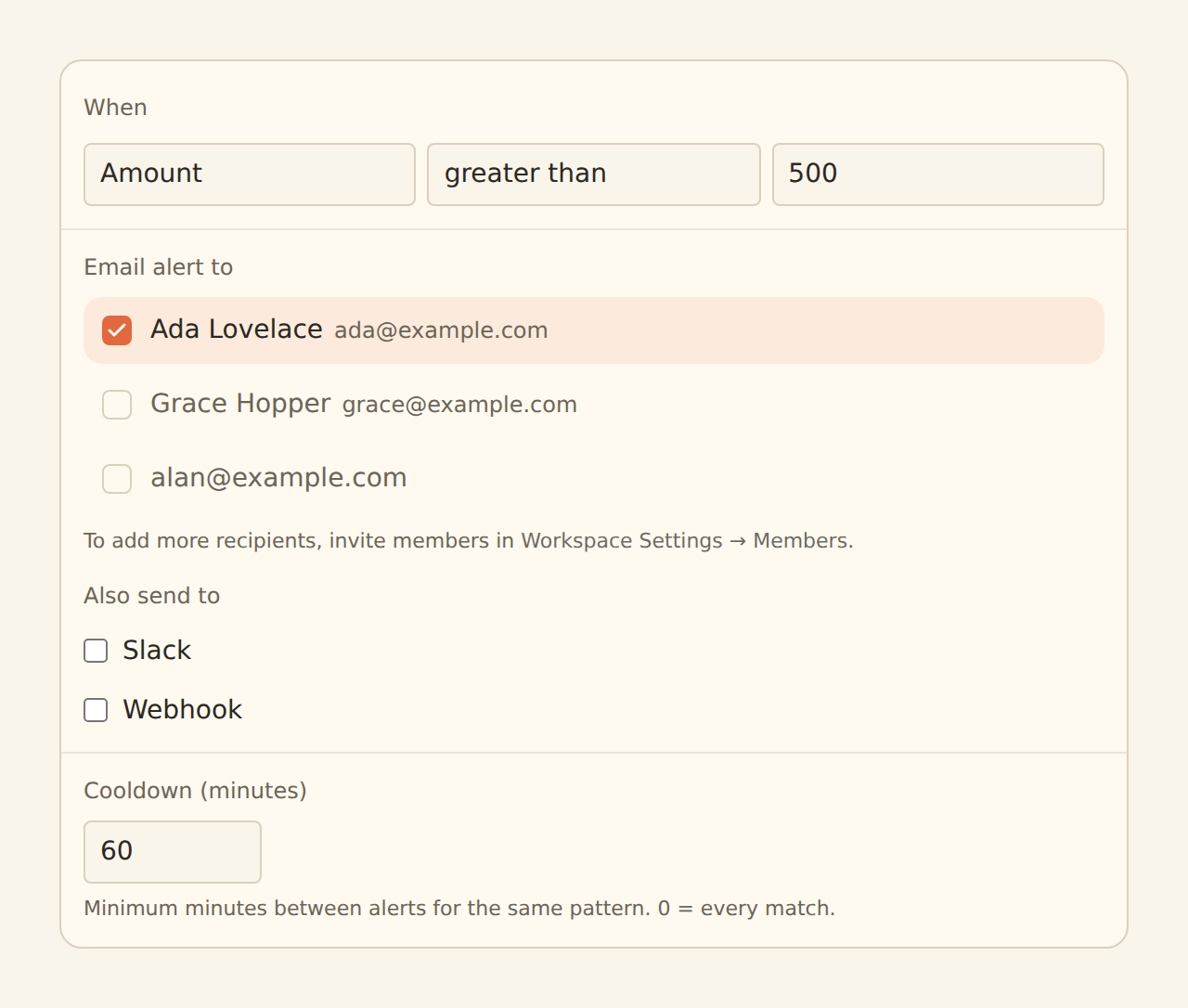
Control repeated noise.
Review outcomes
Tune thresholds from accepted and rejected cases.
Copy this build: the finance alert inbox
Imagine a team that currently receives every large transaction by email. Repetition makes the inbox invisible. Build an Alert Events Table so findings become assignable work rather than notifications.
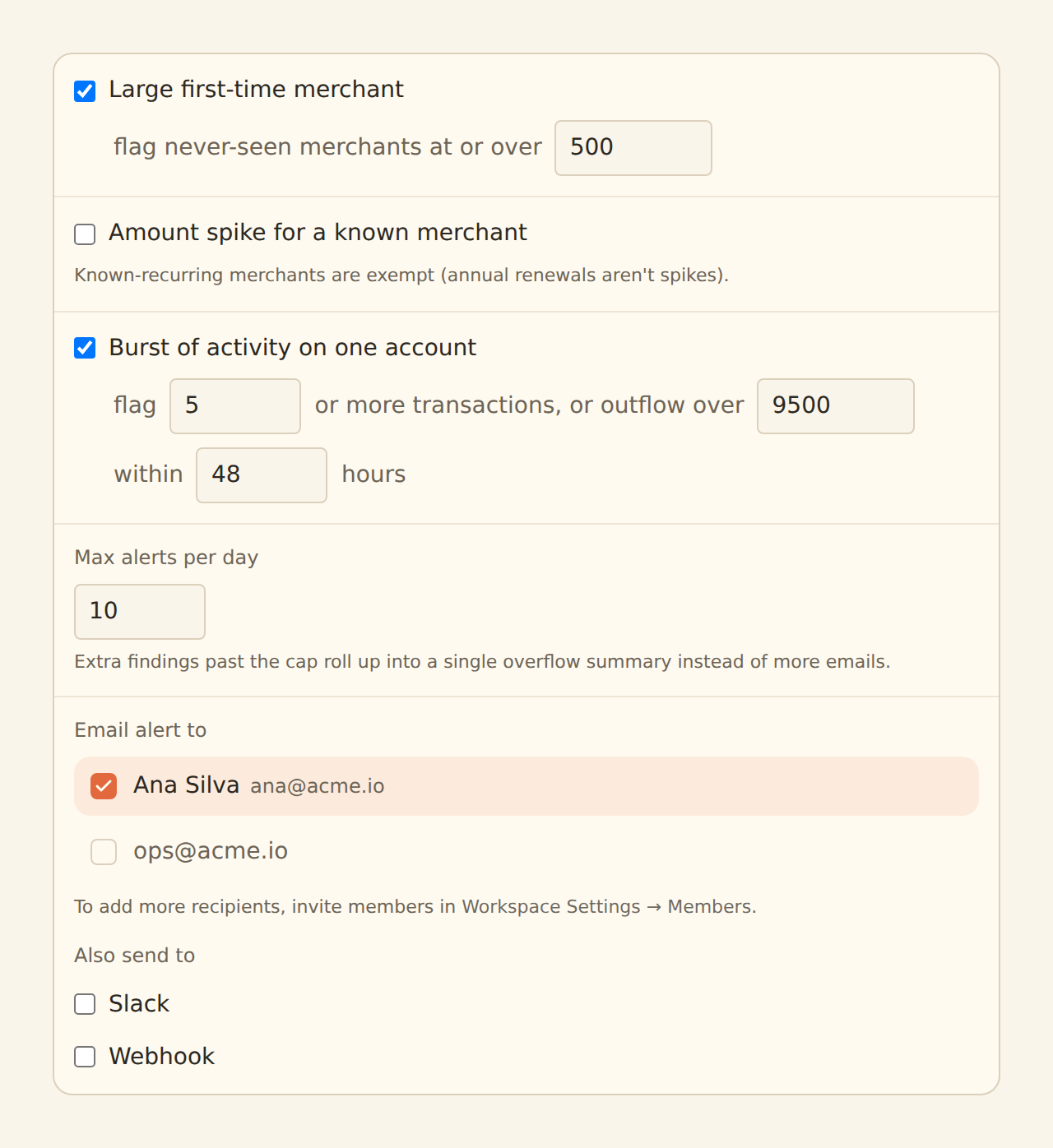
Start with one deterministic condition, such as an outflow above the policy threshold for an operating account. Add Anomaly Detector checks only where they answer a real question: a large first-time merchant, a merchant amount spike after enough history or a burst of activity. Add Feed Monitor so silence is also investigated.
Relate each event to the source transaction and account. Store detector type, threshold, observed value, owner, status and resolution. Use a Board for New, Reviewing and Closed, plus a dashboard showing open exposure and finding type.
What success looks like after one week
The team has one small queue with evidence and ownership, while cooldowns and caps prevent the same merchant pattern from producing an endless stream of alerts.
Dashboard and watch design
Use KPIs for open findings and material exposure, a trend by detector type, a status Board and an event table with linked transactions. Add filters for account, entity, severity, owner and date. Put feed freshness near the findings so a quiet period is not mistaken for safety.
Apply filters at the source when they alter aggregates. Browser filtering is a presentation option, not a security boundary. Locked source filters should fail closed when a dashboard is scoped to an entity or client.
Enrichments and alerts
Alert supports record conditions, email, Slack and signed webhooks, cooldown by merchant pattern and within-sync batching. Anomaly Detector can check a large first-time merchant, an amount spike after five merchant observations and a burst within a window; known recurring merchants are exempt from the spike check. Feed Monitor watches stale success and silent zero-record feeds. Recurring Registry improves context.
Guard steps run before Memory, lookup tables and rules; AI fills remaining blanks; watch enrichments observe the final rows. Suppressed records do not write, teach Memory or fire alerts. Live Preview is the safety check before hard Filter, Split or suppression behaviour.
Limitations and controls
This is operational monitoring, not bank fraud detection or a guarantee of loss prevention. An unusual payment can be legitimate, and a harmful payment can look normal. Use bank security controls and institution alerts for fraud response.
Alert freshness follows the feed schedule. Dashboards, public links and some sharing capabilities are beta by workspace. Keep sensitive finance data private or workspace-scoped. External-agent authoring is a staging workflow and should be reviewed in the normal editor.
Operate the system
Check feed history before trusting a quiet chart. Assign owners for review queues, model changes and alert response. Use row comments and history for context. Document formulas and filters. The objective is not a perfect model on day one; it is a controlled system that can be improved without losing evidence.