

An automatic subscription tracker can use transaction feeds and BankSync Recurring Registry to identify established cadences, then store reviewed subscriptions in a related Table with owners, categories, renewal dates and actions.
What this system should answer
It should show monthly and annualised recurring spend, upcoming expected charges, price increases, new recurring merchants, missed expected charges and the subscriptions that need review. It should also preserve the source transactions behind each conclusion.
BankSync works best when each layer has a clear responsibility. Feeds collect one data type from selected accounts. Enrichments transform, guard, watch or learn from rows before writing. Tables store typed or custom relational data. Dashboards query that evidence and present KPIs, charts, filters and detail.
Preserve original amount, currency, date, account and provider identifier. Add personal or management classifications in separate fields. That separation is what makes a custom tracker trustworthy rather than merely attractive.
Model the evidence first
Create a Subscriptions Table with merchant pattern, canonical name, owner, category, usual amount, frequency, first seen, last seen, next expected date, status and notes. Relate observed transactions to the subscription record. Do not overwrite the actual bank amount with a normalised monthly equivalent; keep annualised spend as a separate formula.
Use relations instead of repeated labels
Create reference Tables for concepts that have their own properties: assets, liabilities, securities, categories, vendors or budget periods. Relate financial rows to those records, then use lookups, counts and rollups. Rollups can calculate sums, averages, medians, ranges, date extrema, percentages and option counts; formulas can read same-row and related values and produce stored, sortable, filterable results.
Choose views deliberately
Grid is the general editing surface. Board writes status when cards move. Calendar and Timeline write date fields when items move. Gallery suits attachment-led records, List provides a calm summary and Form adds rows. Views may be shared or personal and save filters, grouping, sorting, columns and row colours.
Aggregate safely
Monthly equivalent is a modelling convenience, not a bank fact. Annual plans, variable utilities and usage-based SaaS need distinct treatment. Keep native currency and expose when recurrence confidence is insufficient. BankSync uses strict multi-currency aggregation by default. Any converted reporting amount should keep the native amount, currency, exchange rate and rate date visible.
Four recurring signals worth watching
Expected cadence
Weekly, monthly or annual timing inferred from observed charges.
Price movement
A meaningful change compared with the established pattern.
New recurring merchant
A pattern mature enough to enter the recurring-cost register.
Missing expected charge
A late payment that deserves review, not an automatic conclusion.
Build the recurring-spend workflow
Connect spending accounts
Include the cards and banks where recurring charges land.
Clean merchant names
Normalise noisy descriptors.
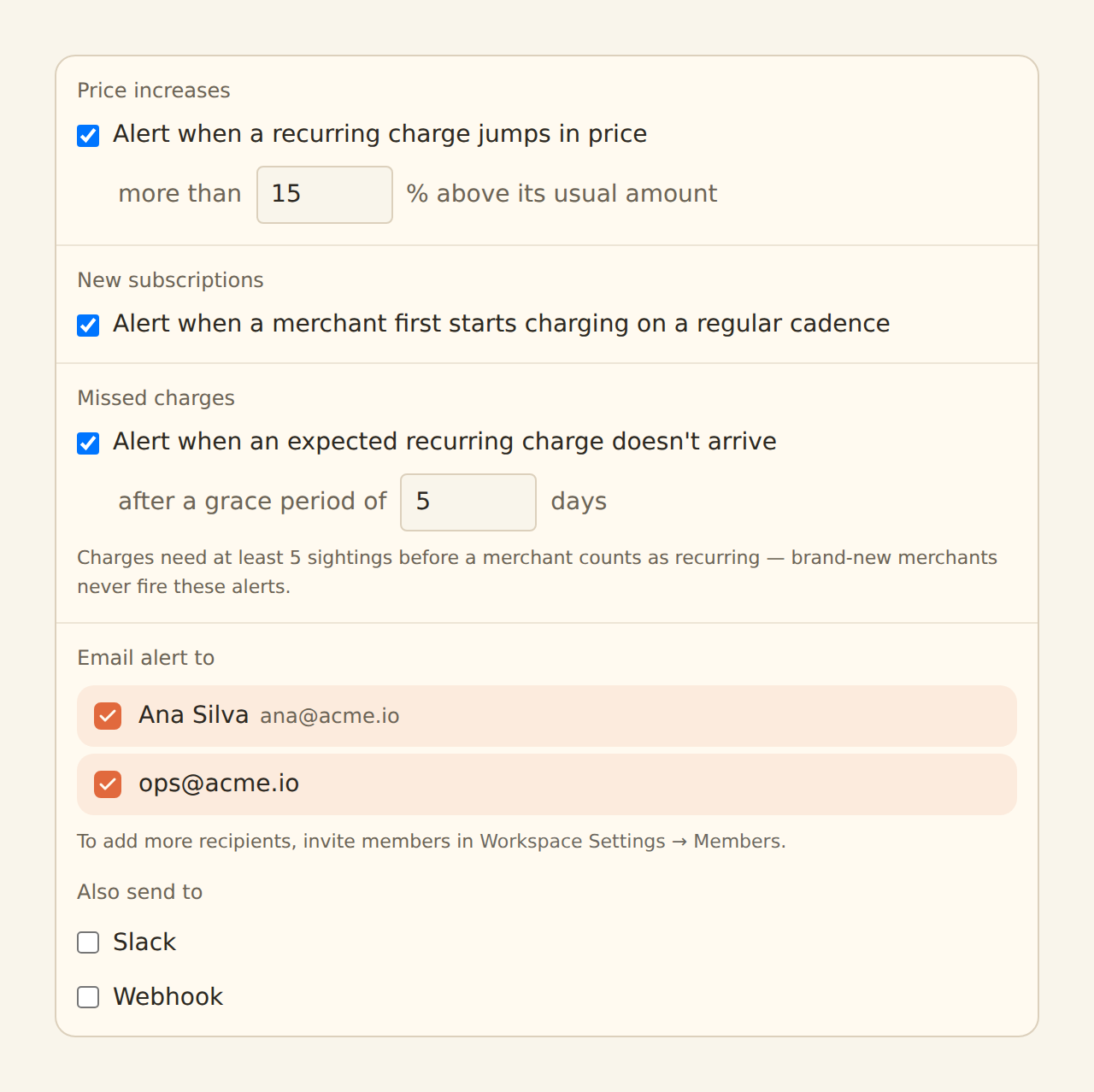
Enable Recurring Registry
Choose price, new and missed-charge watches.
Create the Subscriptions Table
Store reviewed patterns and ownership.
Relate source transactions
Keep evidence behind every subscription.
Add annualisation formulas
Do not replace original amounts.
Build Calendar and Board views
Show timing and action status.
Review findings
Confirm, edit or reject recurring candidates.
Dashboard and operating design
Use KPIs for recurring monthly equivalent and annualised cost; a category chart; upcoming calendar; price-change table; and status Board for keep, review and cancel. A transaction drill-down should show the sightings that support each recurring pattern.
Apply filters at the source when they change aggregates. Browser-only filtering is a presentation option, not an access-control boundary. Where a view is scoped to a household member, account or entity, use a locked source-applied filter that fails closed.
Enrichments and watches
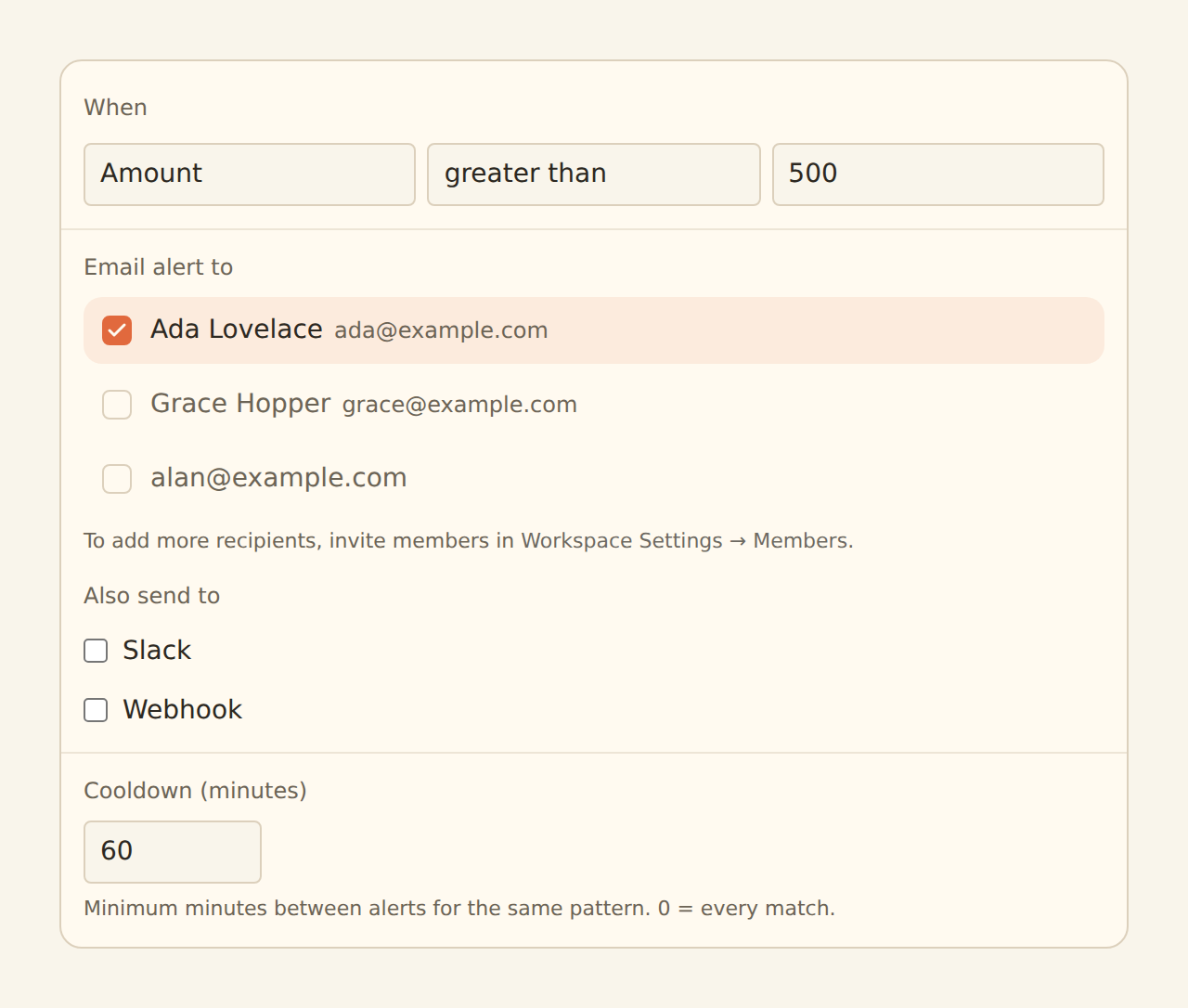
Recurring Registry watches price increases, new subscriptions and missed charges after at least five sightings establish recurrence. Merchant Cleanup and Memory improve descriptor consistency. Alert can route a high increase to email, Slack or a signed webhook. Cooldowns prevent repeated messages about the same pattern.
Guard steps run first, followed by Memory, lookups, rules, AI fill and finally watch enrichments. Suppressed records never write, teach Memory or fire alerts. Use Live Preview before enabling hard filters, splits or suppression. Alert freshness follows the feed schedule.
Limitations and controls
Bank data cannot cancel a subscription or prove contract terms. A missing charge might be a holiday, timing shift or failed payment. Treat findings as review prompts. Alerts follow the feed schedule, and variable recurring bills require a wider tolerance.
Dashboards are beta by workspace. Public links and indexed tiers are for intentional public data, not personal finance. External-agent authoring is a staging workflow; open and review generated dashboards in the normal editor.
Operate the tracker
Check feed history before trusting a quiet chart. Review exceptions and low-confidence categories on a regular cadence. Document formulas, filters and model changes. A reliable tracker is one whose total can be reproduced from source rows and explicit assumptions.
Copy this build: the recurring-cost clean-up
Start with a household or small business that has one busy card and a current account. The first screen is not a decorative subscription total. It is a review queue: detected merchant, normalised name, expected cadence, last amount, next expected date, confidence and status.
Create a recurring-cost register beside the transaction evidence. Use Board view for “review”, “keep”, “cancel” and “watch”; use Calendar for expected dates; use Grid for amount history. When a price change or a new recurring pattern appears, the alert links back to the contributing transactions. A missing charge is labelled as a review signal, not proof that a service ended.
To mimic it, connect the accounts, normalise merchant names, let the recurring model observe enough history, then review the registry before switching on alerts. Add an owner and notes for cancellation follow-up.
What success looks like after one week
The user has a short, credible list of recurring commitments instead of hundreds of loosely matched transactions. They can see which costs changed, which patterns remain uncertain and what action to take next—without deleting the evidence that produced the conclusion.