Bank data, self-hosted
Connect BankSync MCP server to LibreChat and query bank transactions, balances, and investments from your own self-hosted AI chat interface.
Setup in 3 steps
Add live bank data to your self-hosted AI in minutes.
one key, every tool
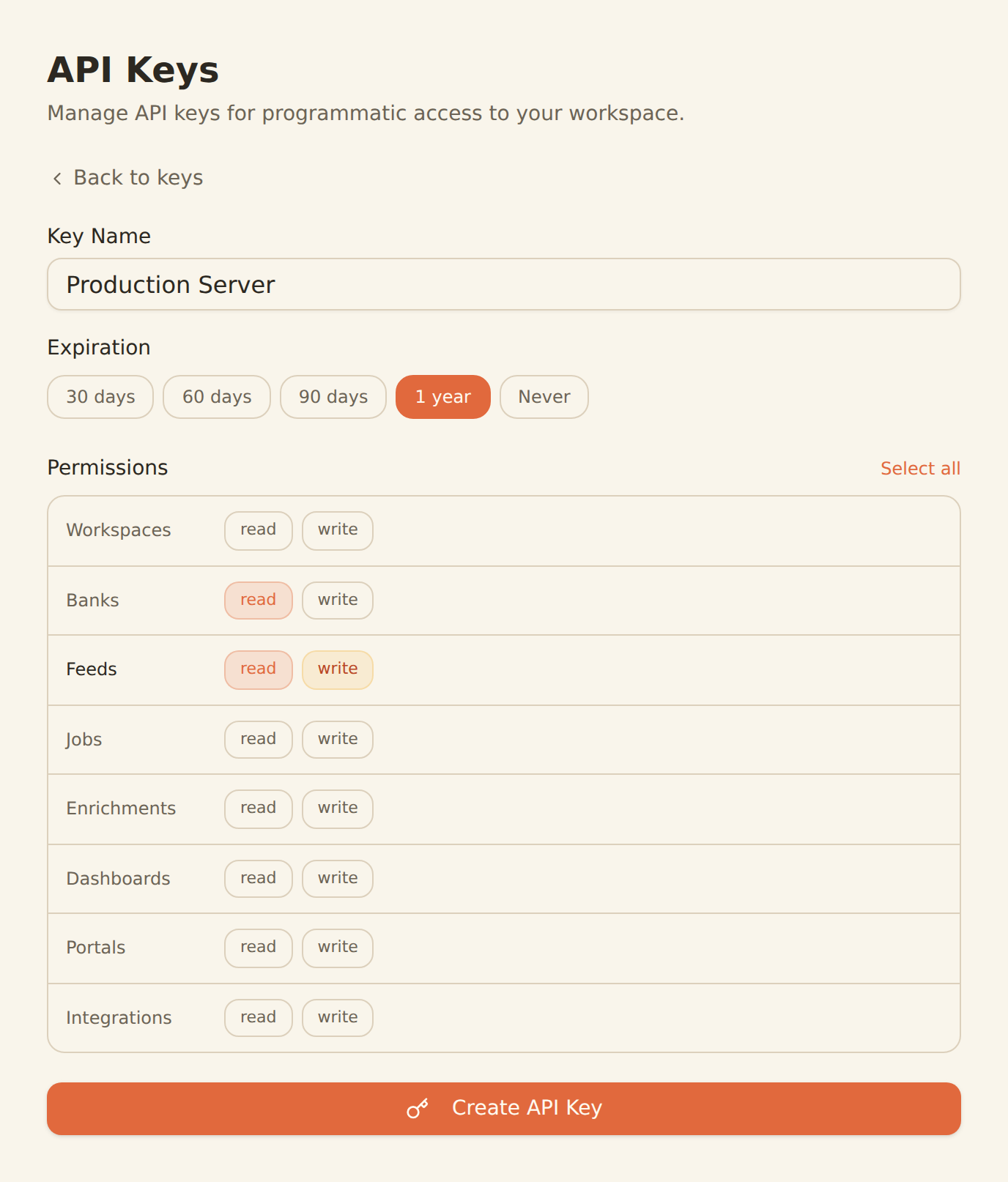
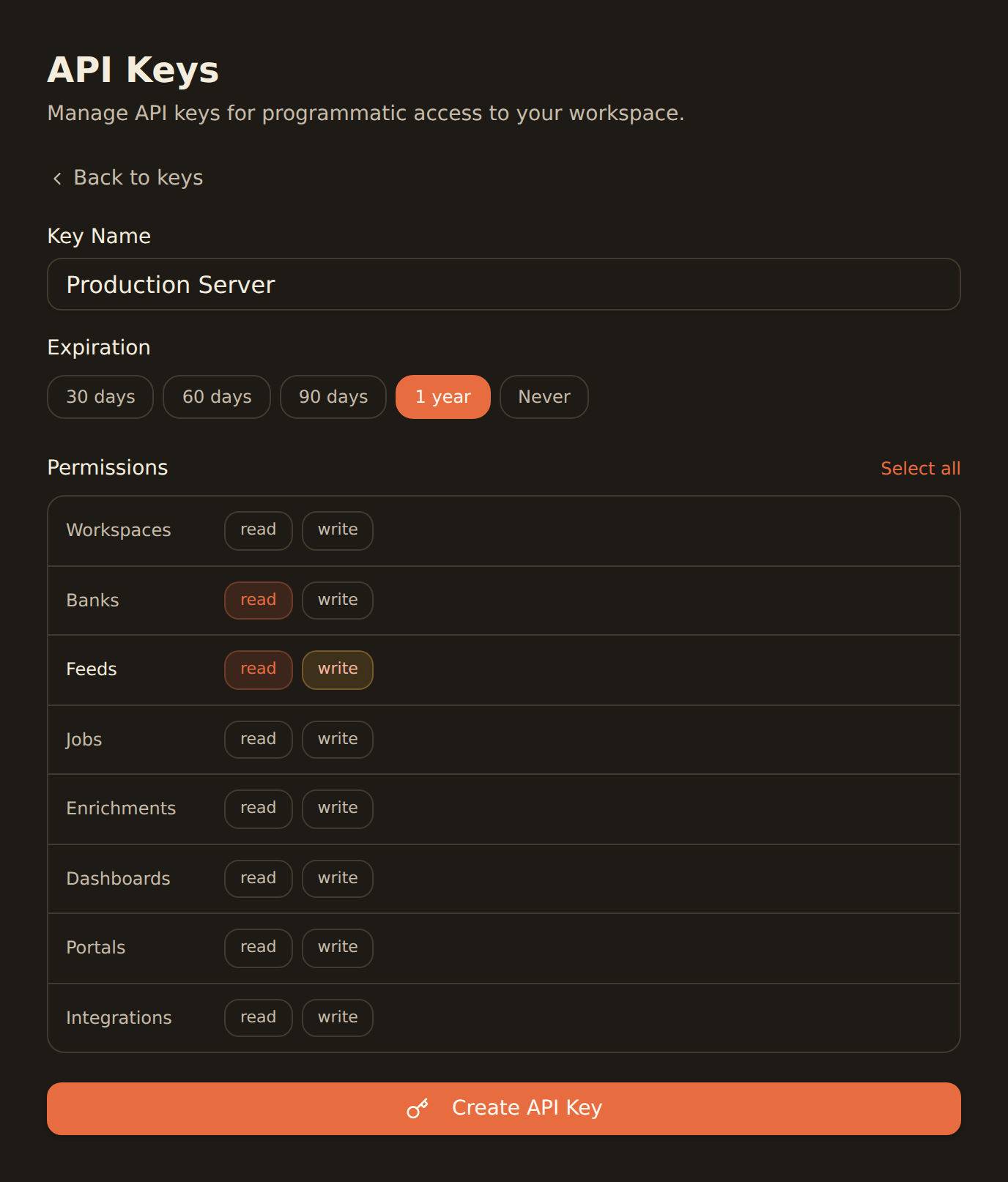
Generate a BankSync API key
Sign up, connect your banks, and create an API key from the Developers section.
Configure MCP in LibreChat
Add the BankSync MCP server configuration in your LibreChat settings with your API key.
Query your finances
Start querying bank data through your self-hosted LibreChat interface with any AI model.
MCP Server Configuration
Add this configuration to your LibreChat settings.
{
  "mcpServers": {
    "banksync": {
      "url": "https://mcp.banksync.io",
      "headers": {
        "X-API-Key": "bsk_your_key_here"
      }
    }
  }
}
What you can do
Private, self-hosted financial AI with LibreChat and BankSync.
Private Financial Chat
Query bank data through a self-hosted chat interface where conversations never leave your infrastructure.
Multi-Model Financial Analysis
Compare financial insights from different AI models (GPT-4, Claude, Gemini) using the same bank data.
Team Financial Dashboard
Deploy a shared LibreChat instance for your team to query financial data with role-based access.
Custom Financial Assistants
Build custom AI assistants with preset financial queries and workflows in LibreChat.
Spending Analysis
Analyze spending patterns, income trends, and account balances through conversational AI.
Budget Planning
Create budget plans using any AI model with access to real transaction and balance data.
Why BankSync for LibreChat
11,000+ Banks
Access financial data from major US & Canadian institutions through secure open banking connectivity.
36 MCP Tools
From listing banks to triggering syncs — everything your self-hosted AI needs.
Self-Hosted
Run LibreChat on your own infrastructure for complete privacy and control.
Multi-Model
Use any AI provider (OpenAI, Anthropic, Google, local) with BankSync financial data.
Frequently asked questions
How do I connect LibreChat to BankSync?
Generate a BankSync API key, then add the BankSync MCP server configuration in your LibreChat settings. LibreChat will discover 28 financial data tools for querying bank data.
Can I self-host LibreChat with BankSync?
Yes. LibreChat is fully open-source and self-hostable. BankSync MCP works with self-hosted instances, giving you complete control over your AI chat interface while accessing live bank data.
What AI models work with LibreChat and BankSync?
LibreChat supports multiple AI providers including OpenAI, Anthropic, Google, and local models. Any model with tool-calling support can use BankSync MCP tools for financial queries.
Is my financial data private with self-hosted LibreChat?
With self-hosted LibreChat, your chat history and conversations stay on your infrastructure. BankSync data is fetched over encrypted connections with scoped API keys.
Self-Hosted Financial AI
Connect BankSync to LibreChat and query bank data from your own infrastructure. 14-day free trial.
14-day free trial • Cancel anytime