

Coverage and setup checked: 28 October 2026.
You can use YNAB in Australia, but connecting an Australian bank is a separate question. YNAB's current Direct Import guidance does not include Australian institutions. That leaves Australian budgeters looking for a practical way to keep their account registers current.
BankSync's YNAB destination provides a route for supported Australian bank accounts: connect the bank through the Consumer Data Right (CDR), match it to a YNAB account, and send posted transactions into your plan. You keep budgeting in YNAB.
Does YNAB connect to Australian banks?
YNAB's built-in Direct Import currently covers institutions in the US, Canada, UK and selected European countries. An Australian bank missing from that list does not mean you have to abandon your YNAB plan. It means you need a different transaction-entry route.
For a small number of transactions, manual entry can be a manageable routine. File imports can also suit occasional catch-ups. A connected BankSync feed is worth considering when repeated exports and uploads are the part you want to remove, provided your bank and workspace are eligible.
Do not treat a provider's global institution count as a guarantee for your particular account. An everyday account, business account and credit card at the same banking group can have different connection requirements.
Check your Australian bank before setting up a feed
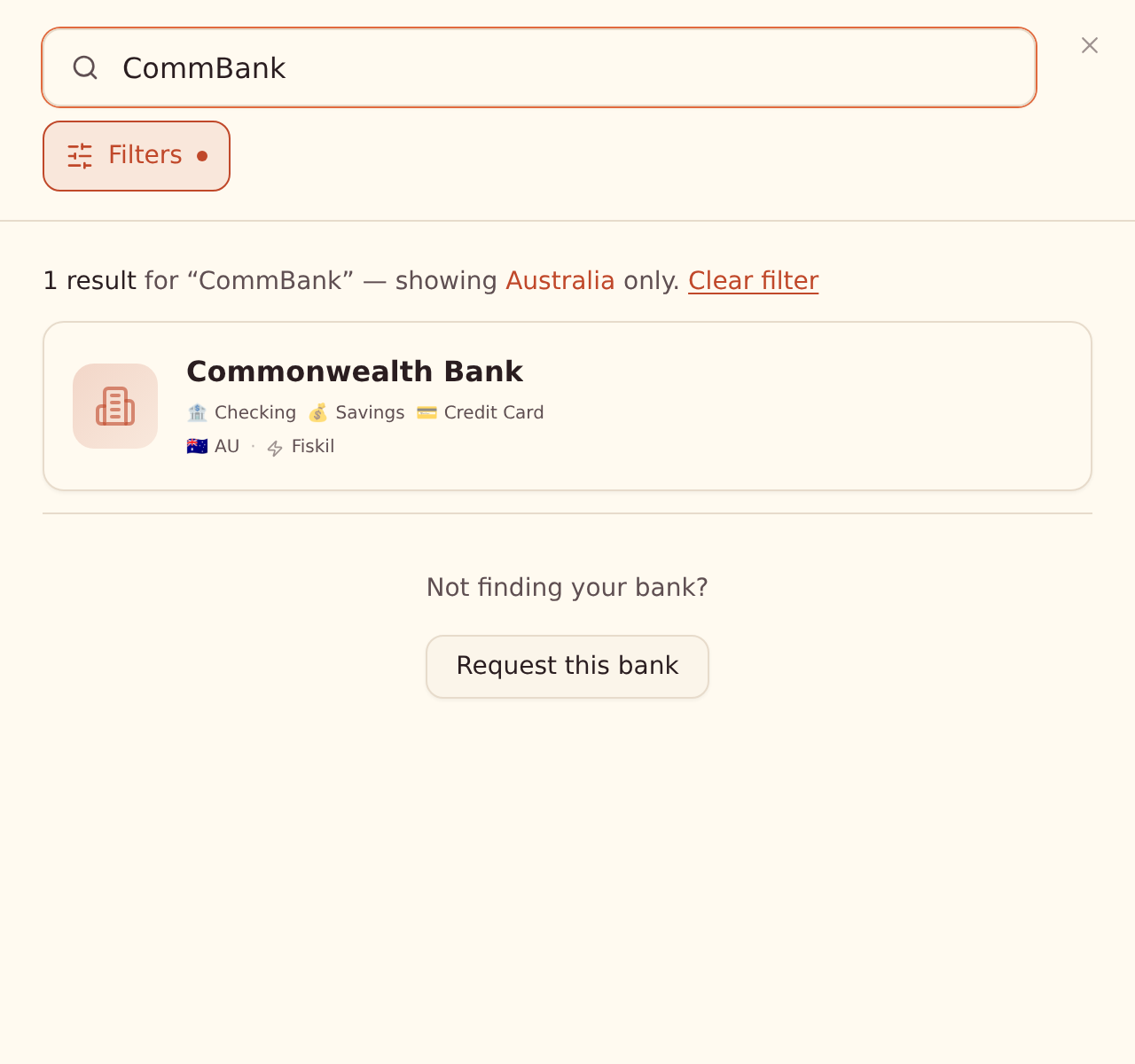
Open Banks → Connect a new bank in BankSync and search for your institution. Filter to Australia if needed, then check the entity and account types on the result card.
The Australian bank connection guide explains that connections use Fiskil and the CDR consent flow. You approve the accounts and data to share in your bank's secure flow. For Commonwealth Bank, for example, personal banking and CommBiz are separate institutions: choose the one that holds the account you actually want.
After approval, confirm that the account appears in BankSync and the connection is active. Only then move on to the YNAB destination. This separates a bank-connection problem from a destination-setup problem.
How to connect an Australian bank to YNAB with BankSync
The following steps apply once YNAB is enabled for your workspace. They follow BankSync's Connecting YNAB documentation.
- Prepare your YNAB plan. For Australian-dollar bank accounts, use a plan whose currency is AUD. Check the existing account register and balance before changing how transactions arrive.
- Open a feed. Go to Feeds, create a feed for the connected bank accounts or open an existing one, then open Destination.
- Select YNAB and review the disclosure. For CDR-connected accounts, BankSync explains who will receive the data and links to YNAB's privacy policy before you connect.
- Authorise YNAB. Sign in through the YNAB popup, approve access and select the plan. BankSync does not see your YNAB password.
- Match every bank account. In Mapping, choose an existing YNAB account, create a new one, or select Don't send. Check a new account's type carefully before creating it.
- Choose the start date. Today is the default. Select Include past transactions only if you intentionally want available history and are ready to review earlier months.
- Sync and review. Check the feed result, open YNAB, categorise the imported transactions and approve them.
For an account created by BankSync, the first sync adds a Starting Balance transaction. An existing YNAB account retains its existing balance. Treat the first import as a short review session: check a few known purchases, the destination account and the resulting register before relying on the ongoing feed.
What arrives in your YNAB plan?
BankSync sends posted transactions, with payee information and a memo where the bank description adds context. They arrive cleared and unapproved. Categories, splits and flags remain for you to manage in YNAB.
Pending card payments are not sent to this destination. A purchase visible in your banking app may still need to post before it appears in YNAB. Australian source-data refreshes can also introduce a delay; repeatedly pressing sync cannot make a bank release data sooner.
Transfers need attention too. A transfer between two connected bank accounts arrives as a separate transaction in each account; BankSync does not automatically link the pair as a YNAB transfer.
Avoid duplicates when moving from CSV imports
Use one import method for each YNAB account. Do not keep uploading overlapping transaction files into an account that receives a BankSync feed.
Before switching, review the register, identify the last transaction already present, and choose the feed's start deliberately. Starting today reduces the amount of overlap to review, but still check any transactions already entered today.
BankSync uses stable import IDs to prevent repeated BankSync syncs from creating duplicate imports. That protection does not make two different import methods interchangeable. If you discover a duplicate, inspect its origin before changing or deleting records.
An Australian household example
Imagine a household using an AUD plan with an everyday account and a separate savings account. Match each bank account to its own YNAB account rather than combining both into a single register.
After a grocery purchase posts, the feed brings it into the everyday account for review. You still decide its category. If money moves to savings, review both sides and handle the transfer in YNAB. The feed reduces data entry; the household's budgeting decisions remain in the plan.
Frequently asked questions
Check access, then connect one account
Start with the YNAB early-access page, confirm your bank in BankSync and follow the setup guide. Connecting one account first makes the initial balance, currency and import checks easier.
For accounts elsewhere, see our UK YNAB bank-sync guide and European YNAB coverage guide.
BankSync is independent of YNAB and is not affiliated with or endorsed by YNAB. YNAB is a trademark of its owner.