

At month end, “we spent £4,200” is less useful than “we checked every included account, £320 still needs receipts and two payments need a decision”.
Build your review around those unresolved items. BankSync Tables can hold transactions and receipt records, relations connect the evidence, and dashboard widgets put the remaining work beside the totals.
The outcome is a repeatable operational review for a small business or household: a defined month, a reconciled cash movement and a short list of exceptions with owners. It is not a substitute for statutory accounts or tax reporting.
Reviewed on 1 November 2026. Worked figures are fictional GBP examples.
The review page you are aiming for
| Panel | Question it answers | Example |
|---|---|---|
| Cash movement | Does the included bank activity reconcile? | £8,000 opening to £8,800 closing |
| Missing evidence | Which eligible payments lack a reviewed receipt? | 4 transactions; £320 |
| Unresolved classification | Which records need a category or transfer decision? | 2 transactions |
| Follow-up queue | Who will resolve each exception? | Owner, next action and review date |
Define the month before calculating it
Write down the accounts, currency, period and date convention used in the review. For an October review, a clear boundary is 1 October inclusive to 1 November exclusive, interpreted consistently in your chosen timezone.
Use posted transactions for the settled cash bridge and inspect pending items separately. BankSync's UK bank guide explains that pending and final records can appear as separate rows if pending transactions are included. A pending card authorisation is not another settled expense to add on top of the final payment.
Choose the same account scope for opening balances, movement and closing balances. If a savings account is omitted, a transfer to it will affect the included accounts even though it is not household consumption.
A cash bridge with a checkable answer
| Component | Amount | Meaning |
|---|---|---|
| Opening included balances | £8,000 | Same accounts at period start |
| Net signed posted movement | +£800 | All included movements, including relevant transfers |
| Calculated closing balance | £8,800 | £8,000 + £800 |
| Statement closing balance | £8,800 | Same accounts and cutoff |
| Unexplained difference | £0 | After checking completeness and dates |
Make receipt coverage an explicit field
Start with a typed Transactions table populated by the feed and a Receipts table holding reviewed document records. Tables are beta and enabled per workspace; check your plan's capacity and availability first.
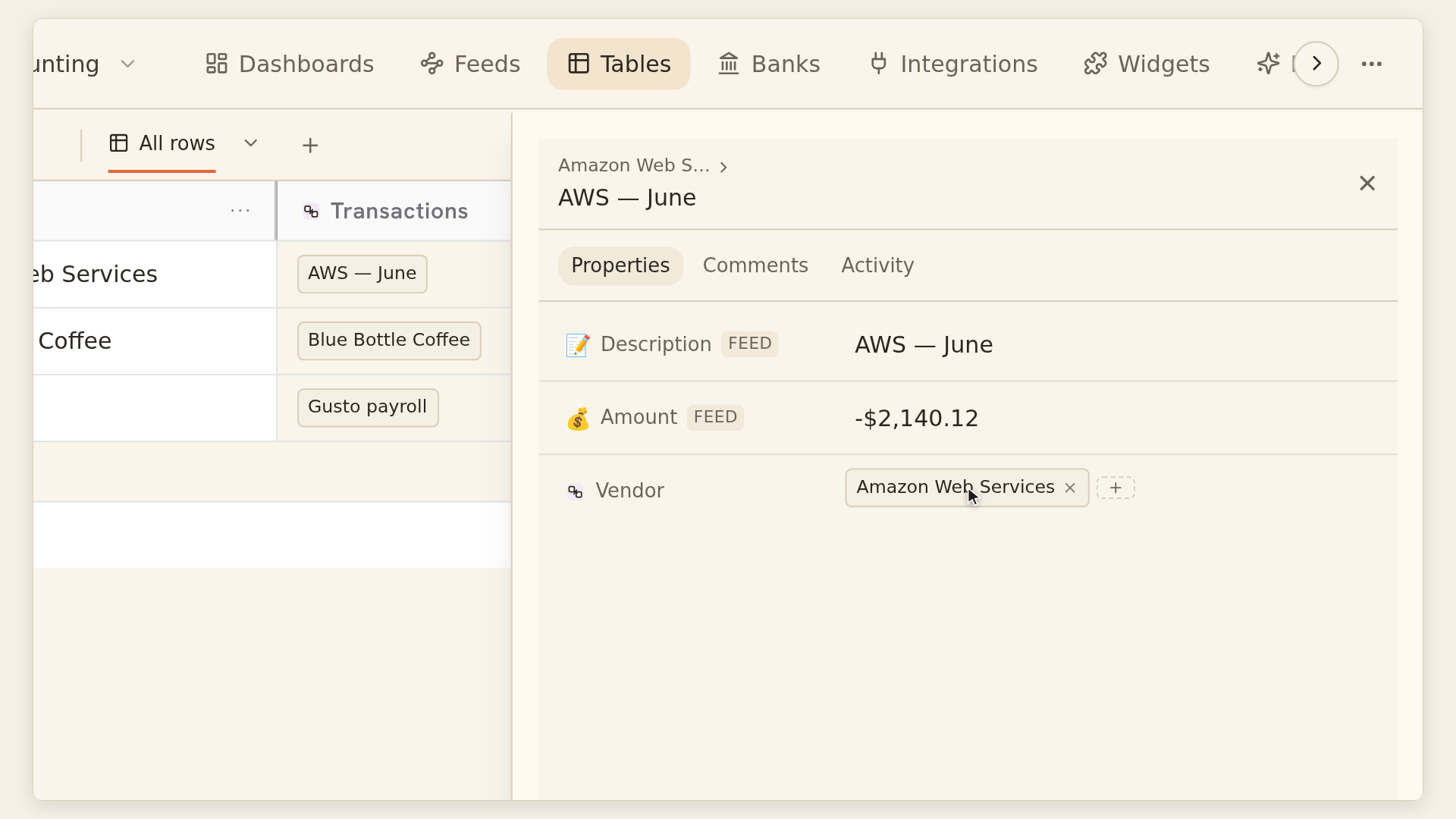
Add a relation between the tables using the relations guide. Pick existing records and verify the amount, currency, date and merchant before accepting a match. Linking is evidence organisation, not automatic proof that the expense is correct.
Use an editable field such as Receipt required to distinguish eligible purchases from transfers or other records that follow a different evidence process. Add a review status so an uploaded but unchecked document does not count as finished.
Build the missing-evidence queue
Define eligibility
Decide which transaction types require a receipt in your process.
Link the evidence
Connect each relevant transaction to the reviewed receipt record or records.
Add a reviewed-receipt count
Use a Count over the relation, conditioned on the receipt's reviewed status.
Filter the exception view
Show eligible transactions whose reviewed-receipt count is zero.
Assign the next action
Record who will find or check the evidence and when it will be revisited.
Inspect a known sample
Test a reviewed receipt, an unreviewed receipt and a transaction with no link.
The rollup and count documentation supports conditions on linked records. Put the reviewed condition in the count itself; a relation picker filter only changes the search choices. A count over no linked rows is zero, while an empty numeric rollup is blank.
For receipt coverage, count the transactions needing attention. Summing receipt totals can mislead if two documents describe one purchase or a single receipt covers multiple payments. Partial settlement needs an explicit allocation model; see the invoice part-payment guide.
Put decisions beside the headline numbers
From a table, use Add to dashboard, or add a widget and select Tables as its source. The table-widget guide explains filtering before aggregation and using computed fields as inputs.
Create a count widget for missing-evidence transactions and a table widget that lists those records. Pairing the number with the underlying rows makes the next action visible. Add a separate classification queue rather than hiding uncertain records inside an “Other” category.
Keep currencies separate. The default currency grouping protects against adding unrelated units; allowing mixed currencies does not perform exchange-rate conversion. This worked review uses GBP throughout.
Suggested exception table
| Record | Issue | Next action | Owner |
|---|---|---|---|
| T-104 | Receipt missing | Find the supplier receipt | Alex |
| T-108 | Receipt uploaded, unchecked | Verify amount and currency | Sam |
| T-112 | Possible internal transfer | Check the other account | Alex |
| T-119 | Unclear category | Confirm purchase purpose | Sam |
Check completeness before closing the review
The dashboard overview documents a Partial badge when some rows are omitted. A total over that subset is still incomplete. Numeric aggregates also skip missing or nonnumeric values; a blank result is not proof of zero spending.
Inspect those conditions before accepting any KPI. Table-widget freshness describes the stored table revision, not whether the bank has supplied every expected transaction. Check the bank connection and feed delivery as well as the dashboard.
If a computed field says Recalculating, wait for the result and inspect it. If a relation or formula reports an error, repair the dependency rather than replacing the error with zero to make the page look finished.
Month-end sign-off criteria
| Check | Evidence to retain |
|---|---|
| Scope is defined | Accounts, currency, period and date convention |
| Cash reconciles | Opening + movement = closing, with any differences explained |
| Source is complete enough for the review | Feed outcome and no unexplained partial result |
| Exceptions are visible | Remaining rows, owners and next actions |
| Review is recorded | Reviewer, date and the totals checked |
Record the reviewed totals and open exceptions in a dated review note or a dedicated review record. A live dashboard can change when a late transaction or corrected receipt arrives, so it should not be the only evidence of what you checked at the time.
If a late item changes a previously reviewed month, log the reason and repeat the affected checks. The purpose is a traceable decision, not a permanently green status.
For monitoring between reviews, the feed-failure workflow explains a preview automation pattern and a manual fallback.