

A £600 invoice is paid in two instalments of £250 and £350. A simple “Paid” checkbox cannot explain the first instalment. Linking the full £600 invoice to both payments can also produce misleading totals.
The missing piece is an allocation row: a record saying how much of one payment settles one invoice.
Build three tables—Invoices, Transactions and Allocations—and you can answer both “what remains on this invoice?” and “where did this payment go?” This is a suggested operational model using BankSync's documented table primitives, not a built-in accounting reconciliation guarantee.
Reviewed on 1 November 2026. Examples use GBP only and fictional records.
Each table has one job
| Table | One row represents | Key fields |
|---|---|---|
| Invoices | One invoice document | Reference, total, currency, counterparty, due date |
| Transactions | One bank movement | Source identity, account, date, signed amount, currency |
| Allocations | One amount assigned between the two | Invoice relation, transaction relation, allocated amount, review status |
Start with the simplest valid case
For a customer invoice, use incoming bank receipts and positive allocation amounts. For a supplier invoice, use outgoing bank payments and positive settlement allocations. Keep those workflows clearly identified rather than mixing directions in one unexplained total.
An allocation amount describes settlement, while the original transaction retains its signed bank amount. A £250 incoming receipt and a £250 allocation are two representations of the same money, not two receipts.
Create the tables in the same BankSync workspace. Tables are beta and enabled per workspace, with capacity depending on your plan. Confirm that you can support the three-table design before building it.
Use a transaction feed to populate the typed Transactions table. Invoice records can come from a reviewed document workflow or your maintained register. If using Document Extractor, verify the extracted total, currency and reference against the original document.
Build the relationship model
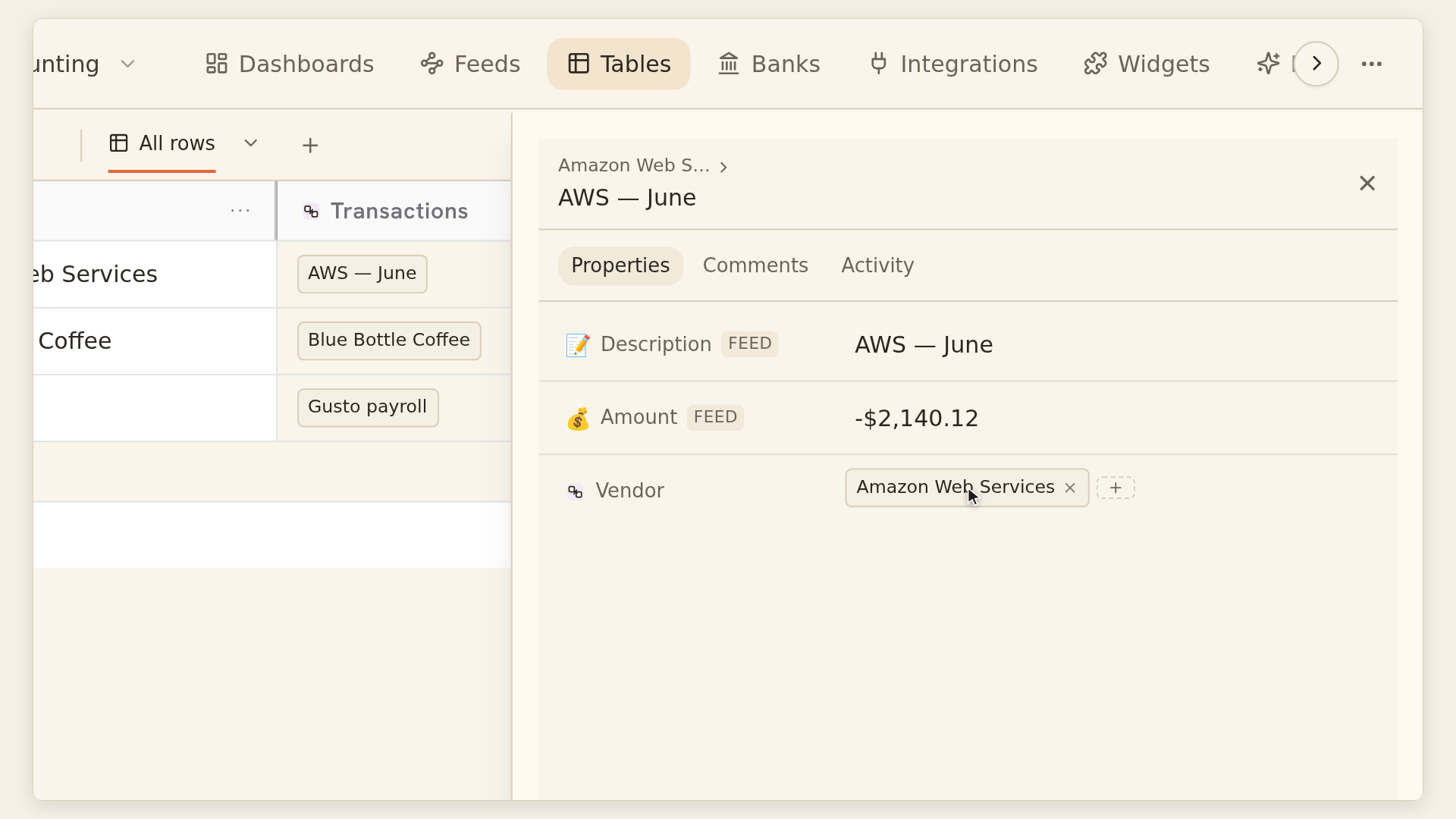
Add the Invoice relation to Allocations
Choose One row: each allocation points to one existing invoice.
Add the Transaction relation to Allocations
Choose One row: each allocation points to one existing bank movement.
Expose reciprocal allocation links
On Invoices and Transactions, show the related allocation rows where needed.
Add Allocated amount
Use a numeric field with the intended currency convention and a review status.
Create settlement rollups
Sum reviewed allocation amounts on the invoice and transaction sides.
Test a small batch
Check one full payment, one part-payment and one payment split across invoices.
The relations guide explains single and multiple links, reciprocal fields and the 100-link ceiling per relation cell. The picker selects existing records; it does not create or match them automatically.
A reciprocal list on one invoice therefore cannot grow without limit. This design suits modest settlement counts per invoice or payment. Do not put all of a high-volume customer's transactions into one giant relation cell and assume the limit disappears.
Invoice INV-101: two instalments
| Allocation | Bank transaction | Allocated amount |
|---|---|---|
| A-1 | Receipt T-1: +£250 | £250 |
| A-2 | Receipt T-2: +£350 | £350 |
| Total allocated | Two reviewed receipts | £600 |
| Invoice total | INV-101 | £600 |
| Remaining | £600 less £600 | £0 |
One payment can settle more than one invoice
| Allocation | Source payment | Applied to invoice |
|---|---|---|
| A-3 | T-3: +£500 | INV-102: £300 |
| A-4 | T-3: +£500 | INV-103: £200 |
| Payment-side check | £500 received | £300 + £200 = £500 |
Check both sides of every allocation
On each invoice, compare the invoice total with the sum of reviewed settlement allocations. On each payment, compare the allocatable payment amount with its reviewed allocations.
The rollup guide explains aggregating over relations and applying conditions to linked rows. Use the review-status condition in the rollup itself when only approved allocations should count; a picker filter merely narrows the selection list.
Treat a negative remaining amount as an exception to investigate, not a value to hide by forcing it to zero. An overpayment may need a credit or a different allocation.
An invoice with no linked allocations has a different state from a fully settled invoice. BankSync's documented numeric rollup over no linked rows is blank. Define how your remaining-amount calculation handles that empty case, and check the formula preview before saving. Do not turn all errors into zero, because that can hide a broken relation.
Keep difficult cases outside the simple model until explained
A net receipt after fees may be smaller than the invoice settlement. Currency conversion may create another difference. A credit note may change the amount owed without a new cash receipt.
Those cases require explicit adjustments and evidence. Do not alter the original bank amount to make the invoice match. Record the reason and extend the model with reviewed adjustment records if your process requires them.
Use the formula documentation for calculations over your chosen fields. Formulas are computed outputs, not editable settlement inputs. Preserve errors and recalculation states until resolved.
Keep original references and review notes so another person can follow the settlement without relying on memory.
Exception checks worth keeping visible
| Exception | What to inspect |
|---|---|
| Invoice over-allocated | Duplicate allocation, wrong invoice or overpayment |
| Payment over-allocated | Same money assigned more than once |
| Currency mismatch | Incorrect relation or undocumented conversion |
| Missing relation | Allocation row is incomplete |
| Unreviewed allocation | Candidate match not yet accepted |
| Unavailable record or formula error | Broken dependency requiring repair |