
An automatic bank fee tracker can use the BankSync Fee Ledger enrichment to classify known service charges, store fee observations in Tables and alert when the current month rises materially above recent history.
What the workflow should answer
It should show monthly fees, fee type, account, bank, reversals, trend, largest charges and the transactions behind the total. It should distinguish interest from fees and net reversals appropriately.
The system is easiest to navigate when each primitive owns one concern. Feeds bring in one financial data type from selected accounts. Enrichments clean, classify, guard and watch the records in an explicit order. BankSync Tables store typed or custom relational rows with views, comments and history. Dashboards query that model and present the result.
Preserve source truth. Original amount, currency, date, account and provider identifier should remain intact. Add workflow status, owner, category, policy and formulas in separate fields. That is what makes an exception traceable.
Model the process in Tables
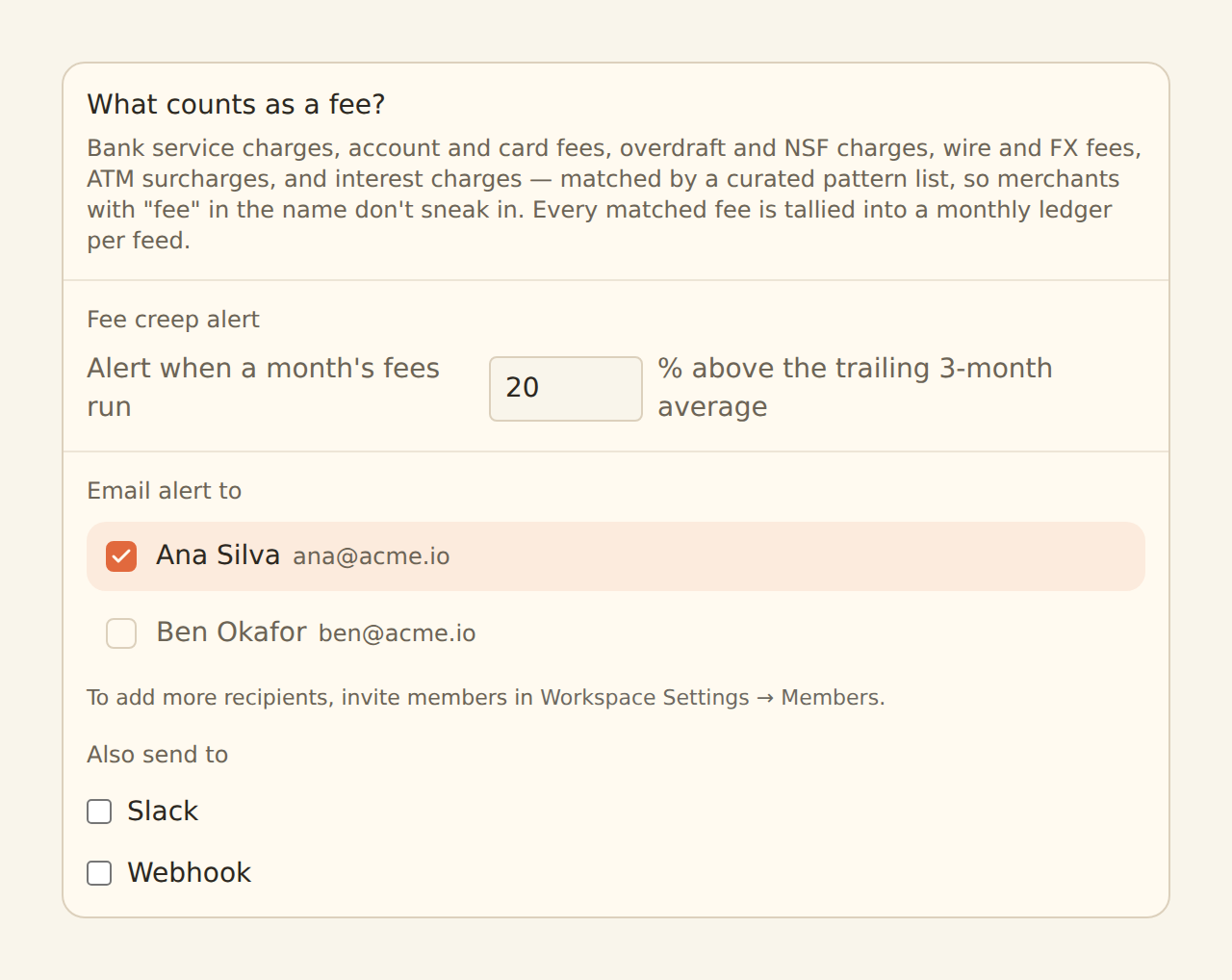
Use a typed Transactions Table and add fee class, fee subtype, related reversal and review status. The Fee Ledger uses curated patterns for bank service charges, overdraft and NSF charges, wire and FX fees and ATM surcharges. Interest is excluded. Fee reversals can net against charges. A related Accounts Table lets you compare fee burden by bank and account purpose.
Relations connect records without copying labels everywhere. Lookups expose related values; counts and rollups summarise child records; formulas calculate stored results that can be sorted, filtered, charted and read through API or MCP. Immutable field keys make automation safer when a human label changes.
Use the right view for the job
Grid supports detailed review. Board writes a status field when cards move. Calendar and Timeline write date fields when items move. Gallery works for attachment-led records, List for a calm summary and Form for intake. Views can be shared or personal and remember grouping, filters, sorts, columns and row colours.
Aggregate safely
Compare like periods and currencies. A trailing baseline needs enough complete months; the documented fee-creep alert compares the current month with a trailing three-month average after three full months, with a default threshold of twenty per cent. Strict multi-currency aggregation prevents accidental totals. Any reporting currency needs an explicit rate, date and converted value while native amounts remain available.
Total fees
Charges net of recognised reversals for the selected period.
Fee mix
Supported classifications shown by subtype and period.
Account burden
Where charges concentrate under one currency policy.
Fee creep
A trailing baseline built from complete monthly history.
Build the fee workflow
Connect relevant accounts
Include banks and cards where fees occur.
Create transaction feeds
Preserve raw descriptors and identifiers.
Enable Fee Ledger
Review what counts as a fee.
Create fee fields
Store subtype, reversal and review status.
Seed the baseline
Allow complete history before comparing.
Build trend and account views
Show where costs arise.
Configure material-charge alerts
Add policy thresholds if needed.
Review and dispute
Use evidence rather than assuming every charge is correct.
Dashboard and watch design
Use KPIs for current-month fees and change from baseline, a monthly trend, bars by fee subtype and account, and a detail table with merchant descriptor and reversal status. Add account and date filters and keep the source transaction accessible.
Source-applied filters recalculate aggregates and are the default. Browser filters are for presentation, not access control. Locked source filters should fail closed for client, entity or team-scoped dashboards.
Enrichments and alerts
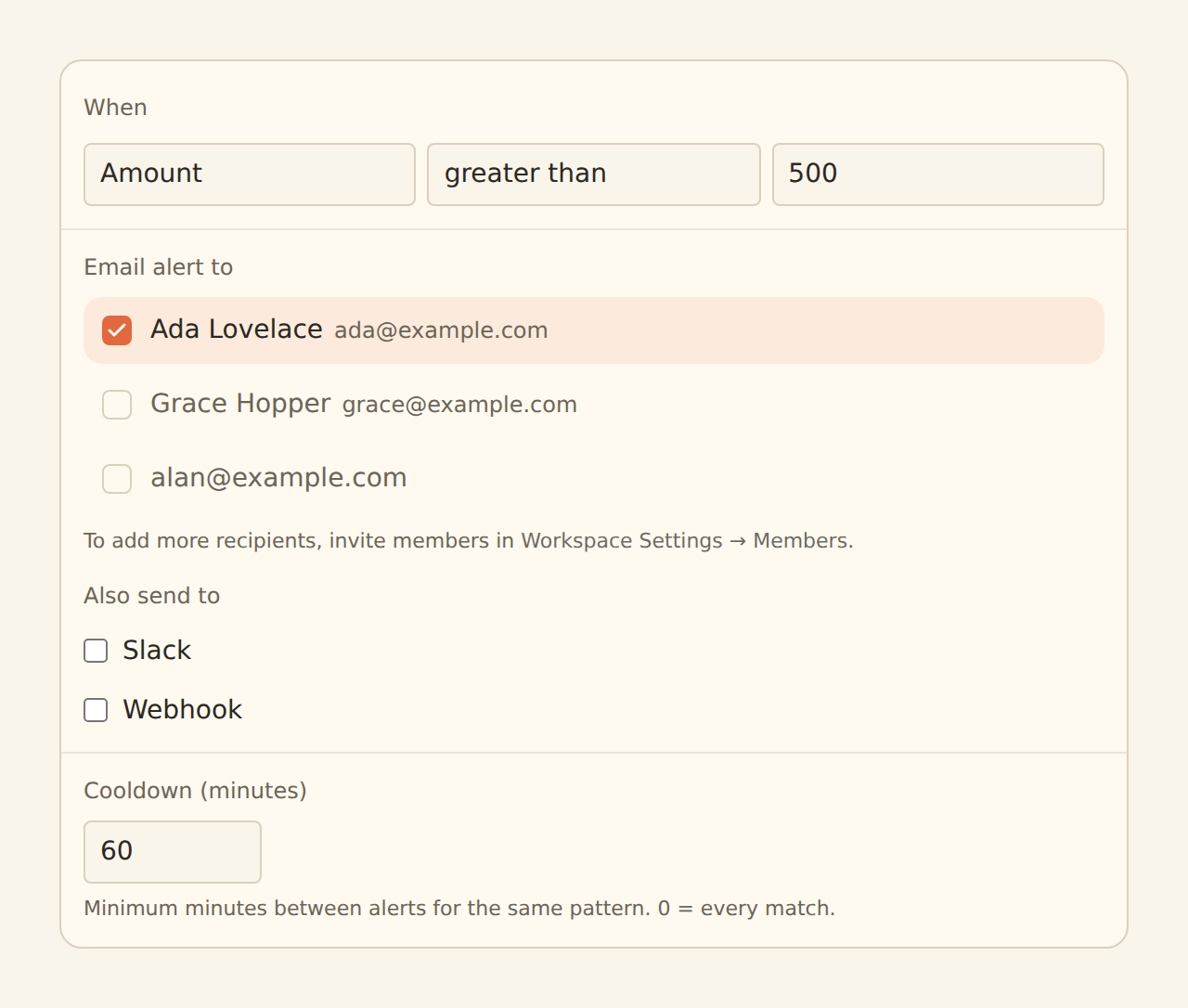
Fee Ledger provides deterministic fee classification and the fee-creep watch. Alert can add a policy threshold for a single material charge. Digest can summarise findings. Feed Monitor protects against a missing month caused by stale data. Avoid using AI alone to decide whether a regulated or contract-specific charge is valid.
Guard steps run before Memory, lookups and rules; AI fills remaining blanks; watch enrichments observe the final record. Suppressed records do not write, teach Memory or fire alerts. Use Live Preview before enabling hard Filters, Splits or suppression.
Limits and controls
The curated pattern list cannot know a bank contract, waiver or legal entitlement. Treat classification and alerts as review evidence. Contact the institution for disputes. This is not legal or financial advice.
Alerts are as fresh as the feed schedule. Dashboards are beta by workspace. Sensitive operational data should remain private or workspace-scoped. External-agent authoring is a staging workflow; review any generated dashboard in the regular editor.
Operate the system
Assign an owner for feed health, review queues and model changes. Check sync history before trusting a quiet metric. Use row comments and history for decisions that need context. Review retention and permissions. A useful operations dashboard makes the next action obvious and keeps the evidence one click away.
Copy this build: the hidden-leak review
Imagine a small business with several bank accounts and cards. Its fee dashboard opens with month-to-date fees, change from the trailing baseline and the accounts carrying the highest burden. A stacked bar explains the mix. The detail table keeps the original descriptor, detected subtype, reversal status, review owner and comment.
The first weekly review is deliberately manual. The finance lead opens each material charge, checks the underlying transaction and marks it expected, disputed or policy follow-up. Only after the history is complete does the team turn on a fee-creep watch and a separate threshold alert for unusually large individual charges.
To mimic it, preserve the raw transaction fields, enable deterministic fee classification, relate fees to the account register and build the source table before the KPI layer. Keep contract interpretation and disputes with a human reviewer.
What success looks like after one week
Fees stop being a vague line in an expense total. The team knows which account generated each charge, whether a reversal arrived and who owns the follow-up. Alerts are quiet enough to act on, and the dashboard never claims that pattern matching proves a fee is invalid.