

Your car insurance renews on 1 July. You expect a £600 premium, you have already set aside £120 and you have six paydays left. You need £80 from each payday. Saving £50 a month, the annual cost divided by twelve, would leave you £180 short when the payment falls due.
In this worked example, the category in Actual Budget keeps track of the money reserved for the bill. The schedule remembers the due date. A UK bank connection through BankSync supplies the payment you’ll check when the insurer collects it. Here’s how to put those three pieces together.
Count the paydays before the bill
Start with the renewal notice if you have it. Otherwise use last year’s premium as an estimate and make a note to revisit it when the insurer writes. Count only paydays that arrive before the collection. Someone paid on the 25th has January through June to fund a 1 July bill.
The first renewal, worked backwards
| When | Money assigned | Category balance |
|---|---|---|
| Before 25 January | Already reserved | £120 |
| January to April | 4 paydays × £80 | £440 |
| 25 May | £80 | £520 |
| 25 June | £80 | £600 |
| 1 July, after a £600 payment | £600 charged to this category | £0 |
To repeat the calculation for your own renewal, subtract the amount already in the category from the expected bill. Divide what remains by the number of paydays left. If you have already covered the bill, you can leave the balance in place. If the bill falls before your next payday, review the cash already available before assigning money to it.
Give the premium a category and a due date
In an Actual envelope budget, create a Car insurance category. Assign £120 only if that money is already available and has not been promised to another category. On each payday, enter £80 in the category’s budgeted amount from the money you have received. Actual carries unspent category money forward. Actual’s envelope budgeting guide
Create the renewal in Actual
Choose the paying account
Open Schedules and add a schedule. Select the current account the insurer will charge and enter the insurer as payee.
Set the next collection
Enter the renewal date and the expected annual premium as an outgoing payment. Use an annual repeat if that matches the agreement.
Choose how it enters the register
For this example leave automatic entry off. You can review the scheduled item against the bank payment when it arrives. A schedule in Actual does not instruct the bank to pay the insurer.
If the last premium is already in the account, select that transaction, choose Link schedule, then Create New. Check the date and amount copied from the old entry. Actual’s schedule guide, with screenshots
Bring in the payment from your UK current account
If your account is already linked to Actual, skip to the next section. Otherwise, check that BankSync supports the bank and account you use. Approve read-only access at your bank. An Admin or Owner can then open Settings → Developers → SimpleFIN in BankSync, create access for Actual and select the paying account. Connecting a UK bank
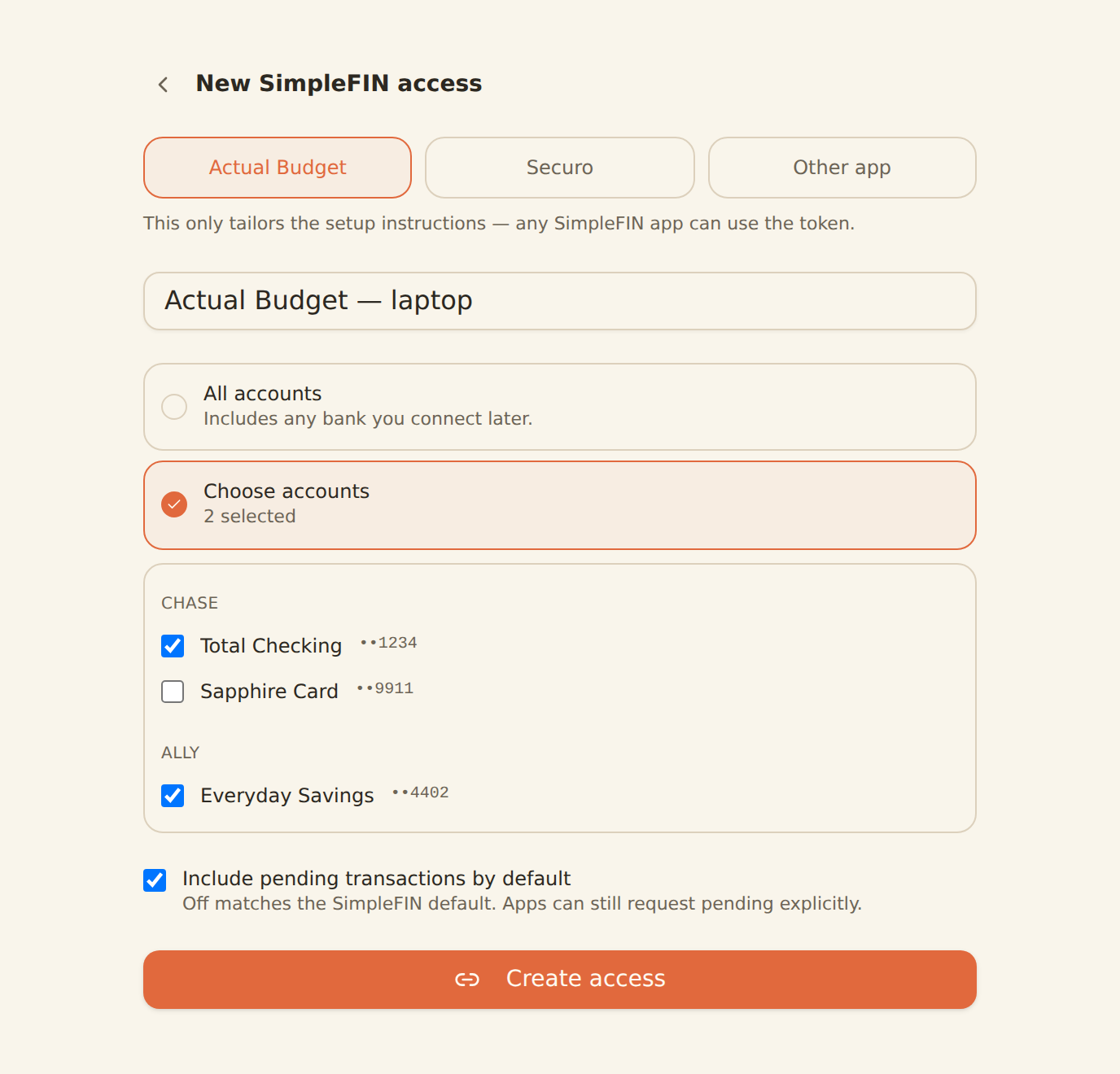
In Actual’s bank-sync setup, choose SimpleFIN and paste the setup token issued by BankSync. Link the bank account to the existing Actual register for that current account. Bank sync requires an Actual server. Run a bank sync for that account and check one known posted purchase before relying on it for renewal day. BankSync’s SimpleFIN instructions · Actual’s bank-sync guide
When the renewal price changes
Suppose the letter arrives after April’s payday with a new premium of £648. There’s £440 in the category and £208 left to find. With two paydays before collection, the revised amount is £104 each. Update the scheduled payment to £648 and adjust the May and June allocations. If that increase would crowd out another bill, the shortfall is visible while there’s still time to decide how to cover it.
Once the payment posts, run bank sync and open the insurer’s row. Check the payee, account and amount against the renewal notice, then assign the expense to Car insurance. If an upcoming schedule is still visible, confirm whether its date or estimate differed from the posted payment before approving another entry. Actual documents how to skip a scheduled occurrence when the real transaction has already arrived. How Actual matches schedules
With £648 reserved and one £648 charge against the category, its balance returns to zero. For the following year, twelve full paydays at the same assumed price would mean £54 each. Record it as an estimate until the next renewal notice arrives.
Product instructions and sources checked on 2 November 2026.