

Use Cursor with The Capricornian
BankSync's MCP server can let Cursor query supported The Capricornian account data that you have connected through BankSync and authorized for API access. Query your finances in natural language without spreadsheets or exports.
BankSync is not affiliated with, endorsed by, sponsored by, or partnered with The Capricornian or Cursor. Names are used only to describe potential account-data coverage and client compatibility.
Before you connect Cursor to The Capricornian
- A BankSync workspace on the Standard plan or above. Free and Starter do not include MCP.
- The Capricornian connected in that workspace.
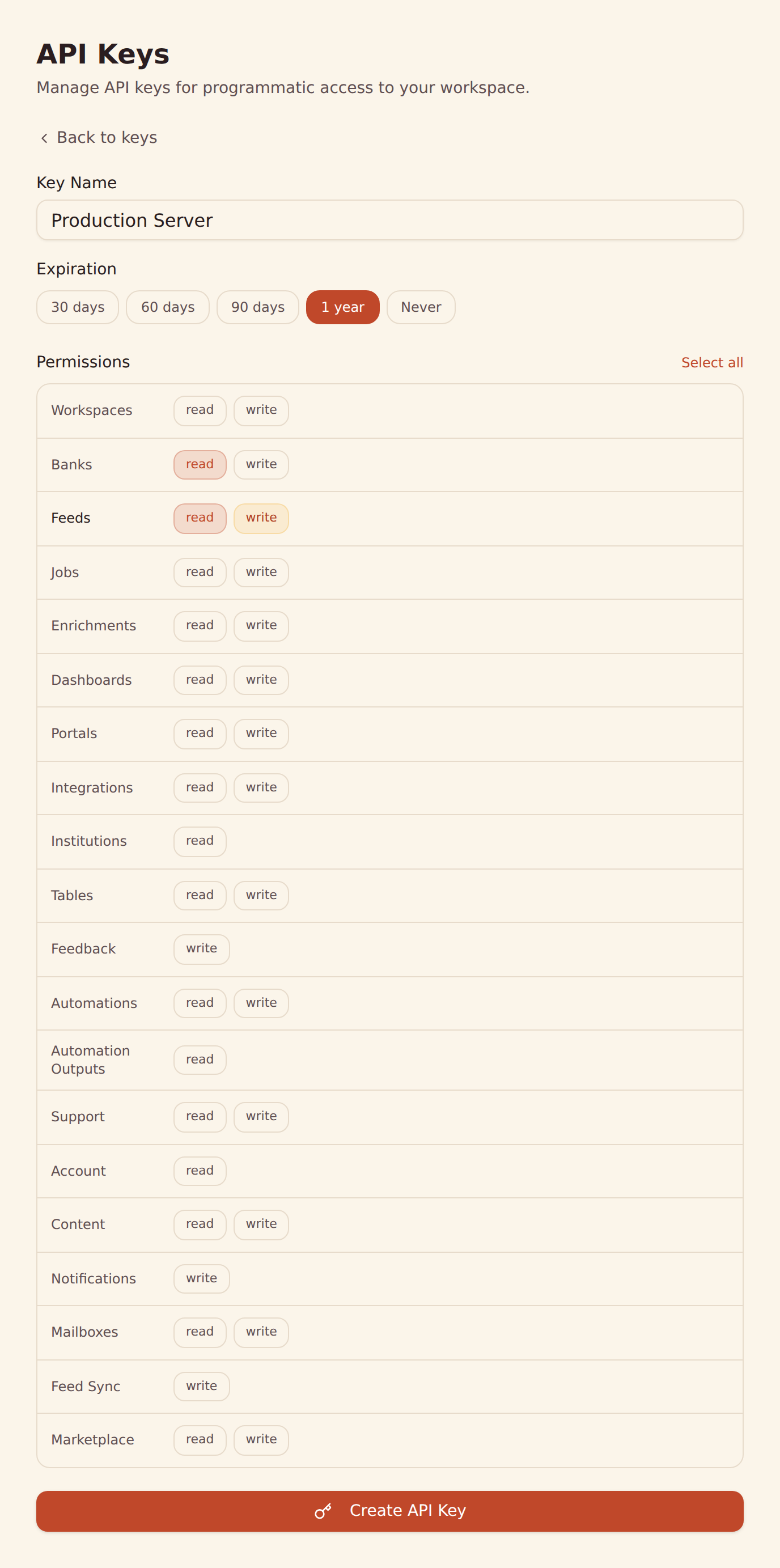
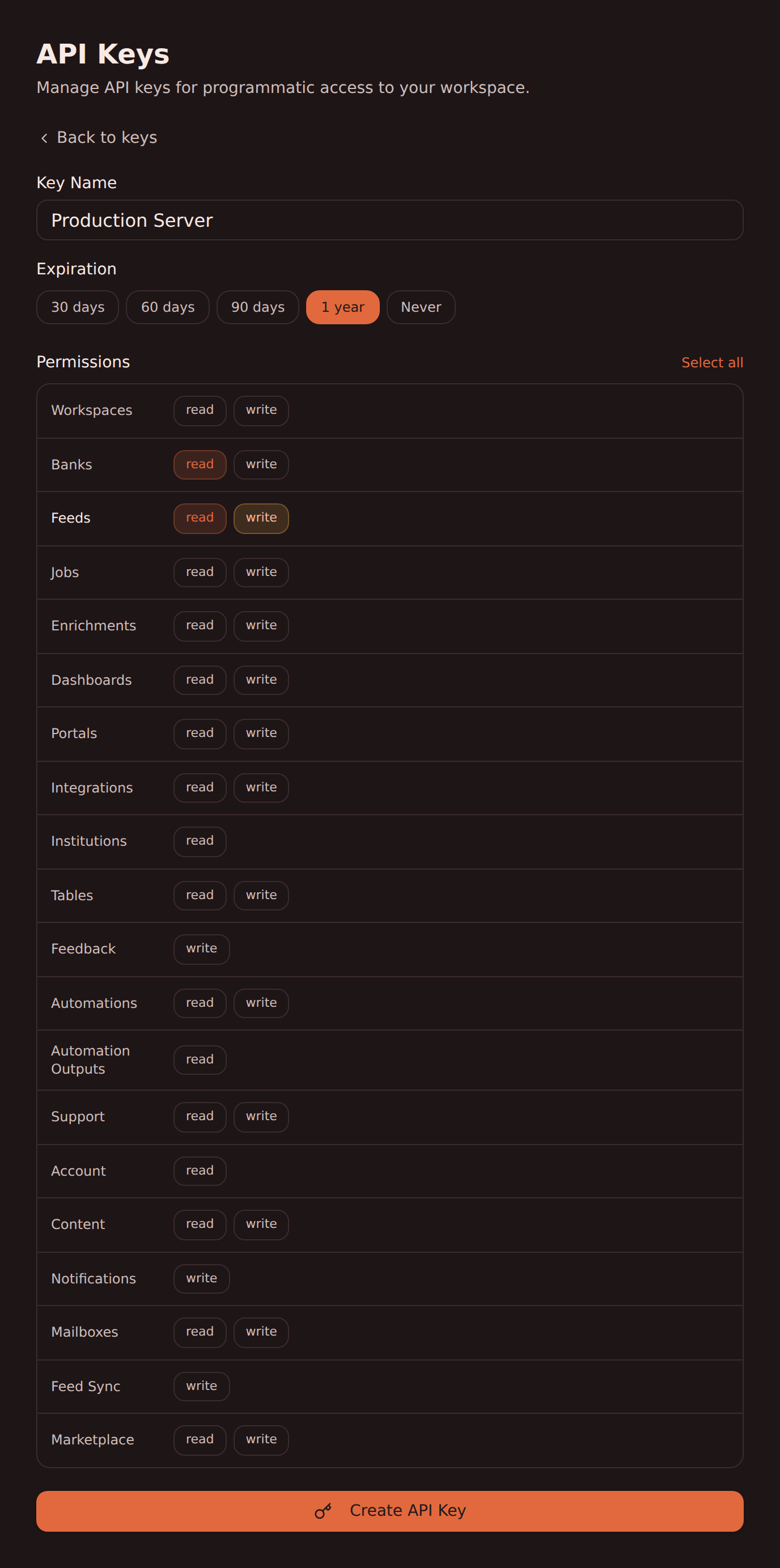
- Cursor, and a BankSync API key from the Developers section of your workspace, with the permissions you want Cursor to have.
How to connect Cursor to The Capricornian
Search for The Capricornian in BankSync
Sign up for BankSync and, if The Capricornian is available, link your account through a provider-hosted or bank-hosted authorization flow.
Generate an API key
Create an API key from the Developers section of your BankSync workspace.
Configure Cursor
Add the BankSync MCP server to Cursor using your API key. Follow our Cursor setup guide for step-by-step instructions.
Start querying
Ask Cursor about supported The Capricornian transactions, balances, and more using natural language.
Cursor MCP Configuration
Add this configuration to let Cursor query supported The Capricornian account data through BankSync.
{
  "mcpServers": {
    "banksync": {
      "url": "https://mcp.banksync.io",
      "headers": {
        "X-API-Key": "bsk_your_key_here"
      }
    }
  }
}
What Cursor can access from The Capricornian
Accounts
List the The Capricornian accounts connected through BankSync and visible to the API key scopes you grant.
Transactions
Query supported The Capricornian transactions with provider-supplied dates, descriptions, amounts, merchants, and categories.
Balances
Get current and available balances for supported The Capricornian accounts.
What Cursor can read, and what it can change
Reading The Capricornian data needs read permission only. With View banks, Cursor can read the accounts, balances and transactions you connected.
The BankSync MCP server also has tools that create, change or delete BankSync resources, such as feeds, tables, dashboards and automations. Each needs a write permission of its own, so an API key made with read permissions only cannot use them.
Permanently removing a bank connection is never available to an API key or an app: only a signed-in member of the workspace can do it.
See which tools read and which change dataReady to connect Cursor to The Capricornian?
Start your 14-day free trial. Connect your bank, generate an API key, and start querying data in minutes.
Use The Capricornian with another agent
The same BankSync MCP server and API key work with every one of these.
- Use The Capricornian with ChatGPTOpenAI
- Use The Capricornian with Claude CodeAnthropic
- Use The Capricornian with Claude CoworkAnthropic
- Use The Capricornian with Claude DesktopAnthropic
- Use The Capricornian with GeminiGoogle
- Use The Capricornian with GrokxAI
- Use The Capricornian with Hermes AgentNousResearch
- Use The Capricornian with Meta MuseMeta
Other banks you can use with Cursor
Institutions in the same market that Cursor can query through BankSync MCP.
- Use CommBank with Cursor🇦🇺 Australia
- Use Westpac with Cursor🇦🇺 Australia
- Use NATIONAL AUSTRALIA BANK with Cursor🇦🇺 Australia
- Use ANZ with Cursor🇦🇺 Australia
- Use Macquarie Bank Limited with Cursor🇦🇺 Australia
- Use ING BANK (Australia) Ltd with Cursor🇦🇺 Australia
- Use Up with Cursor🇦🇺 Australia
- Use Bankwest with Cursor🇦🇺 Australia
BankSync is not affiliated with, endorsed by, or an official partner of Cursor or The Capricornian. All product names and trademarks are the property of their respective owners. Bank connections are established through regulated open banking providers.