

One shared sheet. No statement chasing.
Connect the relevant business accounts once, send structured transactions into Google Sheets on a schedule, and give your accountant access to the same current working file.
Explore BankSync for accountantsMost businesses do not have a bank-data problem once a year. They have the same problem every month.
Your accountant asks for the latest transactions. You log in to several bank portals, choose date ranges, download CSV files, rename them and send them over. Then someone notices a missing account, an overlapping period or a file that ends two weeks before the review date.
The work is repetitive because the handoff is built around files. Each export is a snapshot. Every new review starts with another request.
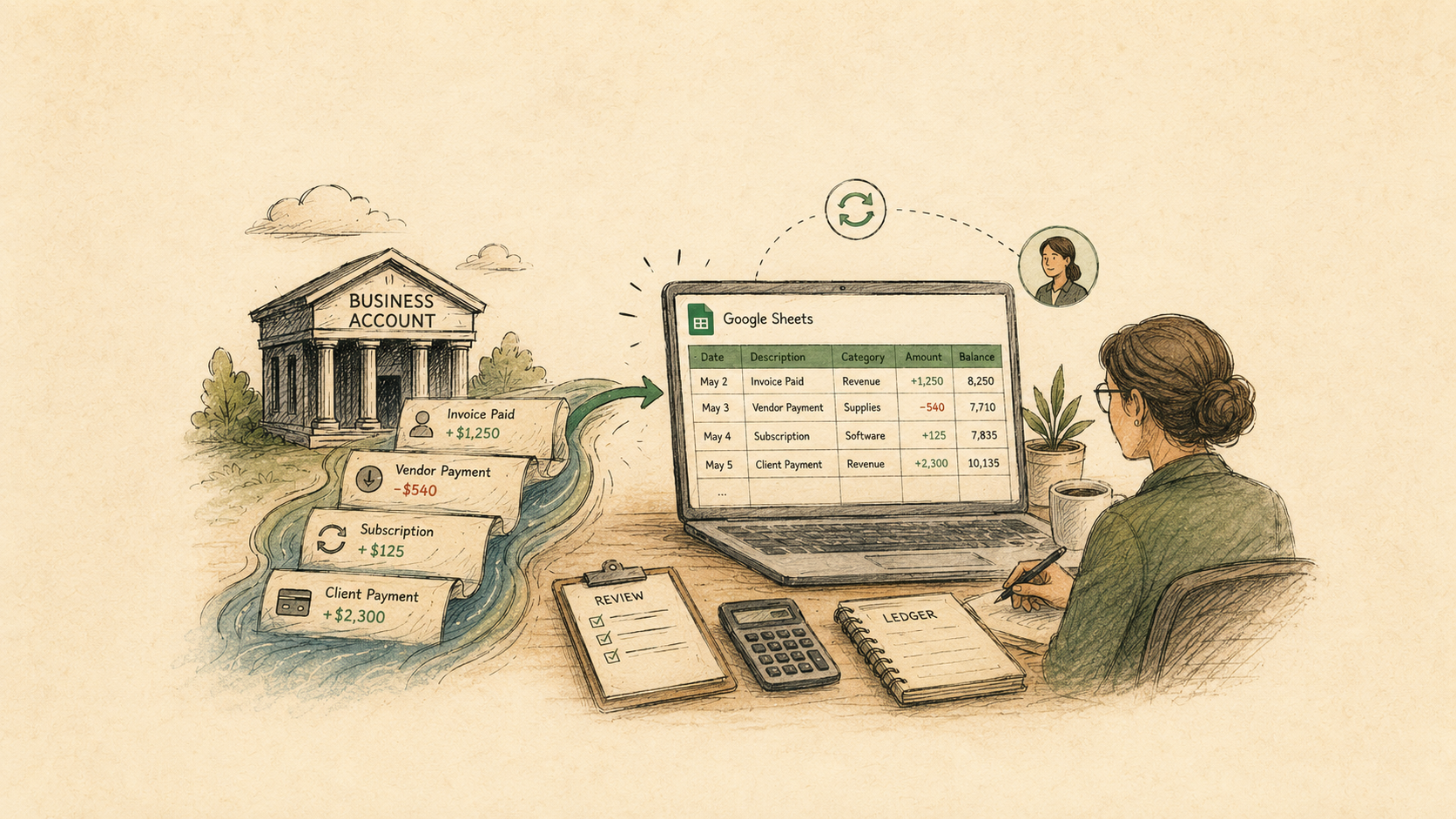
A shared Google Sheet changes the handoff. Instead of repeatedly sending statements or CSVs, the business maintains a controlled spreadsheet that receives supported bank transactions on a schedule. The accountant opens the same file whenever work begins.
That does not remove professional review. It removes much of the repeated collection, formatting and version confusion that happens before the review can start.
Monthly file handoff vs a shared transaction sheet
| Feature | Statement and CSV handoff | Shared Google Sheet |
|---|---|---|
| Data freshness | Current only when someone exports another file | |
| Account coverage | Easy to miss an account or send the wrong period | |
| Column structure | May change between banks and exports | |
| Questions and review notes | Split across email threads and file versions | |
| Next review | Begins with another collection exercise |
What a “live” Google Sheet should mean
In this workflow, live means the spreadsheet is regularly refreshed from supported connected accounts. It does not mean every card purchase appears the instant it occurs.
Transactions become available after the institution posts them and the underlying bank-data source supplies them. Pending transactions may change before posting, and update timing can vary by institution, account type and region.
The useful promise is simpler: the accountant no longer depends on the business remembering to create a fresh export before every review. The sheet updates on the chosen schedule and provides a visible, repeatable source layer.
A repeatable bank feed
Supported posted transactions arrive in the same tab and column structure on the configured schedule.
One shared working file
The business and accountant use the same Google Sheet instead of exchanging several dated copies.
Visible review status
Separate columns or tabs can hold questions, classifications, owners and resolution notes.
Controlled access
Share the file with named Google accounts and choose the minimum role each collaborator needs.
Build the workbook as four separate layers
Do not send synced rows directly into a dashboard full of manually edited formulas. Keep the source data, review work and reporting separate so each part can change without damaging the others.
Recommended Google Sheets structure
| Tab | Purpose | Editing rule |
|---|---|---|
| Transactions_Raw | Append-only bank transactions from the selected supported accounts. | Do not type over source fields written by the feed. |
| Accounts | Expected accounts, display names, entity, currency and whether each account belongs in the engagement. | Maintain as a controlled completeness checklist. |
| Review | Transactions requiring classification, explanation, documentation or follow-up. | Add accountant comments and business responses here or in separate manual columns. |
| Summary | Pivots, charts, monthly totals and other accountant or management views. | Build from reviewed data rather than editing the raw feed directly. |
The raw transaction tab is controlled by the feed. Review and reporting remain controlled by the business and accountant.
Include enough information to identify every row
A short spreadsheet may look simple, but the accountant still needs to know which account supplied each transaction and whether two similar rows are genuinely different.
The exact fields depend on the engagement and what the connected institution supplies. A dependable transaction layer usually includes the following:
Recommended transaction fields
| Field | Why it matters |
|---|---|
| Transaction ID | Supports duplicate detection together with the source account. |
| Transaction date | Places the movement in the correct reporting period. |
| Description | Preserves the original bank text for traceability. |
| Merchant or counterparty | Provides a cleaner label where it is available. |
| Amount | Uses a consistent sign convention for cash in and cash out. |
| Account | Identifies which connected account supplied the transaction. |
| Bank or institution | Helps when several accounts share similar names. |
| Currency | Prevents unlike currencies from being combined accidentally. |
| Pending or posted status | Shows whether the row may still change, where the source supplies this status. |
| Category or enrichment | Provides a starting point for review, not necessarily the final accounting treatment. |
| Review status | Separates unresolved items from reviewed transactions. |
| Notes or evidence link | Captures business context without changing the bank-supplied description. |
Keep source fields separate from manual accounting conclusions and management notes.
Set up the shared accountant workflow
From bank connection to accountant review
Create a dedicated Google Sheet
Use a workbook owned by the business or its Google Workspace. Create the Transactions_Raw, Accounts, Review and Summary tabs before connecting the feed.
Connect only the relevant business accounts
Include the operating, savings, card and loan accounts needed for the engagement. Keep personal accounts and unrelated entities outside the workbook.
Connect Google Sheets to BankSync
Authorise the Google account that owns or can edit the target spreadsheet, then select the spreadsheet and Transactions_Raw tab in the feed's destination settings.
Map the source fields
Map transaction ID, date, description, merchant, amount, account, institution, currency, status and available enrichment fields into stable columns.
Run and inspect the first sync
Check the date range, account coverage, signs, currencies, duplicates, pending transactions and column placement before scheduling future updates.
Share the workbook with the accountant
Add the accountant's named Google account and choose Viewer, Commenter or Editor access based on the agreed workflow. Avoid public-link access.
Choose a schedule and review routine
Select an available BankSync schedule, then agree who checks failed refreshes, answers transaction questions and closes each reporting period.

Video transcript
A short product walkthrough shows the BankSync Google Sheets destination. The user selects a connected Google Sheets integration, chooses the target spreadsheet and sheet, configures how new rows should be written, maps bank-data fields to spreadsheet columns and saves the feed settings.
Give your accountant the access they actually need
More access is not automatically better. Choose the narrowest role that supports the work.
Google Sheet access for an accountant
| Feature | Viewer | Commenter | Editor |
|---|---|---|---|
| Read transaction data | |||
| Add questions or comments | |||
| Change cells and formulas | |||
| Best fit | Visibility and exported reporting | Review questions without changing the workbook | Hands-on bookkeeping, classification or working-paper preparation |
| Main control | Confirm downloads are acceptable | Keep responses and resolutions organised | Protect source ranges and review sharing settings |
Agree on the operating rules before the first review
The spreadsheet becomes more useful when everyone knows who owns each part of the process. A short written agreement can prevent the same questions returning every month.
Six rules worth deciding
Who owns the bank connection
The business should retain control of consent, reconnection and the accounts included in the feed.
When the sheet refreshes
Record the expected cadence and how the team confirms the latest successful run before reviewing a period.
Who finalises categories
Decide whether the accountant, bookkeeper or business owner approves final accounting treatment.
How transfers are treated
Mark movements between owned accounts so they are not mistaken for external income or expenditure.
Where questions are answered
Use comments or a Review tab rather than scattering explanations across email and chat.
When periods are closed
After review, protect completed periods or snapshot the approved output so later changes remain visible.
Keep bank facts separate from accounting conclusions
The feed can supply source data. It cannot determine every accounting, tax or business conclusion.
A payment can be accurately described by the bank and still need an accountant to decide whether it is deductible, capital, private, reimbursable, subject to tax, split across categories or associated with another entity.
The bank-data layer
Posted transaction date, bank description, amount, account, institution, currency, transaction identifier, available merchant information and supported balance data.
The accountant's review layer
Final coding, reconciliations, tax treatment, accruals, prepayments, journal entries, supporting evidence, materiality decisions and professional conclusions.
Handle the common edge cases explicitly
Internal transfers
A transfer between two accounts owned by the same business appears as an outflow in one account and an inflow in another. Keep both rows for reconciliation, but mark them so consolidated reporting does not treat the movement as revenue and expenditure.
Credit cards
Choose whether the workbook is being used for transaction-level expense review or cash movement. Counting each card purchase and the later bank-account repayment in the same expense total will double-count spending.
Multiple entities
Do not mix separate companies, trusts or personal accounts in one undifferentiated table. Use separate workbooks, separate tabs with clear entity fields or another structure approved by the accountant.
Pending transactions
Pending rows can change in amount, description or status before posting. Decide whether the review uses posted transactions only or displays pending items separately.
Foreign currency
Keep the source currency visible. Do not combine amounts across currencies without an explicit exchange-rate rule and date.
Secure the connection and the spreadsheet
The bank connection and the shared Google Sheet are different security boundaries. A controlled financial connection does not make a broadly shared spreadsheet safe.
Practical controls
Share with named accounts
Use the accountant's individual work address or an approved firm-managed group rather than an open link.
Use multi-factor authentication
Protect the Google account that owns the workbook and the BankSync workspace used to manage the feed.
Review access regularly
Remove people when an engagement ends or their role changes.
Separate raw and editable areas
Protect mapped source columns and keep manual work in clearly designated ranges or tabs.
Avoid unnecessary account details
Do not add credentials, authentication tokens or full account numbers to ordinary spreadsheet cells.
Monitor refresh failures
Check the BankSync job status when the sheet appears stale and reconnect expired integrations when required.
Frequently asked questions
Live accountant Google Sheet FAQs
The bottom line
Your accountant should not need a new folder of statements every time they begin a review.
Create one controlled Google Sheet. Keep supported bank transactions in a dedicated raw-data tab. Share the workbook with the accountant using the minimum access required. Keep questions and professional conclusions separate from the source fields. Then let a scheduled BankSync feed handle the repeatable part: bringing the latest available posted transactions into the file both sides already use.
The result is not fully automated accounting. It is a cleaner handoff, a more current source layer and less time spent proving which spreadsheet is the latest one.