
Updated September 2026
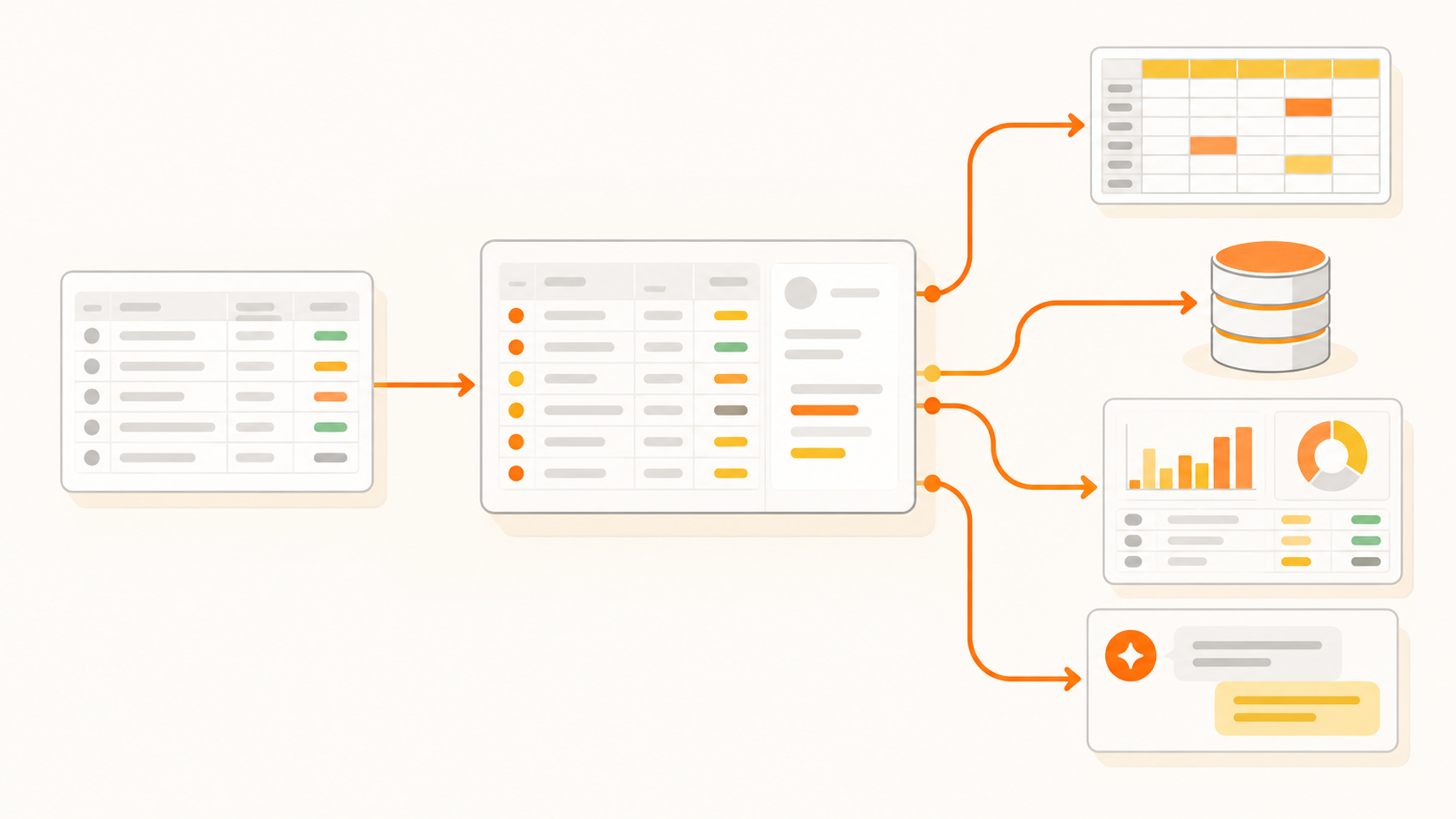
BankSync is a BudgetSheet alternative for people who need more than a US or Canadian feed into Google Sheets. BudgetSheet is a simple, well-priced Sheets add-on that imports Plaid-connected transactions nightly. BankSync also connects Australian and UK banks and sends the same data to Notion, Excel, Airtable, databases and AI agents.
If you bank in the US or Canada and only use Google Sheets, BudgetSheet may be all you need. This comparison uses BudgetSheet's own homepage, pricing and FAQ pages, checked in September 2026, and BankSync's published plans.
What does BudgetSheet do well?
- It does one job cleanly. BudgetSheet describes itself as "the easiest way to import bank transactions into Google Sheets", and it is a Google Sheets add-on on the Google Workspace Marketplace.
- Hands-off nightly imports. With Autofetch turned on, new transactions are fetched nightly, and Autofetch is included on every paid plan.
- Broad US and Canadian coverage. It uses Plaid to reach 10,000+ US and Canadian financial institutions.
- Generous account limits for the price. Plans are priced by accounts, up to 100 accounts on the Business plan.
- Investments and extras. Pro and Business include investment accounts, and there is auto-categorisation and CSV import.
- A no-card trial. 15 days with one linked bank account, no credit card required.
Where does BankSync differ from BudgetSheet?
Australia and the UK. BudgetSheet's coverage is US and Canadian institutions through Plaid. BankSync covers the US and Canada through Plaid too (11,000+ banks and credit unions), and adds Australia through the Consumer Data Right via Fiskil and the UK through Open Banking via Salt Edge.
Destinations beyond Google Sheets. BudgetSheet's FAQ says you need a Google account and a Google Sheet to use it. BankSync writes to Google Sheets and also to Excel (a workbook on OneDrive), Notion, Airtable, Postgres or MySQL, and webhooks, so the same bank feed can drive a spreadsheet, a Notion dashboard and a database at once.
AI agents. On Standard plans and above, BankSync's MCP server lets AI assistants such as Claude and ChatGPT read your synced bank data with an API key you control.
Schedules. BudgetSheet fetches nightly. BankSync runs weekly on Starter, daily on Standard, and hourly on Professional and above, with a manual Sync Now on every plan.
History depth. BankSync's first sync backfills up to 7 years in Australia, up to 2 years in the US and Canada, and up to 90 days in the UK. BudgetSheet does not state an initial history depth on the pages we checked.
BankSync vs BudgetSheet at a glance (September 2026)
| Feature | BankSync | BudgetSheet |
|---|---|---|
| Entry price | $5/month or $48/year (1 bank connection) | $6/month or $59/year (up to 5 accounts) |
| Free trial | 14 days; card collected, not charged | 15 days, 1 bank account, no card |
| US and Canada | ||
| Australia | ||
| UK | ||
| Google Sheets | ||
| Excel, Notion, Airtable, databases, webhooks | ||
| AI agents via MCP | ||
| Investment accounts | ||
| Automatic schedule | Weekly, daily or hourly by plan | Nightly |
How does BankSync pricing compare with BudgetSheet?
The two price on different units. BudgetSheet counts accounts; BankSync counts bank connections, and one connection to a bank can include several of your accounts at that bank.
Plans side by side (September 2026)
| Plan | Monthly | Annual | Includes |
|---|---|---|---|
| BudgetSheet Basic | $6 | $59 | Up to 5 accounts |
| BudgetSheet Pro | $8 | $79 | Up to 30 accounts, investments |
| BudgetSheet Business | $20 | $149 | Up to 100 accounts, investments |
| BankSync Starter | $5 | $48 | 1 bank connection, weekly syncs |
| BankSync Standard | $7 | $72 | 5 bank connections, daily syncs, MCP and webhooks |
| BankSync Professional | $20 | $192 | 15 bank connections, hourly syncs |
| BankSync Business | $61 | $588 | 30 bank connections |
To be straightforward about it: if you have many US or Canadian accounts and only need nightly updates in Sheets, BudgetSheet is likely the cheaper option. BankSync costs more at the top end because it includes other destinations, AI agent access, hourly schedules and non-US markets. See BankSync pricing for full plan details.
Should you choose BankSync or BudgetSheet?
Choose BudgetSheet if you bank in the US or Canada, only use Google Sheets, want nightly imports, and want a trial with no card.
Choose BankSync if you bank in Australia or the UK (or across several countries); want transactions in Excel, Notion, Airtable or a database as well as Sheets; want to query your finances from an AI assistant; or want hourly schedules.
Install BankSync from the Google Workspace Marketplace, or see how the Google Sheets sync works.