BankSync Tables template
Savings Goals
Every goal: how far it has come, what it needs a month, and when your pace gets there.
By  BankSyncVerified by BankSyncVerified by BankSync Verified
BankSyncVerified by BankSyncVerified by BankSync VerifiedItem 1 of 1: Every goal: how far it has come, what it needs a month, and when your pace gets there.
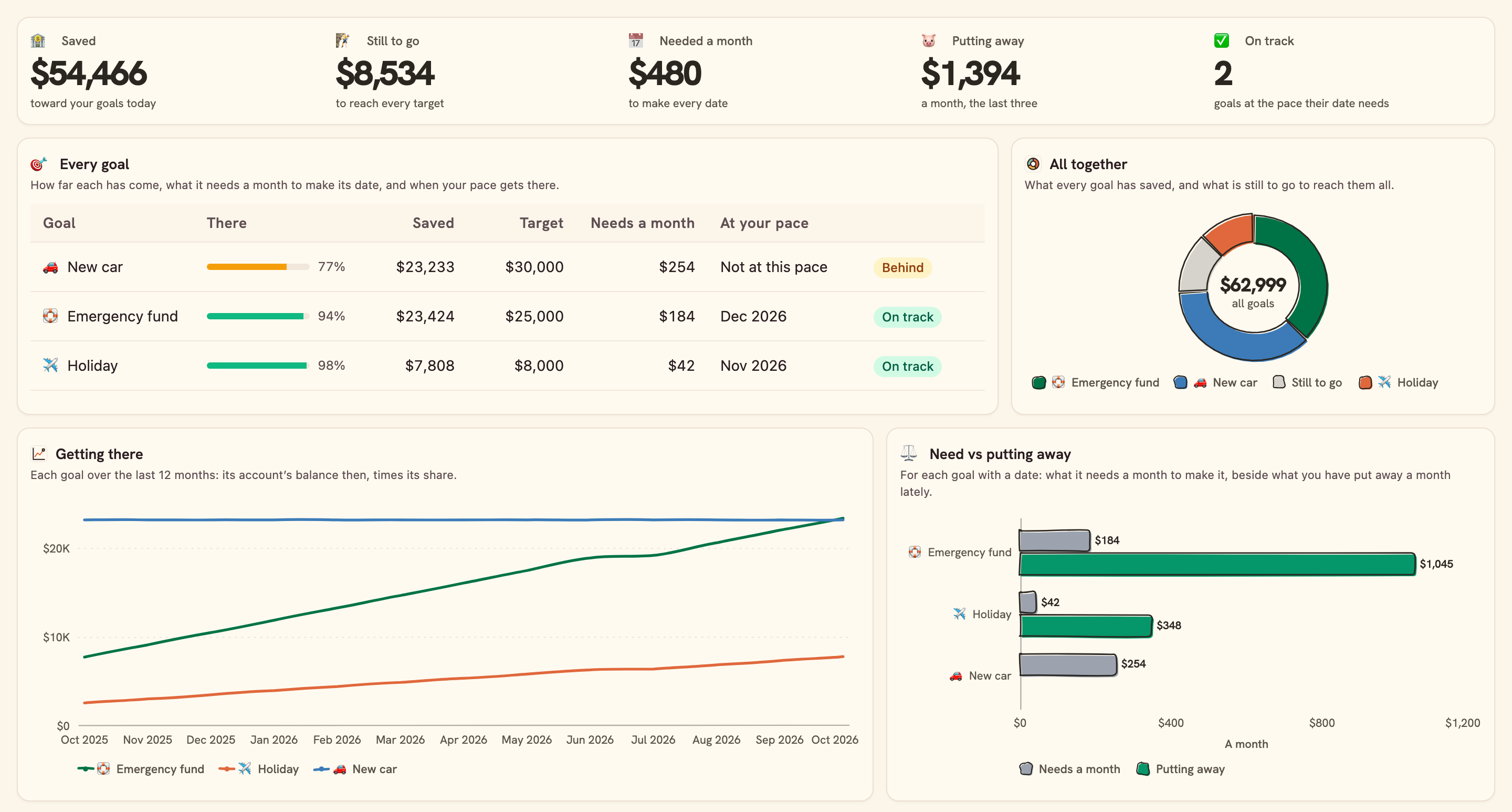
Every goal: how far it has come, what it needs a month, and when your pace gets there.
Overview
Savings Goals keeps every goal — an emergency fund, a holiday, a deposit — next to the account it lives in, so how far each has come is always today’s number.
What you see
- Your goals: saved, still to go, what your dates need a month, what you are putting away, and how many are on track.
- Every goal: how far it has come, what it needs a month and when your pace gets there.
- Getting there: each goal over the last year, and put away each month.
- Need vs putting away for each goal, and all together: saved against what is still to go.
Set up in two minutes
- Pick your bank: the accounts your savings sit in. You can connect a bank right there in the install.
- Install. BankSync sets up your Goals, your Accounts (kept current each morning), your Transactions and the dashboard.
- In the Goals table, give each goal a target, a date and the account it sits in. Two goals in one account? Give each a share of it.
- Switch on the monthly note if you would like your progress on the 1st.
Good to know
- Saved is the account’s balance (times the goal’s share): money for a goal kept in an account you have not connected is not counted.
- Putting away is what went into the account less what came out, the last 3 full months: a one-off transfer moves it.
- History is rebuilt from the account’s transactions: it reaches as far back as your bank sends them.
- A goal with no target or no account waits under “Set it up” and counts in no total.
- Totals and charts add the currency most of your savings are in; a goal on an account in another currency is listed in its own, not added.
- The monthly note arrives on the 1st at 08:00 your time, and only after you switch it on.
- Planning
- Monthly
- Trend
- Consumer
What you get
- DashboardA dashboard laid out and wired to your data.
- AutomationAn automation. Off until an owner or admin approves it.
- Bank feedA bank feed that keeps the data flowing in on its own.
- TableA table with the columns already set up.
- EnrichmentAn enrichment that tidies and categorises as data arrives.
Works with BankSync Tables.
More from BankSync
View profile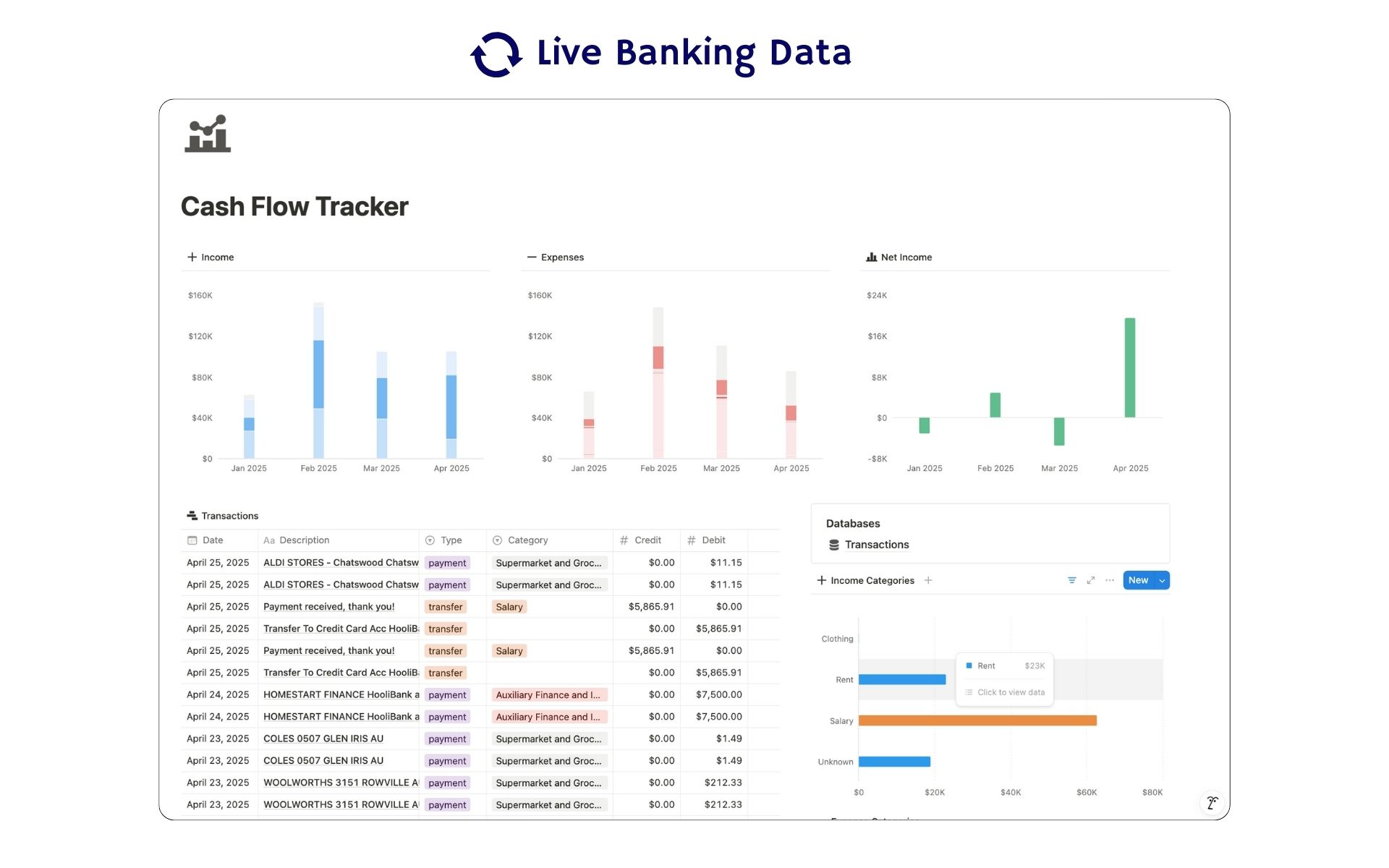 Featured
Cash Flow Tracker
Cash flow in Notion: your transactions imported for you, with monthly statements.
ByBankSyncVerified by BankSync- External template
Free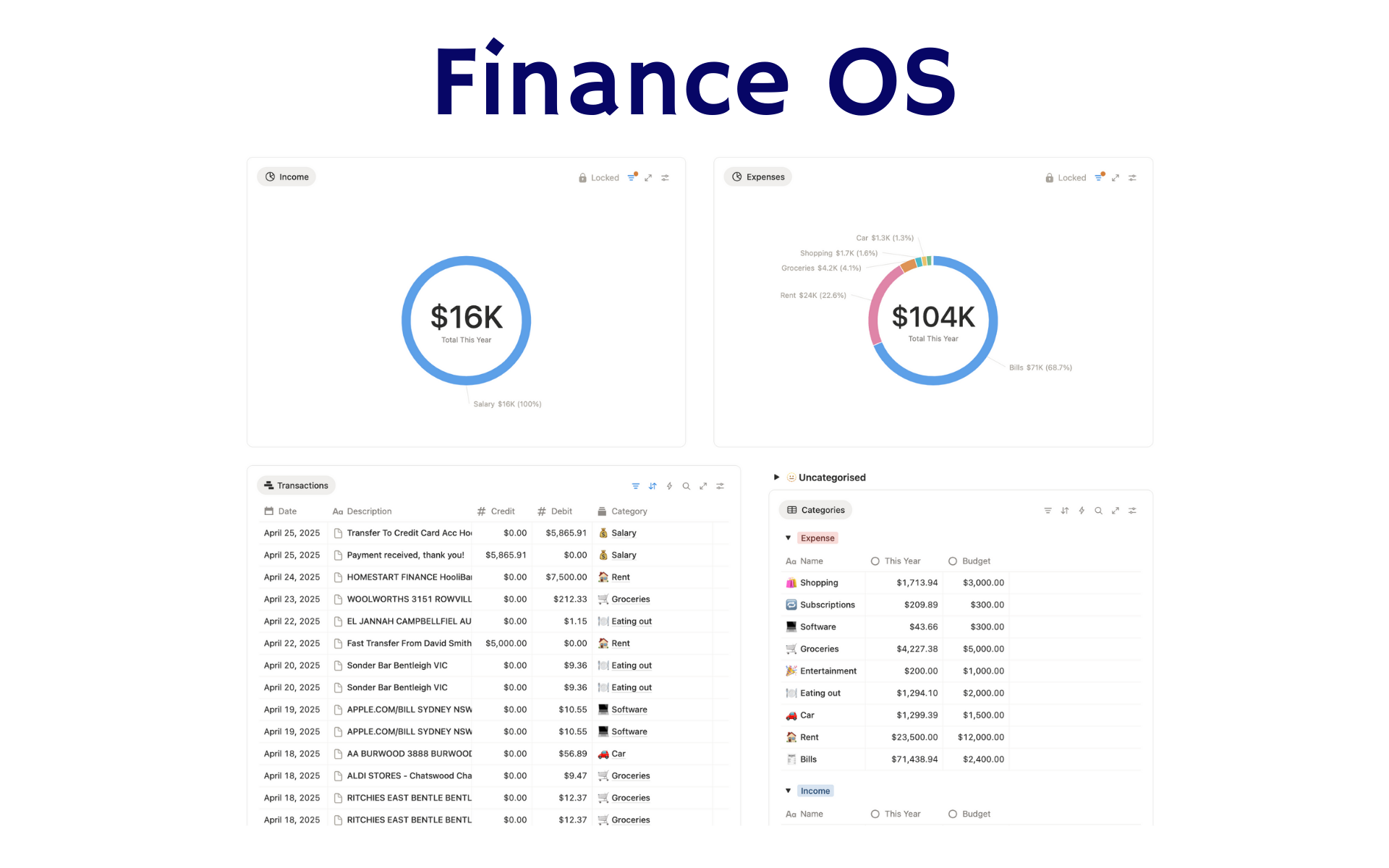 Featured
Finance OS
Your whole financial life in one Notion workspace: goals, investments, net worth and debt.
ByBankSyncVerified by BankSync- External template
Pro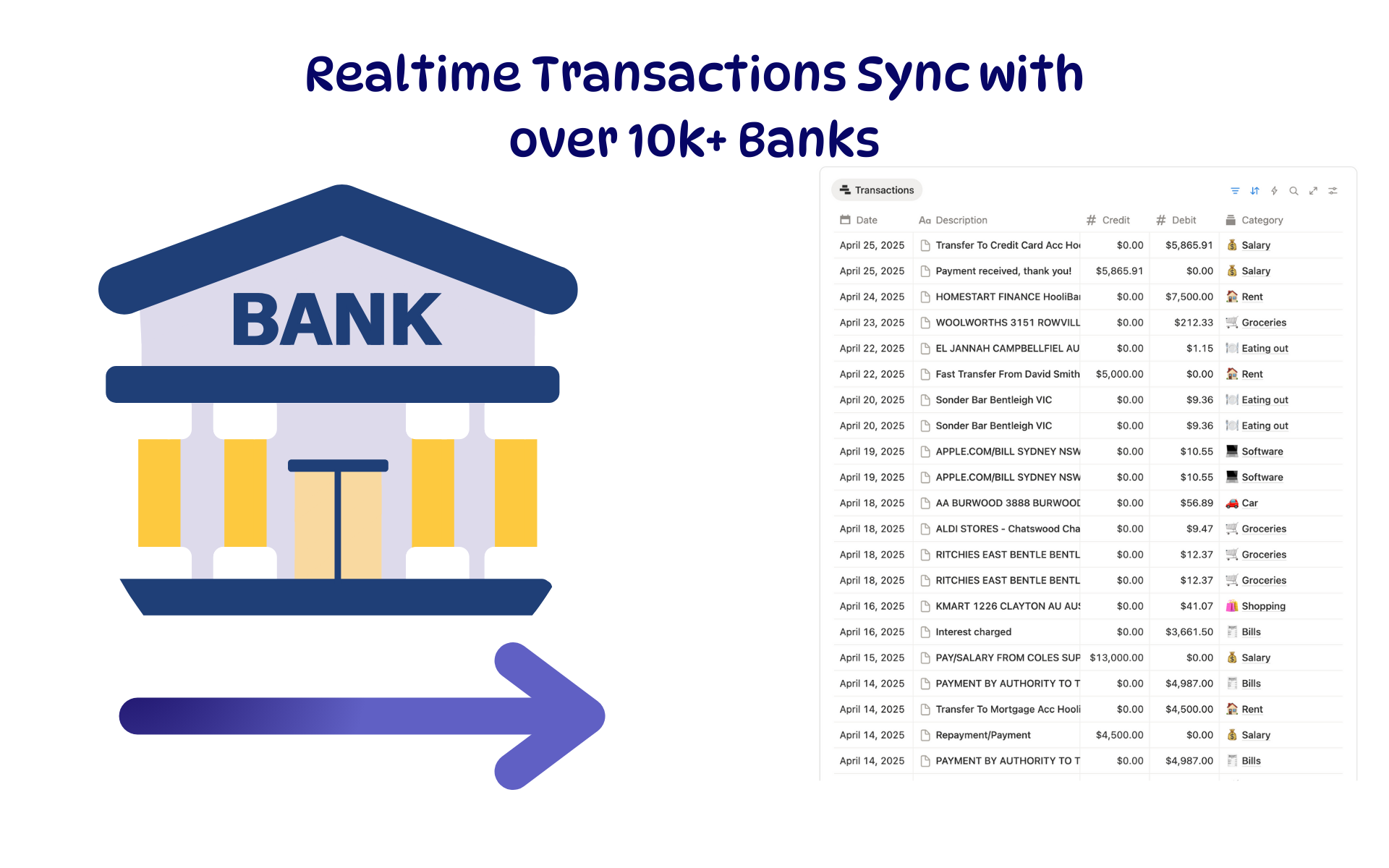 Featured
Budget Tracker
A Notion budget kept current by bank sync: spending against budget, month by month.
ByBankSyncVerified by BankSync- External template
Free