
Sync Zales Diamond Card to Google Sheets
BankSync may support connections to Zales Diamond Card accounts through third-party open banking providers, then route the supported account data shown below to Google Sheets. Set up takes under 10 minutes and requires no code.
How to sync Zales Diamond Card to Google Sheets
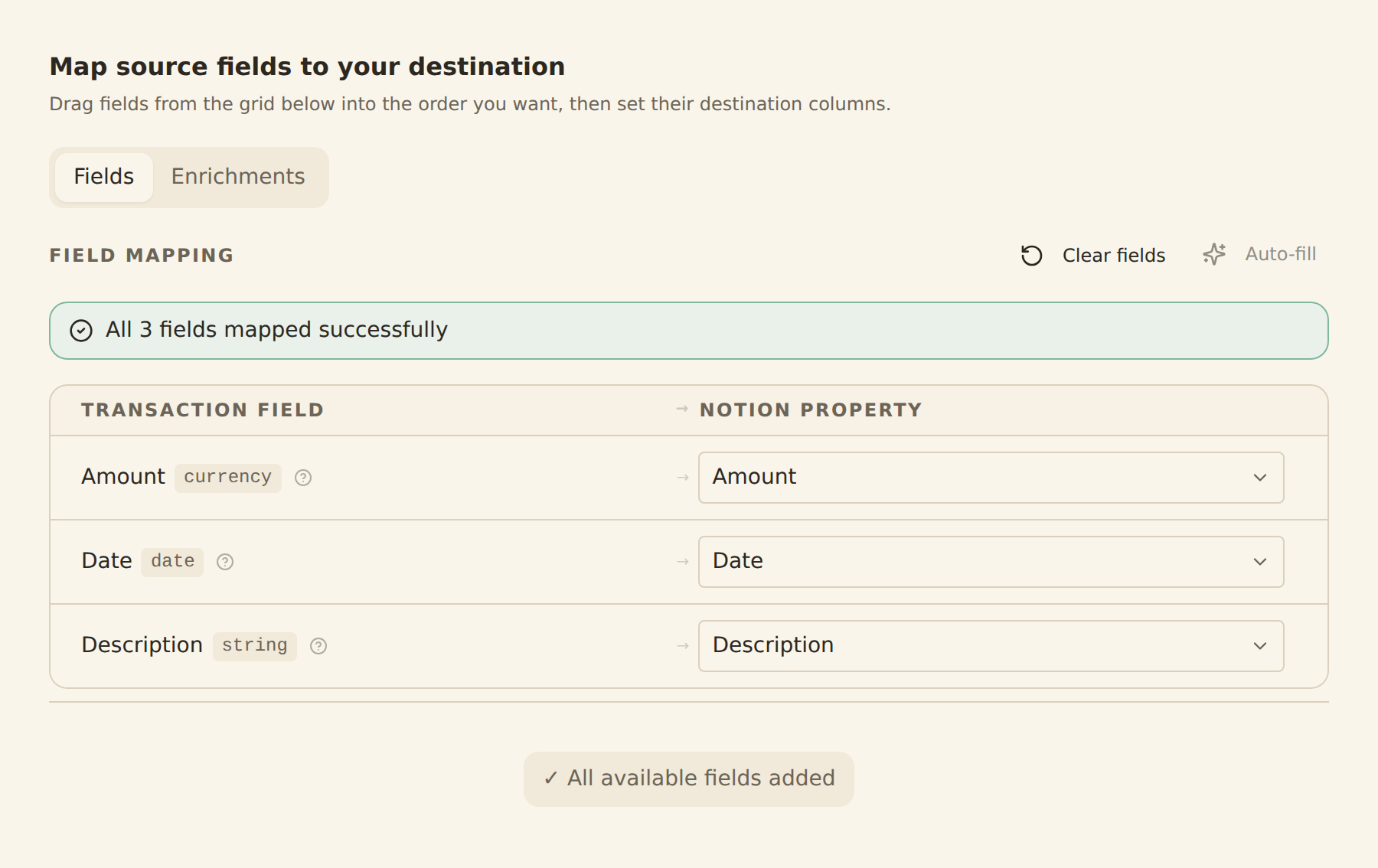
map your columns once
Search for Zales Diamond Card in BankSync
Sign up for BankSync and, if Zales Diamond Card is available, link your account through a provider-hosted or bank-hosted authorization flow. BankSync does not store your online banking credentials.
Authorize Google Sheets
Authorise BankSync to write data to your Google Sheets workspace. Select the database, table, or sheet where the supported account data should land.
Configure field mappings
Map the supported Zales Diamond Card fields supplied by the provider to columns in Google Sheets.
Set your sync schedule
Choose hourly, daily, or weekly automatic syncs based on your plan, or run a manual sync at any time.
How to Get Started
How to use google-sheets - Google Sheets (Web)
Loading product walkthrough...
How to use google-sheets - Google Sheets (Add-on)
What gets synced from Zales Diamond Card to Google Sheets
Transactions
Sync available Zales Diamond Card transaction history and provider-supplied fields such as dates, amounts, descriptions, merchants, and categories.
Balances
Sync current and available balances for supported Zales Diamond Card accounts.
Holdings
Sync supported investment positions, quantities, and market values from Zales Diamond Card.
Trades
Sync supported investment trade and activity history from Zales Diamond Card.
Loans
Sync supported loan balances and provider-supplied liability details from Zales Diamond Card.
Account Details
Use provider-supplied account names, masked identifiers, and types to organise data in Google Sheets.
Custom Field Mappings
Map any Zales Diamond Card field to any column in Google Sheets — fully configurable.
Sync Schedules
Choose hourly, daily, or weekly automatic syncs based on your plan, or run a manual sync at any time.
Ready to sync Zales Diamond Card with Google Sheets?
Start your 14-day free trial. Connect your bank, configure your sync, and have data flowing into Google Sheets in minutes.
Get Started FreeBankSync is not affiliated with, endorsed by, or an official partner of Zales Diamond Card or Google Sheets. All trademarks belong to their respective owners. Bank connections are established through regulated open banking providers.