

Corebridge Financial - Retirement Services को Microsoft Excel में सिंक करें
BankSync थर्ड-पार्टी ओपन बैंकिंग प्रदाताओं के ज़रिए Corebridge Financial - Retirement Services खातों से कनेक्शन को सपोर्ट कर सकता है, और फिर नीचे दिखाया गया समर्थित खाता-डेटा Microsoft Excel में भेज सकता है। सेटअप में 10 मिनट से कम लगते हैं और कोई कोड नहीं लिखना पड़ता।
Corebridge Financial - Retirement Services को Microsoft Excel में कैसे सिंक करें
BankSync में Corebridge Financial - Retirement Services खोजें
BankSync के लिए साइन अप करें और, अगर Corebridge Financial - Retirement Services उपलब्ध है, तो प्रदाता या बैंक द्वारा होस्ट की गई अनुमति प्रक्रिया के ज़रिए अपना खाता जोड़ें। BankSync आपके ऑनलाइन बैंकिंग क्रेडेंशियल संग्रहीत नहीं करता।
Microsoft Excel तक पहुँच दें
BankSync को अपने Microsoft Excel वर्कस्पेस में डेटा लिखने की अनुमति दें। वह डेटाबेस, टेबल या शीट चुनें, जहाँ समर्थित खाता-डेटा पहुँचना चाहिए।
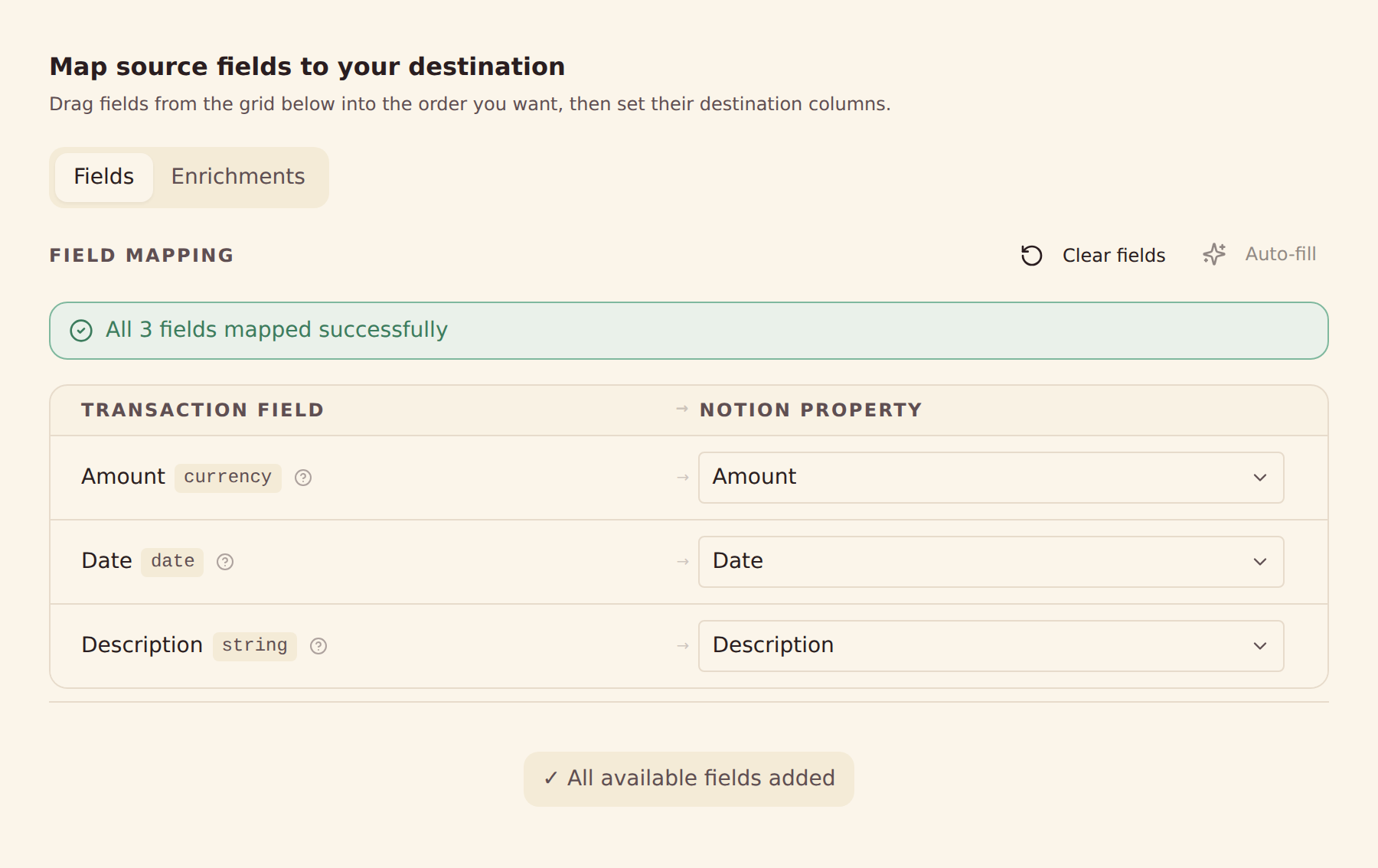
फ़ील्ड मैपिंग कॉन्फ़िगर करें
प्रदाता से मिले Corebridge Financial - Retirement Services के समर्थित फ़ील्ड को Microsoft Excel के कॉलम से मैप करें।
अपना सिंक शेड्यूल तय करें
अपने प्लान के अनुसार हर घंटे, रोज़ाना या साप्ताहिक ऑटोमैटिक सिंक चुनें, या कभी भी मैन्युअल सिंक चलाएँ।
Corebridge Financial - Retirement Services से Microsoft Excel में क्या सिंक होता है
लेन-देन
Corebridge Financial - Retirement Services का उपलब्ध लेन-देन इतिहास और प्रदाता से मिले फ़ील्ड, जैसे तारीख, राशि, विवरण, व्यापारी और श्रेणियाँ, सिंक करें।
बैलेंस
Corebridge Financial - Retirement Services के समर्थित खातों का मौजूदा और उपलब्ध बैलेंस सिंक करें।
होल्डिंग्स
Corebridge Financial - Retirement Services से समर्थित निवेश पोज़िशन, उनकी मात्रा और बाज़ार मूल्य सिंक करें।
ट्रेड
Corebridge Financial - Retirement Services से समर्थित निवेश ट्रेड और गतिविधि इतिहास सिंक करें।
लोन
Corebridge Financial - Retirement Services से समर्थित लोन बैलेंस और प्रदाता से मिली देनदारी की जानकारी सिंक करें।
खाते का विवरण
Microsoft Excel में डेटा व्यवस्थित करने के लिए प्रदाता से मिले खाता नाम, मास्क किए गए पहचानकर्ता और खाता प्रकार इस्तेमाल करें।
कस्टम फ़ील्ड मैपिंग
Corebridge Financial - Retirement Services के किसी भी फ़ील्ड को Microsoft Excel के किसी भी कॉलम से मैप करें – पूरी तरह कॉन्फ़िगर करने योग्य।
सिंक शेड्यूल
अपने प्लान के अनुसार हर घंटे, रोज़ाना या साप्ताहिक ऑटोमैटिक सिंक चुनें, या कभी भी मैन्युअल सिंक चलाएँ।
Corebridge Financial - Retirement Services को Microsoft Excel से सिंक करने के लिए तैयार हैं?
अपना 14 दिन का मुफ़्त ट्रायल शुरू करें। अपना बैंक जोड़ें, सिंक कॉन्फ़िगर करें, और कुछ ही मिनटों में डेटा Microsoft Excel में आने लगेगा।
मुफ़्त शुरू करेंCorebridge Financial - Retirement Services को कहीं और सिंक करें
Corebridge Financial - Retirement Services का यही कनेक्शन इनमें से किसी भी डेस्टिनेशन को डेटा दे सकता है।
- Corebridge Financial - Retirement Services को Actual Budget में सिंक करें
- Corebridge Financial - Retirement Services को Airtable में सिंक करें
- Corebridge Financial - Retirement Services को Firefly III में सिंक करें
- Corebridge Financial - Retirement Services को Google Sheets में सिंक करें
- Corebridge Financial - Retirement Services को Home Assistant में सिंक करें
- Corebridge Financial - Retirement Services को MongoDB में सिंक करें
- Corebridge Financial - Retirement Services को MySQL में सिंक करें
- Corebridge Financial - Retirement Services को Notion में सिंक करें
- Corebridge Financial - Retirement Services को PostgreSQL में सिंक करें
- Corebridge Financial - Retirement Services को Securo में सिंक करें
- Corebridge Financial - Retirement Services को SimpleFIN में सिंक करें
- Corebridge Financial - Retirement Services को Sure में सिंक करें
Microsoft Excel में सिंक होने वाले दूसरे बैंक
उसी बाज़ार के संस्थान, जो खाता-डेटा Microsoft Excel में भी भेज सकते हैं।
- Chase को Microsoft Excel में सिंक करें🇺🇸 संयुक्त राज्य
- American Express को Microsoft Excel में सिंक करें🇺🇸 संयुक्त राज्य
- Capital One को Microsoft Excel में सिंक करें🇺🇸 संयुक्त राज्य
- Wells Fargo को Microsoft Excel में सिंक करें🇺🇸 संयुक्त राज्य
- Citibank Online को Microsoft Excel में सिंक करें🇺🇸 संयुक्त राज्य
- Fidelity को Microsoft Excel में सिंक करें🇺🇸 संयुक्त राज्य
- Bank of America को Microsoft Excel में सिंक करें🇺🇸 संयुक्त राज्य
- Charles Schwab को Microsoft Excel में सिंक करें🇺🇸 संयुक्त राज्य
BankSync, Corebridge Financial - Retirement Services या Microsoft Excel से संबद्ध नहीं है, न उनके द्वारा समर्थित है और न ही उनका आधिकारिक पार्टनर है। सभी ट्रेडमार्क उनके संबंधित स्वामियों के हैं। बैंक कनेक्शन विनियमित ओपन बैंकिंग प्रदाताओं के ज़रिए बनाए जाते हैं।